AI agent for patent agents
Patent Maintenance and Annuity Agent
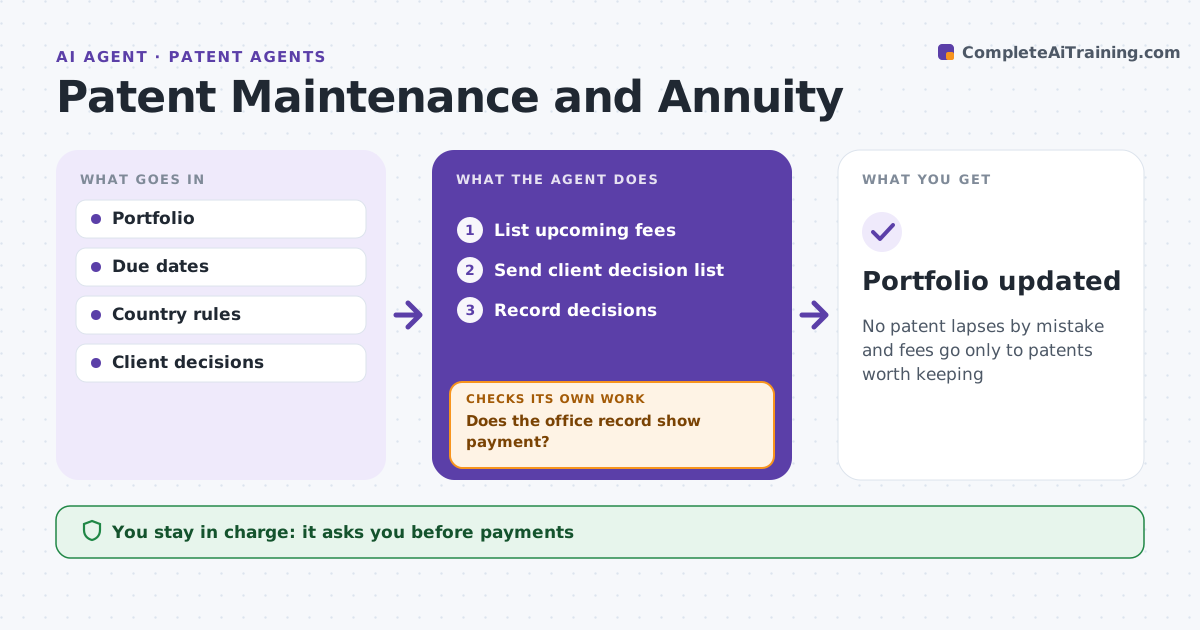
No patent lapses by mistake and fees go only to patents worth keeping
What it does
Missing a maintenance fee can kill a valuable patent, while paying fees on unused ones wastes money. This agent tracks fees and annuities for the portfolio. Each month it calculates due dates and grace periods by country and lists upcoming fees with cost. It sends the client a decision list with each patent's product use and licensing status, suggesting review for patents not in use or licensed. It records decisions and reminds the client 30 days before due. The patent agent approves payments. After payment, it checks the office record shows the fee paid. If not, it alerts before the grace period ends. The client decides which patents to keep. Edge case: the client has not replied and the grace period is near, so the agent escalates.
How it works
Follow the arrows from top to bottom. The orange dashed arrow is the loop: when a check fails, the agent goes back and tries again.
Read the steps as a list
- Monthly check
- List upcoming fees
- Send client decision list
- Record decisions
- Patent agent approves paymentsThe agent waits here for your OK.
- Does the office record show payment?If not: alert before grace ends. Back to step 5.
- Portfolio updated
How it decides
It lists fees by due date and tracks decisions and payment confirmation.
- No reply 30 days before due: remind
- Within grace with surcharge: escalate
- Not in use or licensed: suggest review
Make it yours
Every agent is a starting point. You choose these settings for your own situation.
- Reminder timing
- Countries
- Decision list fields
- Escalation
What keeps you in control
It always asks you first
- Payments
- Abandonment
Hard limits
- Never pays
- Never abandons a patent
It stops when
- Done: all decided
- Stop: client transfers portfolio
Set it up
We guide you through the set-up, step by step
Members get the full set-up guide for this agent. No technical skills needed: you copy, paste and upload.
- One set of instructions to paste into your AI, with the clicks for ChatGPT, Claude, Microsoft 365 Copilot, Gemini and Grok
- The agent then walks you through connecting your own data, one source at a time
- A downloadable copy with the flow chart, the rules and the full guide