AI agent for portfolio managers
Performance Attribution Reporting Agent
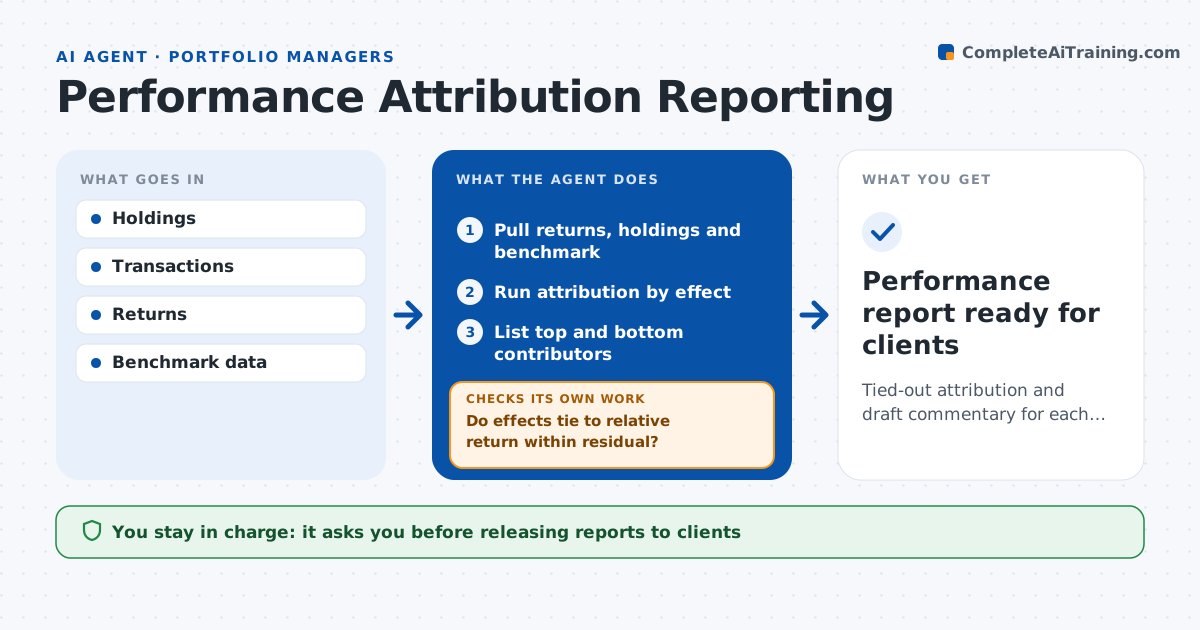
Tied-out attribution and draft commentary for each portfolio
What it does
Clients want to know why a portfolio beat or lagged its benchmark, and attribution that does not add up undermines the answer. After month-end, this agent runs performance attribution for each portfolio. It pulls returns, holdings and benchmark data, splits relative return into allocation, selection and currency effects, and lists the top and bottom contributors. It checks that the effects add up to the total relative return within a small residual and that portfolio returns match the official record. When they do not, it looks for missing trades, pricing differences or large cash flows and reruns. It drafts the commentary. The manager edits and approves it before it goes to clients. Edge case: a large client withdrawal mid-month distorts the return, so the agent uses the time-weighted figure.
How it works
Follow the arrows from top to bottom. The orange dashed arrow is the loop: when a check fails, the agent goes back and tries again.
Read the steps as a list
- Month-end data final
- Pull returns, holdings and benchmark
- Run attribution by effect
- Do effects tie to relative return within residual?If not: find missing trades or pricing differences and rerun. Back to step 2.
- List top and bottom contributors
- Draft commentary
- Manager approves commentaryThe agent waits here for your OK.
- Performance report ready for clients
How it decides
It accepts results only when effects sum to relative return within a small residual.
- Residual over 5 basis points: investigate
- Return differs from official record: use official, find cause
- Cash flow over 10% of assets: check time weighting
Make it yours
Every agent is a starting point. You choose these settings for your own situation.
- Attribution model
- Residual threshold
- Commentary length
- Benchmarks used
What keeps you in control
It always asks you first
- Releasing reports to clients
Hard limits
- Never changes official returns
- Never sends to clients
It stops when
- Done: report approved
- Stop: official returns not published
Set it up
We guide you through the set-up, step by step
Members get the full set-up guide for this agent. No technical skills needed: you copy, paste and upload.
- One set of instructions to paste into your AI, with the clicks for ChatGPT, Claude, Microsoft 365 Copilot, Gemini and Grok
- The agent then walks you through connecting your own data, one source at a time
- A downloadable copy with the flow chart, the rules and the full guide