AI agent for qa managers
Performance Regression Profiling Agent
Catch performance regressions the day they land
What it does
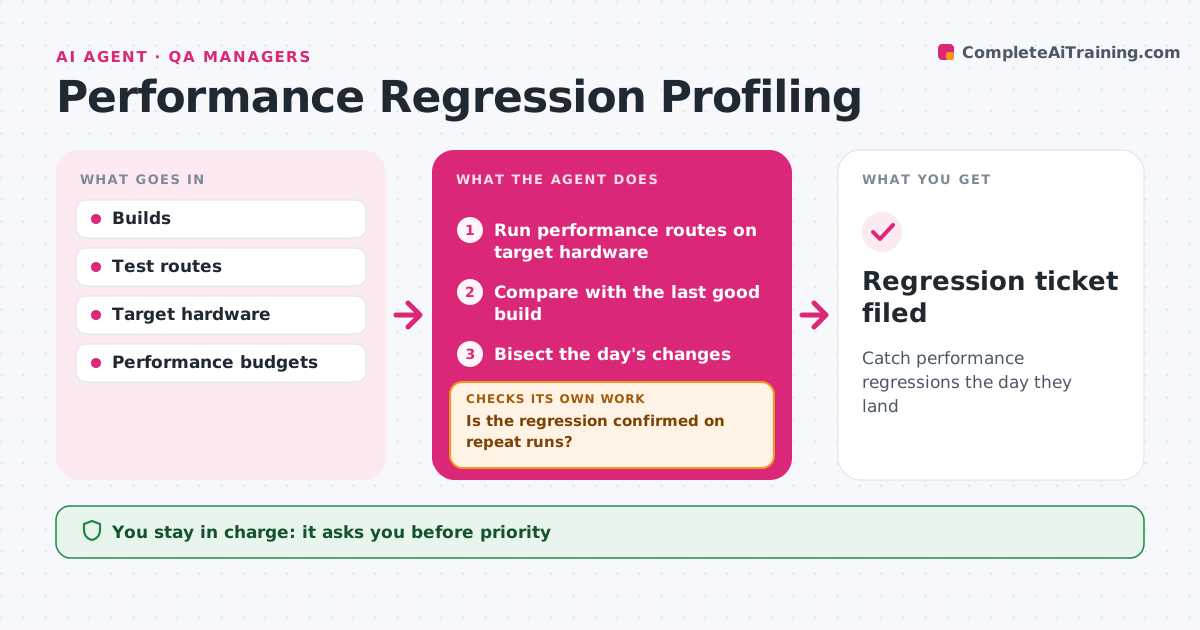
Performance slowly gets worse when nobody notices that one change added a few milliseconds per frame. Every night this agent runs the game's performance test routes on target hardware, recording frame time, memory, load times and hitches. It compares each result with the last good build. When a metric worsens past the threshold, it repeats the run three times to rule out noise. A confirmed regression starts a bisect: it builds and tests the day's changes in halves to find the one that caused it. It then confirms the cause by testing the builds just before and after that change. If they do not confirm it, it keeps bisecting or tests combinations of changes. It drafts a ticket for the change author with profiler captures. The lead approves priority. Edge case: background process noise is handled by repeat runs before anything is reported.
How it works
Follow the arrows from top to bottom. The orange dashed arrow is the loop: when a check fails, the agent goes back and tries again.
Read the steps as a list
- Nightly build ready
- Run performance routes on target hardware
- Compare with the last good build
- Is the regression confirmed on repeat runs?If not: mark as noise and continue. Back to step 2.
- Bisect the day's changes
- Do builds before and after the change confirm the cause?If not: keep bisecting or test change combinations. Back to step 5.
- Draft ticket with captures
- Lead approves priorityThe agent waits here for your OK.
- Regression ticket filed
How it decides
It declares a regression only when repeated runs exceed the threshold, then bisects to the change.
- Threshold 5% frame time or 50 MB memory
- Three repeat runs before declaring
- Assign to the change author
Make it yours
Every agent is a starting point. You choose these settings for your own situation.
- Thresholds
- Routes and hardware
- Repeat count
- Ticket template
What keeps you in control
It always asks you first
- Priority
- Reverting changes
Hard limits
- Never reverts changes itself
- Never changes budgets
It stops when
- Done: ticket filed
- Stop: build broken
Set it up
We guide you through the set-up, step by step
Members get the full set-up guide for this agent. No technical skills needed: you copy, paste and upload.
- One set of instructions to paste into your AI, with the clicks for ChatGPT, Claude, Microsoft 365 Copilot, Gemini and Grok
- The agent then walks you through connecting your own data, one source at a time
- A downloadable copy with the flow chart, the rules and the full guide