AI agent for quality assurance testers
Test Fixture Data Minimization Agent
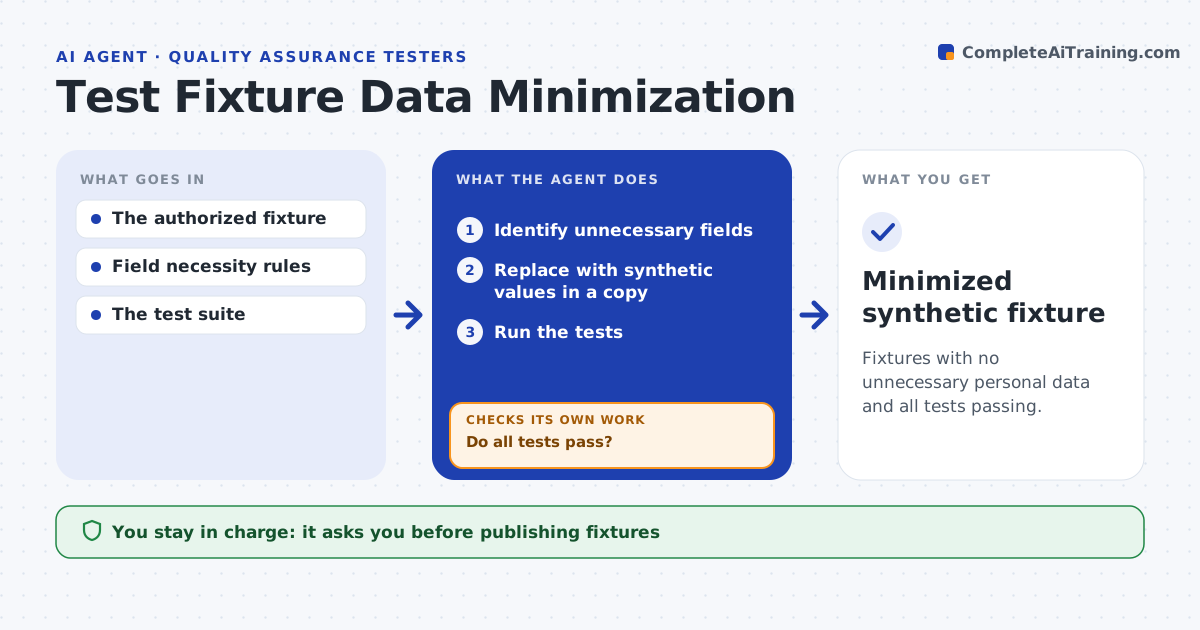
Fixtures with no unnecessary personal data and all tests passing.
What it does
Test fixtures often contain real personal data that the tests do not need. This agent reviews each fixture and identifies fields that the tested behavior does not use. It replaces them with synthetic values in a copy, then runs the tests. If a test fails because a meaningful relationship was lost, for example region codes that must match postal codes, it restores that relationship using synthetic values and runs again. It never publishes fixtures or processes data it is not allowed to see. The QA lead approves the new fixture. Edge case: replacing birth dates breaks an age check test, so the agent generates synthetic dates that keep the same age bands.
How it works
Follow the arrows from top to bottom. The orange dashed arrow is the loop: when a check fails, the agent goes back and tries again.
Read the steps as a list
- Fixture review
- Identify unnecessary fields
- Replace with synthetic values in a copy
- Run the tests
- Do all tests pass?If not: restore the needed relationship synthetically. Back to step 3.
- QA lead approves the fixtureThe agent waits here for your OK.
- Minimized synthetic fixture
How it decides
It replaces fields one group at a time and restores relationships the tests depend on.
- Necessity rules decide which fields are replaced.
- Preserve relationships that tests depend on.
- Original fixtures are never published.
Make it yours
Every agent is a starting point. You choose these settings for your own situation.
- Necessity rules for which fields tests need
- Synthetic data generator settings
- Relationships that must be preserved (default geography and age bands)
- Who approves the fixture
What keeps you in control
It always asks you first
- Publishing fixtures
- Processing unauthorized data
Hard limits
- Works on a copy.
It stops when
- Done: tests pass.
Set it up
We guide you through the set-up, step by step
Members get the full set-up guide for this agent. No technical skills needed: you copy, paste and upload.
- One set of instructions to paste into your AI, with the clicks for ChatGPT, Claude, Microsoft 365 Copilot, Gemini and Grok
- The agent then walks you through connecting your own data, one source at a time
- A downloadable copy with the flow chart, the rules and the full guide