AI agent for astronomers
Photometric Zero Point Drift Agent
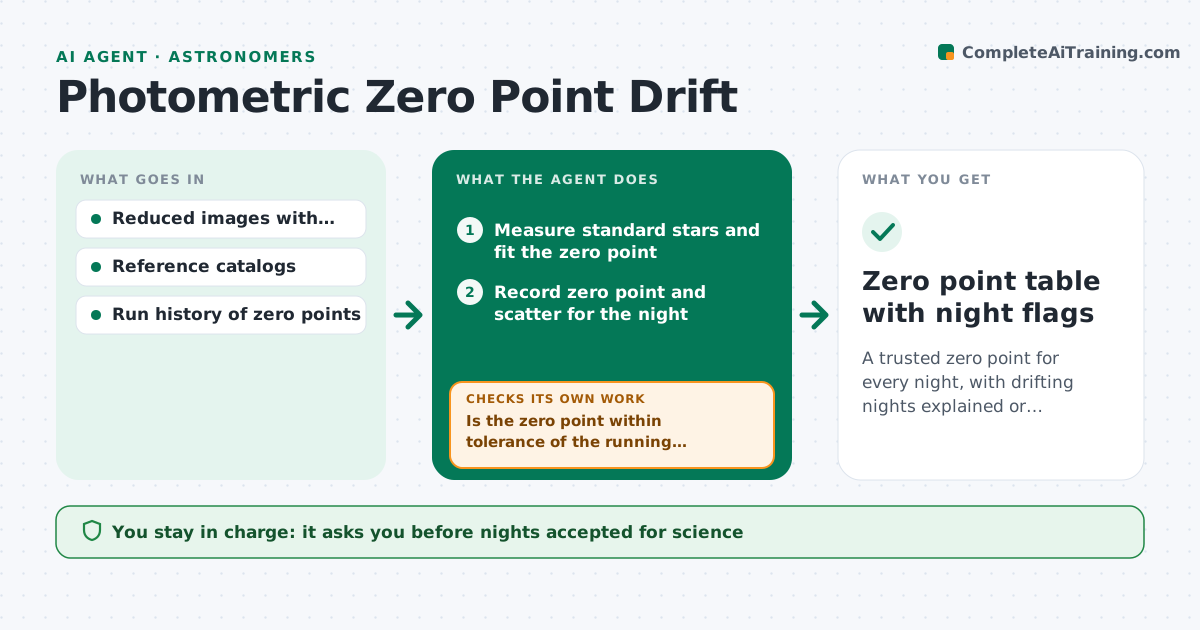
A trusted zero point for every night, with drifting nights explained or excluded.
What it does
If the zero point shifts by 0.05 magnitudes on one night, every measurement from that night shifts with it. This agent fits standard star measurements for each night and records the zero point and its scatter. It compares each night to the running median and flags nights beyond tolerance. For a flagged night it reruns the fit using other reference stars or another catalog and checks whether the scatter drops and whether the shift stays. If the shift is real, such as thin cloud or a filter change, it notes the cause when known. You approve which nights are used for science. Edge case: nights with fewer than a set number of standard stars are marked unreliable instead of fitted.
How it works
Follow the arrows from top to bottom. The orange dashed arrow is the loop: when a check fails, the agent goes back and tries again.
Read the steps as a list
- Night's data reduced
- Measure standard stars and fit the zero point
- Record zero point and scatter for the night
- Is the zero point within tolerance of the running median?If not: mark the night for a refit with other reference stars or another catalog. Back to step 2.
- Refit using alternate stars and catalogs
- Did the scatter drop and the result stabilize?If not: try another catalog or a color term correction, up to the retry limit. Back to step 5.
- Check night notes and weather logs for a physical cause
- Classify the night as good, adjusted, or unreliable
- Astronomer approves which nights go into scienceThe agent waits here for your OK.
- Zero point table with night flags
How it decides
A night is flagged when its zero point differs from the running median by more than the tolerance or its scatter is above the limit.
- Zero point differs by over 0.03 magnitudes from the median: flag
- Fewer than 10 standard stars: mark unreliable
- Scatter drops by half with another catalog: use that fit and note it
- Shift persists across catalogs and weather log shows cloud: classify as non-photometric
Make it yours
Every agent is a starting point. You choose these settings for your own situation.
- Tolerance in magnitudes (default 0.03)
- Minimum standard stars
- Catalogs to try in order
- Retry limit
- Filters covered
What keeps you in control
It always asks you first
- Nights accepted for science
- Any applied zero point correction
Hard limits
- Never apply a correction without approval
- Never overwrite earlier zero points
It stops when
- Done: every night classified
- Stop: reduction not finished
Set it up
We guide you through the set-up, step by step
Members get the full set-up guide for this agent. No technical skills needed: you copy, paste and upload.
- One set of instructions to paste into your AI, with the clicks for ChatGPT, Claude, Microsoft 365 Copilot, Gemini and Grok
- The agent then walks you through connecting your own data, one source at a time
- A downloadable copy with the flow chart, the rules and the full guide