AI agent for immigration consultants
Physical Presence Day Count Agent
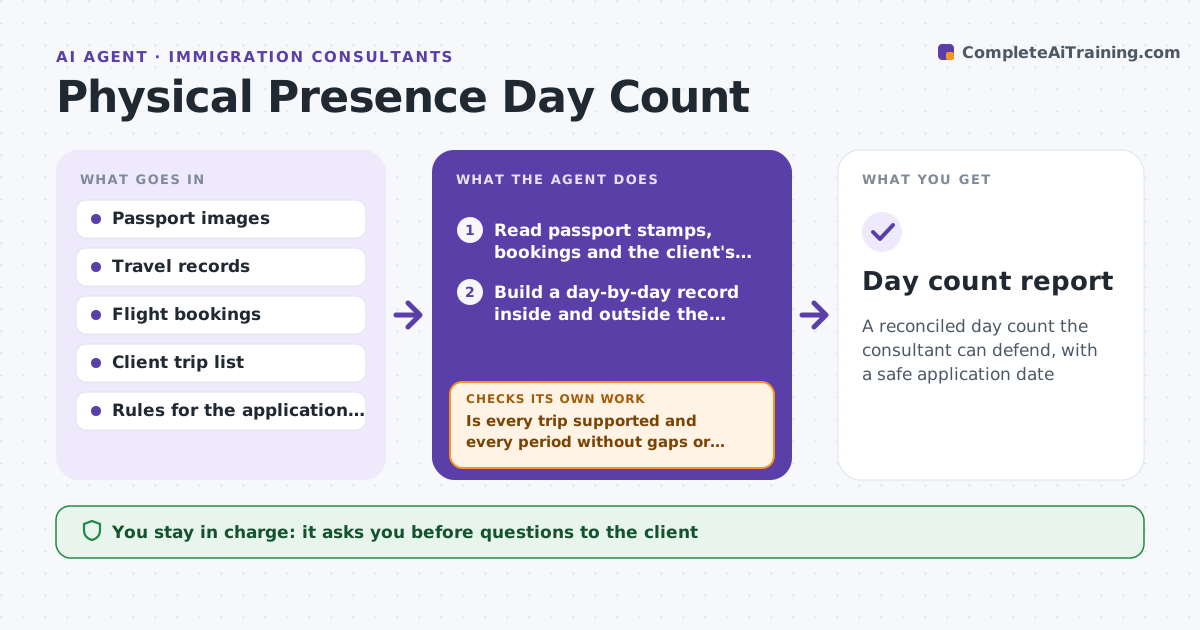
A reconciled day count the consultant can defend, with a safe application date
What it does
Citizenship and residency rules count days inside and outside the country, and a miscount of even a few days can sink an application. This agent reads passport stamps, travel records, flight bookings and the client's own list of trips. It builds a day-by-day record, calculates days inside and outside for each required period and tests it against the rule, including partial days. It reconciles gaps and conflicts, for example a trip in the client's list with no stamp. It drafts questions for the client, and after the consultant approves, the client answers. The agent recalculates after each correction. It flags clients near a threshold, and projects the earliest safe application date. The consultant approves the counts used in an application. Edge case: a stamp is unreadable.
How it works
Follow the arrows from top to bottom. The orange dashed arrow is the loop: when a check fails, the agent goes back and tries again.
Read the steps as a list
- Client supplies travel history
- Read passport stamps, bookings and the client's trip list
- Build a day-by-day record inside and outside the country and calculate days per required period under the rule
- Is every trip supported and every period without gaps or conflicts?If not: list the missing records and conflicts. Back to step 3.
- Draft questions to the client with the exact dates
- Consultant approves the questionsThe agent waits here for your OK.
- Record the client's answers and recalculate
- Do the counts match across sources and meet the rule?If not: recheck conflicting trips and ask for an additional record. Back to step 3.
- Find clients near a threshold and compute the earliest safe date
- Consultant approves the counts for useThe agent waits here for your OK.
- Day count report
How it decides
A day is counted by the rule for partial days. A count is used only if every gap and conflict is resolved or noted.
- Count partial days by the rule for the application type
- Treat an unsupported trip as unconfirmed
- Flag clients within 30 days of a threshold
- Recalculate after every correction
Make it yours
Every agent is a starting point. You choose these settings for your own situation.
- Rules by application type
- Threshold warning (default 30 days)
- Partial day rule
- Record types accepted
What keeps you in control
It always asks you first
- Questions to the client
- The counts used in an application
Hard limits
- Never submits the application
- Never guesses at missing stamps
It stops when
- Done: counts reconciled and approved
- Stop: travel records are missing for over 3 months
Set it up
We guide you through the set-up, step by step
Members get the full set-up guide for this agent. No technical skills needed: you copy, paste and upload.
- One set of instructions to paste into your AI, with the clicks for ChatGPT, Claude, Microsoft 365 Copilot, Gemini and Grok
- The agent then walks you through connecting your own data, one source at a time
- A downloadable copy with the flow chart, the rules and the full guide