AI agent for process development scientists
Pilot Plant Run Readiness Agent
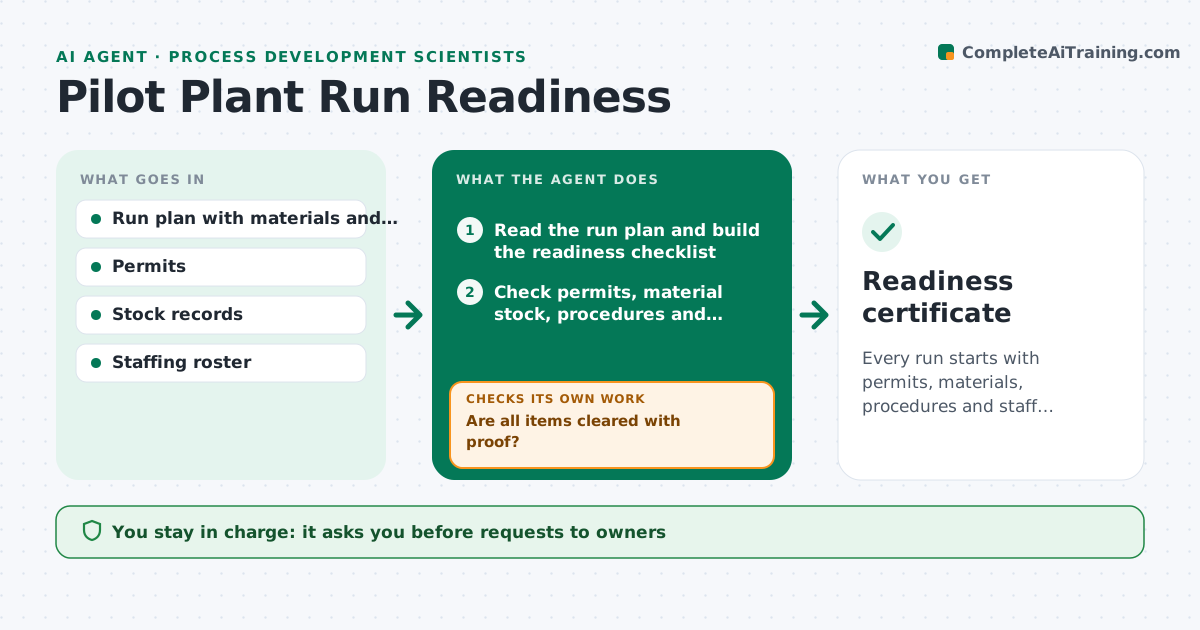
Every run starts with permits, materials, procedures and staff confirmed and no last-minute surprises.
What it does
The run is booked for Monday, then someone finds the permit expired, the raw material has not arrived or the operator is on leave. This agent checks the run plan against permits, material stock, procedures and staffing as soon as the run is scheduled. It lists the gaps and chases owners by drafting short requests, one per gap. It rechecks every day until all items clear or the start date is at risk, and then flags that clearly. For each gap it shows who owns it and how long it usually takes. You approve the start. Edge case: a material that is in stock but past retest date counts as a gap until the quality release is renewed.
How it works
Follow the arrows from top to bottom. The orange dashed arrow is the loop: when a check fails, the agent goes back and tries again.
Read the steps as a list
- Run scheduled
- Read the run plan and build the readiness checklist
- Check permits, material stock, procedures and staffing against the plan
- List gaps with owner and typical lead time
- Draft requests to the owners of each gap
- Engineer approves requestsThe agent waits here for your OK.
- Recheck status daily
- Are all items cleared with proof?If not: update the gap list and chase owners with a new message. Back to step 7.
- Is the start date still achievable given remaining lead times?If not: propose a later start or a reduced scope. Back to step 3.
- Engineer approves the startThe agent waits here for your OK.
- Readiness certificate
How it decides
A readiness item is cleared only when the proof is on file, such as an approved permit or a stock count. The run is at risk if open items remain within the warning window.
- Open item with lead time longer than the days left: propose a new start date
- Material past retest date: treat as a gap
- Permit expiring during the run: flag as a gap
- Operator not trained on the procedure: block the start
Make it yours
Every agent is a starting point. You choose these settings for your own situation.
- Checklist items
- Warning window in days (default 5)
- Reminder frequency
- Owners per item
- Report format
What keeps you in control
It always asks you first
- Requests to owners
- The run start
- Any change of scope or date
Hard limits
- Never start a run
- Never accept a verbal confirmation as proof
It stops when
- Done: all items cleared and start approved
- Stop: start date cannot be met, engineer decides
Set it up
We guide you through the set-up, step by step
Members get the full set-up guide for this agent. No technical skills needed: you copy, paste and upload.
- One set of instructions to paste into your AI, with the clicks for ChatGPT, Claude, Microsoft 365 Copilot, Gemini and Grok
- The agent then walks you through connecting your own data, one source at a time
- A downloadable copy with the flow chart, the rules and the full guide