AI agent for director of business developments
Pitch Deck Data Refresh Agent
Make sure every pitch deck uses current, approved facts before it reaches a prospect
What it does
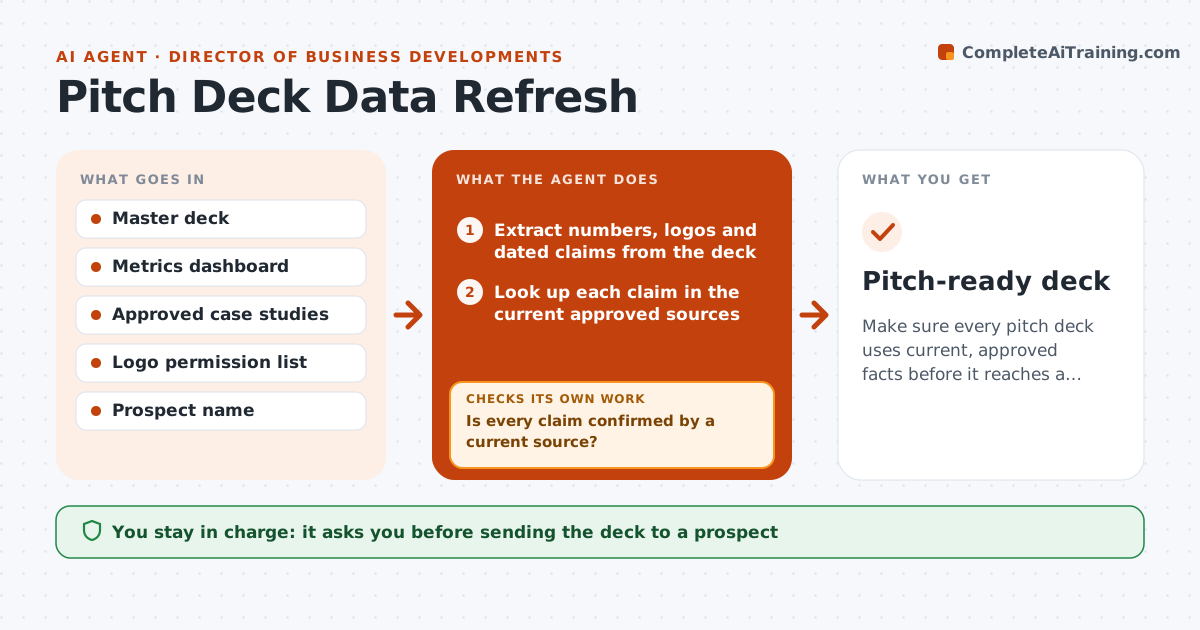
BD teams reuse the same pitch deck for months while the facts inside it change. Before a pitch, this agent extracts every claim with a number, customer logo or date, and looks each one up in current approved sources, such as the metrics dashboard, case study list and logo permission list. It updates outdated claims in a draft copy, rounding numbers down, never up. It then checks every claim is confirmed by a current source; if not, it searches other approved sources and, failing that, removes or flags the claim. Claims older than six months are flagged. It also tailors the industry slide to the prospect using public information. The BD lead approves the final deck. Edge case: a customer logo without written permission is removed even if the customer is still active.
How it works
Follow the arrows from top to bottom. The orange dashed arrow is the loop: when a check fails, the agent goes back and tries again.
Read the steps as a list
- Pitch scheduled
- Extract numbers, logos and dated claims from the deck
- Look up each claim in the current approved sources
- Update outdated claims in a draft copy
- Is every claim confirmed by a current source?If not: search other approved sources, then remove or flag the claim. Back to step 3.
- Tailor the industry slide to the prospect
- BD lead approves the final deckThe agent waits here for your OK.
- Pitch-ready deck
How it decides
A claim stays only if it matches a current approved source. Anything older than the source refresh date or not found is removed or flagged.
- Remove logos without written permission
- Round numbers down, never up
- Flag claims older than 6 months
Make it yours
Every agent is a starting point. You choose these settings for your own situation.
- Approved sources list
- Maximum claim age (default 6 months)
- Which slides to tailor
- Deck format
What keeps you in control
It always asks you first
- Sending the deck to a prospect
Hard limits
- Never invents numbers
- Never uses a logo without permission
It stops when
- Done: deck approved
- Stop: master deck or sources unavailable
Set it up
We guide you through the set-up, step by step
Members get the full set-up guide for this agent. No technical skills needed: you copy, paste and upload.
- One set of instructions to paste into your AI, with the clicks for ChatGPT, Claude, Microsoft 365 Copilot, Gemini and Grok
- The agent then walks you through connecting your own data, one source at a time
- A downloadable copy with the flow chart, the rules and the full guide