AI agent for automation engineers
PLC Logic Draft and Review Agent
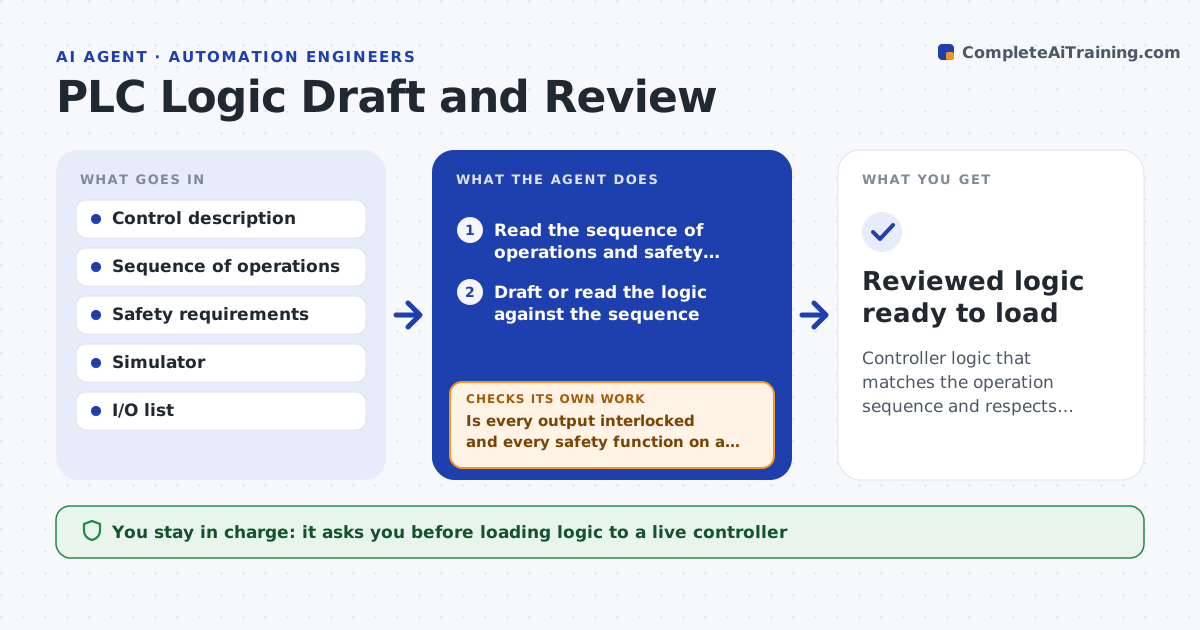
Controller logic that matches the operation sequence and respects safety interlocks
What it does
Controller logic drives machines, so one error can stop production or create a hazard, and reviewing ladder logic by hand is slow. This agent takes the control description and drafts the logic, or reviews existing logic against the sequence of operations and the safety requirements. It checks for common problems: outputs with no interlock, states that can deadlock, missing fault handling and safety conditions that can be bypassed. It then simulates the logic against the operation sequence and checks that each step behaves as specified. Where a check fails, it names the issue and the rung, reworks the logic and simulates again. You approve logic before it is loaded to a controller. Edge case: a safety function tied to a non-safety input is flagged as a safety gap even if the sequence works.
How it works
Follow the arrows from top to bottom. The orange dashed arrow is the loop: when a check fails, the agent goes back and tries again.
Read the steps as a list
- Logic needed or changed
- Read the sequence of operations and safety requirements
- Draft or read the logic against the sequence
- Check interlocks, deadlocks, fault handling and safety bypasses
- Is every output interlocked and every safety function on a safety input?If not: name the rung and rework the logic. Back to step 3.
- Simulate the logic against the operation sequence
- Does every step behave as specified with safety intact?If not: describe the issue and rung, rework the logic and resimulate. Back to step 6.
- Engineer approves loading to the controllerThe agent waits here for your OK.
- Reviewed logic ready to load
How it decides
It verifies each step against the sequence in simulation and treats any bypassable or missing safety interlock as a blocking issue.
- Block bypassable or missing safety interlocks
- Require fault handling on every output
- Confirm behavior in simulation before approval
Make it yours
Every agent is a starting point. You choose these settings for your own situation.
- Safety requirements and interlocks
- Simulator to use
- Logic style and naming
- What must be verified before load
What keeps you in control
It always asks you first
- Loading logic to a live controller
Hard limits
- Never loads logic to a controller itself
- Treats safety gaps as blockers
It stops when
- Done: logic verified and safety intact
- Stop: the sequence of operations is undefined
Set it up
We guide you through the set-up, step by step
Members get the full set-up guide for this agent. No technical skills needed: you copy, paste and upload.
- One set of instructions to paste into your AI, with the clicks for ChatGPT, Claude, Microsoft 365 Copilot, Gemini and Grok
- The agent then walks you through connecting your own data, one source at a time
- A downloadable copy with the flow chart, the rules and the full guide