AI agent for immigration consultants
Portal Upload Format Agent
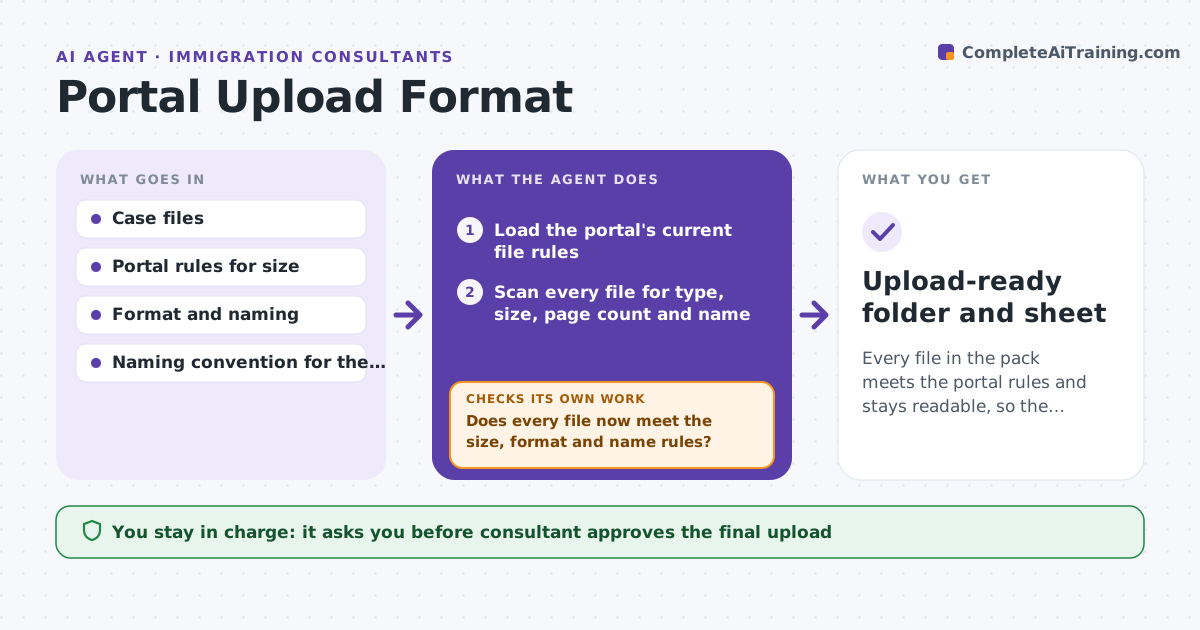
Every file in the pack meets the portal rules and stays readable, so the upload is accepted the first time.
What it does
Government portals are strict. A scan that is 12 MB instead of 10, a PDF with the wrong version or a file name with a space can bounce, often with a vague message. This agent takes each file in the case pack and checks it against the portal's size, format and naming rules. Where a file fails, it converts, compresses or renames it, then opens the result to test that the text is still legible and pages are in order. It retries until every file passes or flags the ones it cannot fix. It never submits. The consultant reviews the final set and approves the upload. Edge case: compressing a signature page too far makes the stamp unreadable, so the agent backs off to a lighter setting.
How it works
Follow the arrows from top to bottom. The orange dashed arrow is the loop: when a check fails, the agent goes back and tries again.
Read the steps as a list
- Filing pack marked ready
- Load the portal's current file rules
- Scan every file for type, size, page count and name
- List which files break which rule
- Convert, compress or rename the failing files
- Does every file now meet the size, format and name rules?If not: try a different conversion setting or split the file, then relist the failures. Back to step 4.
- Render each page and test legibility of text, stamps and signatures
- Is every page still readable and in order?If not: redo the file with a lighter compression and recheck. Back to step 5.
- Build the upload sheet with final names and order
- Consultant reviews the set and approves the uploadThe agent waits here for your OK.
- Upload-ready folder and sheet
How it decides
It uses the lightest change that satisfies the rule, then verifies legibility before accepting the result.
- Choose the lightest compression that meets the size limit.
- Reject a result if text height falls below readable size on the rendered page.
- Rename files by the convention before any other fix.
- Split a file only when the portal allows multiple parts.
Make it yours
Every agent is a starting point. You choose these settings for your own situation.
- Portal and its rule set
- File naming convention
- Legibility test strictness
- Folder where finished files are saved
What keeps you in control
It always asks you first
- Consultant approves the final upload
- Consultant approves any file that was split or heavily compressed
Hard limits
- Never submit to the portal
- Keep the original files untouched
It stops when
- Done: all files pass and the consultant approves.
- Stop: a file cannot meet the rule without losing legibility, so it is returned to the consultant.
Set it up
We guide you through the set-up, step by step
Members get the full set-up guide for this agent. No technical skills needed: you copy, paste and upload.
- One set of instructions to paste into your AI, with the clicks for ChatGPT, Claude, Microsoft 365 Copilot, Gemini and Grok
- The agent then walks you through connecting your own data, one source at a time
- A downloadable copy with the flow chart, the rules and the full guide