AI agent for portfolio managers
Portfolio Drift and Rebalancing Proposal Agent
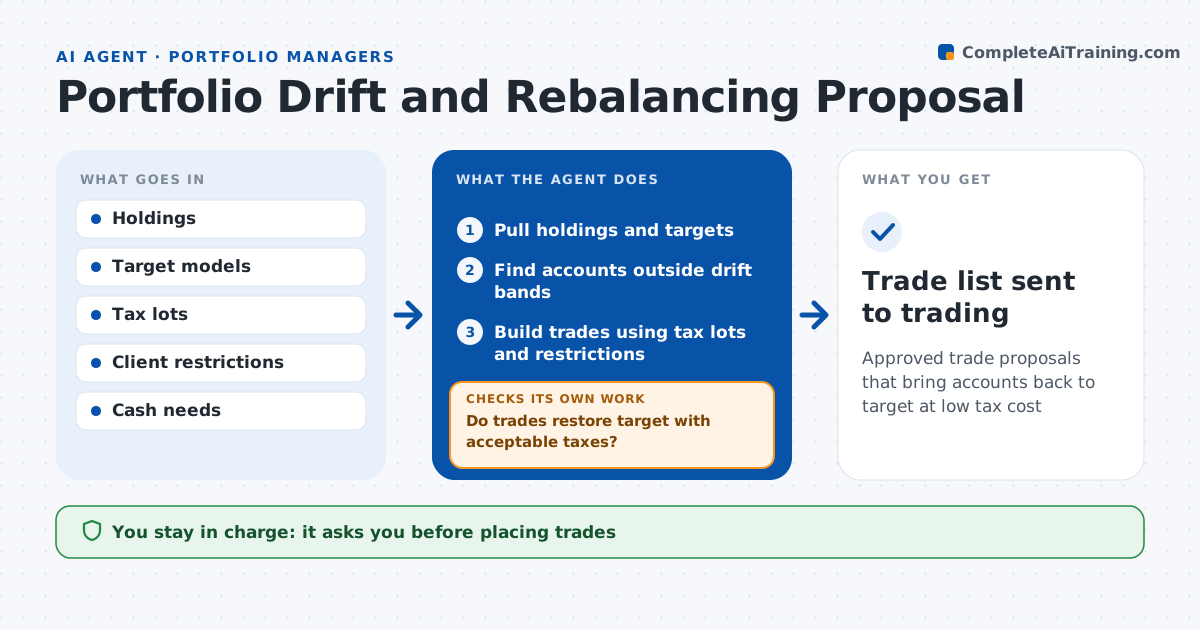
Approved trade proposals that bring accounts back to target at low tax cost
What it does
Client accounts drift from their targets as markets move, and rebalancing by hand across many accounts risks surprise tax bills. Each week this agent scans holdings against target allocations and finds accounts outside the drift band. For each one it builds a trade proposal that restores the target. It takes into account cash needs, tax lots, wash sale rules, restricted securities and minimum trade sizes, and never sells a restricted holding. It then checks that the proposed trades bring the account back inside the band without large realized gains. If gains are too high, it tries other lots or other accounts in the same household, such as an IRA, and rechecks. The advisor or portfolio manager approves all trades before they go to trading. Edge case: a client asked for $20,000 cash next month, so the agent raises that cash first.
How it works
Follow the arrows from top to bottom. The orange dashed arrow is the loop: when a check fails, the agent goes back and tries again.
Read the steps as a list
- Weekly drift scan
- Pull holdings and targets
- Find accounts outside drift bands
- Build trades using tax lots and restrictions
- Do trades restore target with acceptable taxes?If not: try other lots or household accounts and rebuild. Back to step 4.
- Advisor or manager approves tradesThe agent waits here for your OK.
- Trade list sent to trading
How it decides
It trades only accounts outside the drift band and picks lots that minimize gains.
- Drift over 5 points or 20% of target: rebalance
- Realized gains over set amount: try other lots
- Restricted security: never sell
Make it yours
Every agent is a starting point. You choose these settings for your own situation.
- Drift bands
- Gain limit
- Minimum trade size
- Scan frequency
What keeps you in control
It always asks you first
- Placing trades
Hard limits
- Never places trades
- Never ignores client restrictions
It stops when
- Done: trades approved
- Stop: data mismatch in holdings
Set it up
We guide you through the set-up, step by step
Members get the full set-up guide for this agent. No technical skills needed: you copy, paste and upload.
- One set of instructions to paste into your AI, with the clicks for ChatGPT, Claude, Microsoft 365 Copilot, Gemini and Grok
- The agent then walks you through connecting your own data, one source at a time
- A downloadable copy with the flow chart, the rules and the full guide