AI agent for investor relations managers
Post-Earnings Feedback Loop Agent
A list of messages that landed and missed, with script changes tracked over time
What it does
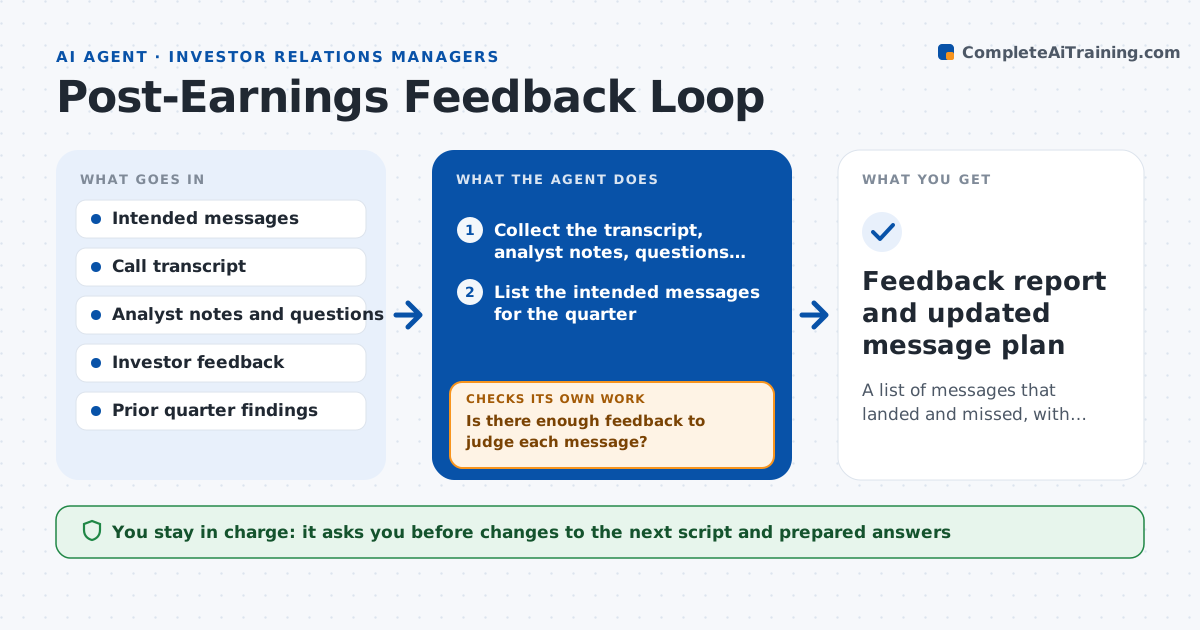
After an earnings call, IR hears bits of feedback by phone and email, and they remember the loud comments. Nobody checks whether the key messages landed. This agent starts from the intended messages for the quarter, such as margin recovery or capital return. It collects investor and analyst notes, call transcripts and the questions asked, and compares what listeners heard with what was meant. It lists misses, for example analysts who read the guidance as lower than intended, and checks whether the same issue came up last quarter. It drafts specific edits to the next script and prepared answers, then tracks whether the issue recurs next time. If the evidence is thin, it asks for more notes before judging. The IR head approves the changes. Edge case: one loud analyst note is weighed against the other 12 before it changes any message.
How it works
Follow the arrows from top to bottom. The orange dashed arrow is the loop: when a check fails, the agent goes back and tries again.
Read the steps as a list
- Earnings call is over
- Collect the transcript, analyst notes, questions and investor feedback
- List the intended messages for the quarter
- Match each message with what listeners said or asked
- Is there enough feedback to judge each message?If not: ask IR for more notes or search public analyst summaries, then match again. Back to step 2.
- Mark each message as landed, mixed or missed
- Compare with last quarter's findings for repeat issues
- Draft edits to the next script and prepared answers
- IR head approves the changesThe agent waits here for your OK.
- Did previously fixed issues recur this quarter?If not: revise the wording again and mark the issue as persistent. Back to step 8.
- Feedback report and updated message plan
How it decides
It marks a message as missed when several independent sources misread it, and it weighs one-off comments lightly.
- Mark a message missed when three or more sources misread it
- Weigh one-off comments at a lower level
- Track an issue until two quarters without recurrence
- Quote the source for each finding
Make it yours
Every agent is a starting point. You choose these settings for your own situation.
- Number of sources that makes a miss (default 3)
- Feedback sources used
- Quarters to track an issue (default 2)
- Report format
What keeps you in control
It always asks you first
- Changes to the next script and prepared answers
Hard limits
- Never contacts analysts or investors
- Does not alter the published transcript
- Names sources only inside the company
It stops when
- Done: report is approved
- Stop: transcript or feedback notes are unavailable
Set it up
We guide you through the set-up, step by step
Members get the full set-up guide for this agent. No technical skills needed: you copy, paste and upload.
- One set of instructions to paste into your AI, with the clicks for ChatGPT, Claude, Microsoft 365 Copilot, Gemini and Grok
- The agent then walks you through connecting your own data, one source at a time
- A downloadable copy with the flow chart, the rules and the full guide