AI agent for physiotherapists
Post-Operative Protocol Adherence Agent
Keep every post-op plan inside the surgeon's protocol.
What it does
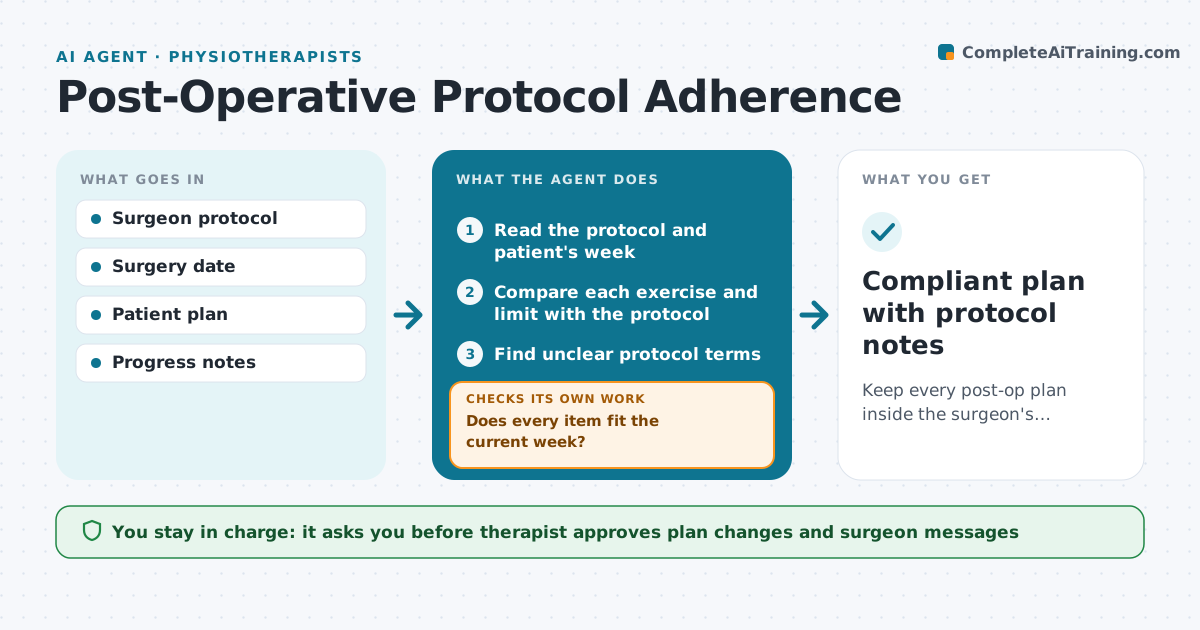
After surgery, the surgeon's protocol sets what a patient may do each week, such as range of motion limits and weight bearing. Therapists see many protocols and the details differ. This agent reads the surgeon's protocol and the patient's current week and plan. It checks that each exercise and limit matches, such as flexion beyond the allowed degrees, and flags conflicts. It drafts questions to the surgeon when the protocol is unclear. After the therapist approves, it sends them. It rechecks when the plan changes or the surgeon answers. Edge case: the protocol says 'as tolerated' with no number, so the agent asks for a limit instead of choosing one.
How it works
Follow the arrows from top to bottom. The orange dashed arrow is the loop: when a check fails, the agent goes back and tries again.
Read the steps as a list
- Plan created or updated
- Read the protocol and patient's week
- Compare each exercise and limit with the protocol
- Does every item fit the current week?If not: flag conflicts and propose compliant alternatives. Back to step 3.
- Find unclear protocol terms
- Draft questions to the surgeon
- Therapist approves the questionsThe agent waits here for your OK.
- Send and track the reply
- Has the surgeon answered and does the plan fit?If not: update the plan and recheck, remind after 3 days. Back to step 3.
- Compliant plan with protocol notes
How it decides
An exercise passes only if it is allowed in the current week of the protocol. Unclear terms go to the surgeon.
- Compute the protocol week from the surgery date
- Flag any limit exceeded in the plan
- Ask the surgeon when a limit has no number
- Hold progression until the week is confirmed
Make it yours
Every agent is a starting point. You choose these settings for your own situation.
- Protocol format
- Flag level for limits
- Surgeon reply wait (default 3 days)
- Which surgeries are covered
What keeps you in control
It always asks you first
- Therapist approves plan changes and surgeon messages
Hard limits
- Never go beyond the protocol
- Never message a surgeon without approval
It stops when
- Done: plan matches protocol
- Stop: protocol missing, ask the therapist to obtain it
Set it up
We guide you through the set-up, step by step
Members get the full set-up guide for this agent. No technical skills needed: you copy, paste and upload.
- One set of instructions to paste into your AI, with the clicks for ChatGPT, Claude, Microsoft 365 Copilot, Gemini and Grok
- The agent then walks you through connecting your own data, one source at a time
- A downloadable copy with the flow chart, the rules and the full guide