AI agent for chiropractors
Maintenance Care Transition Agent
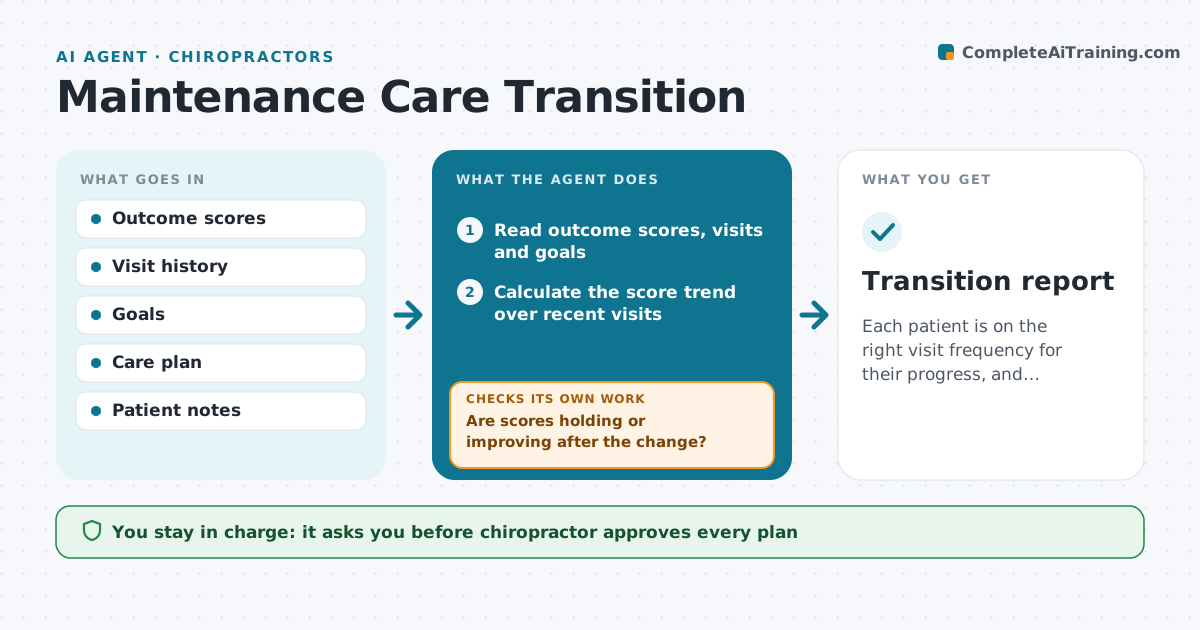
Each patient is on the right visit frequency for their progress, and outcomes hold after a change.
What it does
Some patients keep coming three times a week long after they stopped improving, while others stop before they have recovered. The agent reviews each patient's outcome scores, visit pattern and goals. It flags those whose scores have plateaued across several visits and have met their goals, and those whose attendance is dropping with scores still low. For a patient ready to move on, it drafts a transition plan with a lower visit frequency, home exercises and a review date. For a patient at risk of leaving too early, it drafts a check-in. After the plan starts, it checks the scores again at the review date and reports on whether the patient is holding their gains. The chiropractor approves every plan. Edge case: a patient with a new injury is not moved to maintenance.
How it works
Follow the arrows from top to bottom. The orange dashed arrow is the loop: when a check fails, the agent goes back and tries again.
Read the steps as a list
- Monthly review
- Read outcome scores, visits and goals
- Calculate the score trend over recent visits
- Flag patients who have plateaued or met goals
- Flag patients with falling attendance and low scores
- Draft transition plans or check-ins
- Chiropractor approves each planThe agent waits here for your OK.
- Record the plan and set a review date
- Read scores at the review date
- Are scores holding or improving after the change?If not: Return the patient to the previous frequency and draft a new plan for review. Back to step 4.
- Transition report
How it decides
It compares score trends and goal status with visit frequency and flags plateau or drop-off.
- Plateau means no score gain over 4 visits
- Goal met means move to lower frequency
- A new injury excludes the patient
- Review at 6 weeks after a change
Make it yours
Every agent is a starting point. You choose these settings for your own situation.
- Plateau definition
- Goal met rule
- Review period in weeks
- Outcome tool
- Patient message tone
What keeps you in control
It always asks you first
- Chiropractor approves every plan
- Chiropractor approves any patient message
Hard limits
- Never change care without clinician approval
- Never use scores alone for a decision
- Never contact patients without approval
It stops when
- Done: all flagged patients have a plan and a follow-up check
- Stop: the patient chooses to leave care
Set it up
We guide you through the set-up, step by step
Members get the full set-up guide for this agent. No technical skills needed: you copy, paste and upload.
- One set of instructions to paste into your AI, with the clicks for ChatGPT, Claude, Microsoft 365 Copilot, Gemini and Grok
- The agent then walks you through connecting your own data, one source at a time
- A downloadable copy with the flow chart, the rules and the full guide