AI agent for sports coachs
Practice Attendance Pattern Agent
Spot attendance problems early and tie them to readiness and lineup decisions
What it does
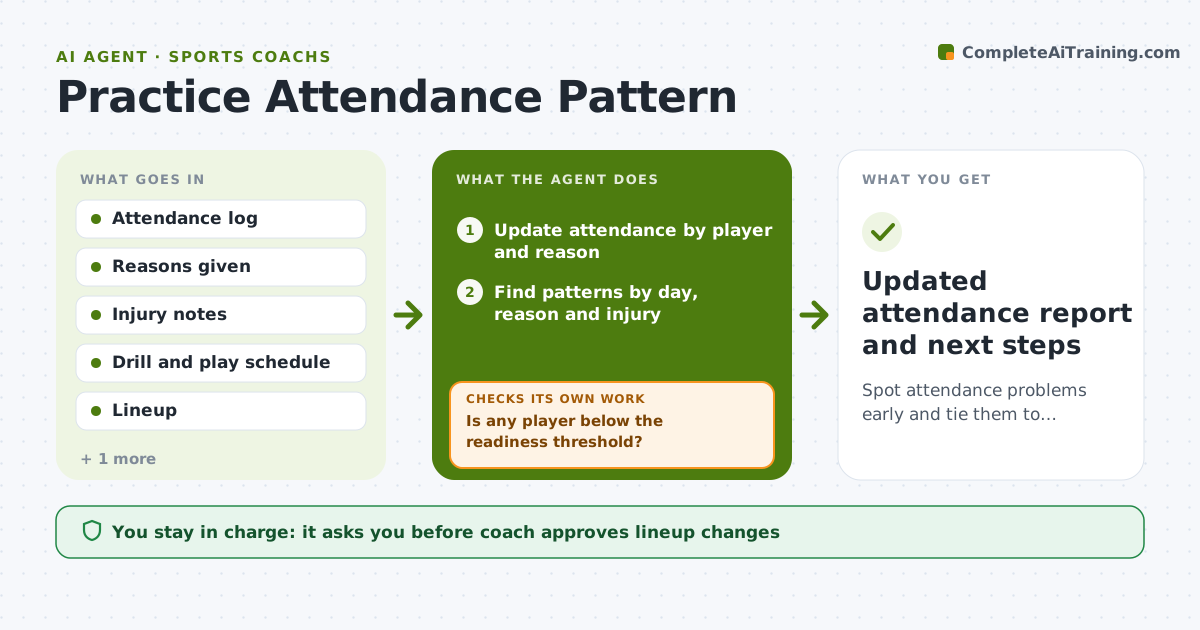
By game day a coach realizes a starter has missed four of six practices. This agent logs attendance by player after each session and looks for patterns: certain days, reasons given, injuries or conflicts with other activities. It checks the effect on drill readiness, for example whether a player has missed the new set play, and on the planned lineup. It drafts a short conversation outline per player with the facts. After the next week of data it checks whether the pattern changed and revises its advice. The coach approves any lineup change or message to a player or parent. Edge case: if absences cluster around an exam week, it suggests a lighter practice plan for that week.
How it works
Follow the arrows from top to bottom. The orange dashed arrow is the loop: when a check fails, the agent goes back and tries again.
Read the steps as a list
- Practice ends and attendance is entered
- Update attendance by player and reason
- Find patterns by day, reason and injury
- Check missed drills against the current plan and lineup
- Is any player below the readiness threshold?If not: Recheck missed drills and reasons before raising a flag. Back to step 3.
- Draft a conversation outline per flagged player
- Coach approves any lineup change or messageThe agent waits here for your OK.
- Log next week's attendance
- Did attendance improve for flagged players?If not: Revise the outline and consider a family conversation. Back to step 4.
- Updated attendance report and next steps
How it decides
It flags a player after 2 absences in 3 weeks or missing a key installation, and revises after each new week of data.
- Flag a player after 2 unexcused absences in 3 weeks
- Flag readiness when a player missed a key installation drill
- Group absences by reason before recommending action
- Keep excused injury absences out of discipline flags
Make it yours
Every agent is a starting point. You choose these settings for your own situation.
- Absence threshold (default 2 in 3 weeks)
- Reasons counted as excused (default illness, injury, school)
- Report frequency (default weekly)
- Messages to parents or players (default player first)
What keeps you in control
It always asks you first
- Coach approves lineup changes
- Coach approves messages to players and parents
Hard limits
- Never discipline or bench a player automatically
- Never message a family without the coach
- Keep health reasons private
It stops when
- Done: Attendance steady for two weeks and plan updated
- Stop: Health or family issue is raised, so hand to the coach
Set it up
We guide you through the set-up, step by step
Members get the full set-up guide for this agent. No technical skills needed: you copy, paste and upload.
- One set of instructions to paste into your AI, with the clicks for ChatGPT, Claude, Microsoft 365 Copilot, Gemini and Grok
- The agent then walks you through connecting your own data, one source at a time
- A downloadable copy with the flow chart, the rules and the full guide