AI agent for midwifes
Prenatal Schedule and Labs Agent
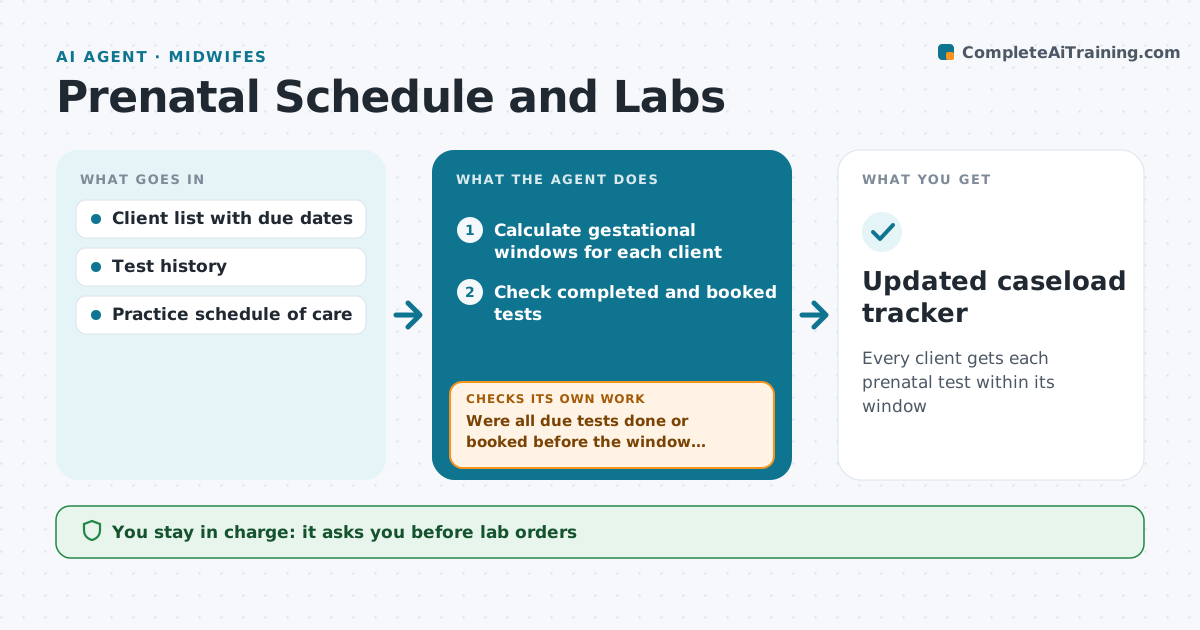
Every client gets each prenatal test within its window
What it does
Prenatal care runs on a timeline: dating scan, first-trimester labs, anatomy scan, glucose screening, GBS swab and more, each within a gestational window. Each week this agent calculates every client's windows from her due date. If the due date was revised after a scan, it recalculates all windows and shows what moved. It checks which tests are done or booked and lists what comes due in the next two weeks, with tests within 7 days of their window end first. It drafts orders and client reminders for the midwife to approve. When results arrive, it checks they are filed and sends abnormal ones to the midwife the same day. It then checks that no due test has slipped past its window. Edge case: a revised due date moves every window, and the agent shows the changes.
How it works
Follow the arrows from top to bottom. The orange dashed arrow is the loop: when a check fails, the agent goes back and tries again.
Read the steps as a list
- Weekly caseload review
- Calculate gestational windows for each client
- Check completed and booked tests
- List tests due in the next two weeks
- Midwife approves orders and remindersThe agent waits here for your OK.
- Were all due tests done or booked before the window closed?If not: alert the midwife and draft an urgent reminder. Back to step 3.
- Check new results are filed
- Are all results normal or already reviewed?If not: send abnormal results to the midwife the same day. Back to step 7.
- Updated caseload tracker
How it decides
Gestational age decides which tests are due. Tests near the end of their window are listed first.
- Tests within 7 days of window end go first
- Revised due dates recalculate all windows
- Abnormal results go to the midwife the same day
Make it yours
Every agent is a starting point. You choose these settings for your own situation.
- Schedule of care
- Look-ahead window
- Reminder channel
- Review day
What keeps you in control
It always asks you first
- Lab orders
- Client reminders
Hard limits
- No orders without the midwife
- No result interpretation sent to clients
It stops when
- Done: all tests on track
- Stop: client transfers care
Set it up
We guide you through the set-up, step by step
Members get the full set-up guide for this agent. No technical skills needed: you copy, paste and upload.
- One set of instructions to paste into your AI, with the clicks for ChatGPT, Claude, Microsoft 365 Copilot, Gemini and Grok
- The agent then walks you through connecting your own data, one source at a time
- A downloadable copy with the flow chart, the rules and the full guide