AI agent for caregivers
Preschool Allergy and Medication Safety Agent
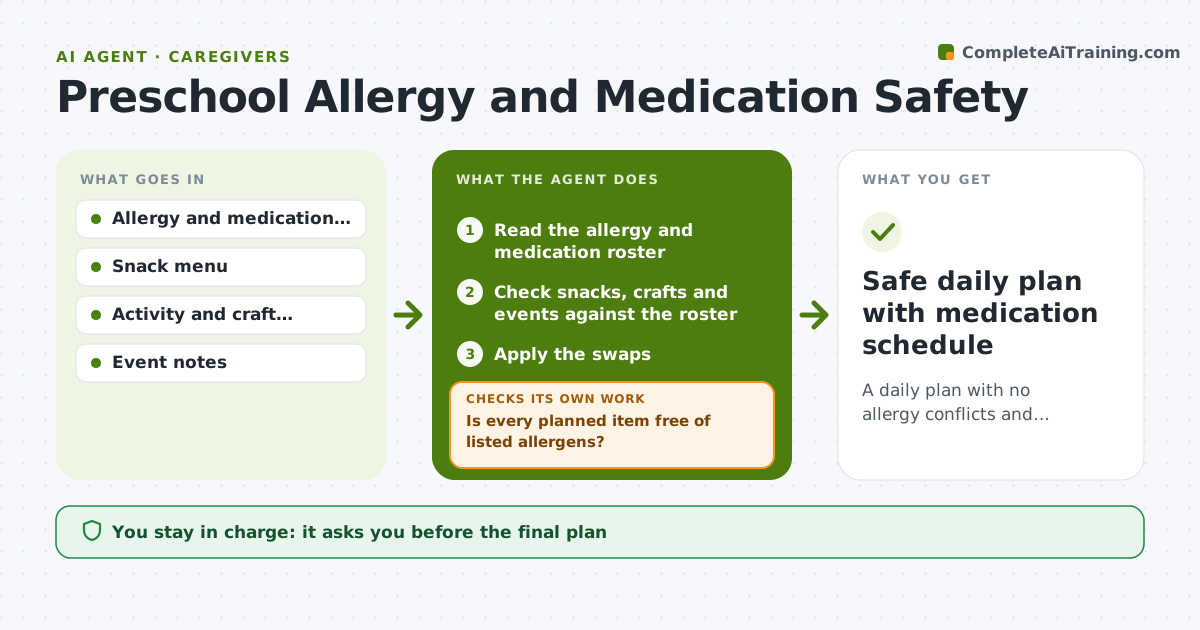
A daily plan with no allergy conflicts and medication times listed.
What it does
A snack tray goes out with peanut butter, and a child on the allergy list sits at the table. This agent reads the allergy and medication roster and checks planned snacks, craft materials and events against it, such as flour in play dough or peanut butter in a bird feeder craft. It flags conflicts, proposes safe swaps and rechecks the plan after each swap. It also lists medication times for the day. Edge case: a birthday treat from a parent is added at the last minute, so the agent asks for the ingredient list. The teacher approves the plan and any parent notice.
How it works
Follow the arrows from top to bottom. The orange dashed arrow is the loop: when a check fails, the agent goes back and tries again.
Read the steps as a list
- Weekly plan or daily check starts
- Read the allergy and medication roster
- Check snacks, crafts and events against the roster
- Is every planned item free of listed allergens?If not: flag the conflict and propose a safe swap. Back to step 2.
- Apply the swaps
- Recheck the whole plan after the swaps
- Does any item have an unclear ingredient list?If not: ask the teacher to verify or remove the item. Back to step 2.
- List medication times and doses for each child
- Teacher approves the plan and any parent noticeThe agent waits here for your OK.
- Safe daily plan with medication schedule
How it decides
It treats any possible match between an allergen and an item as a conflict until the teacher confirms it is safe.
- Any unclear ingredient is treated as unsafe.
- Check cross-contact for shared tables and tools.
- Medication times are listed, never changed.
- A new item added late triggers a full recheck.
Make it yours
Every agent is a starting point. You choose these settings for your own situation.
- Roster fields
- Check timing
- Parent notice template
- Cross-contact rules
- Unclear ingredient rule
What keeps you in control
It always asks you first
- The final plan
- Parent notices
- Any medication information shared
Hard limits
- Never decide an item is safe when unsure.
- Do not change medication instructions.
It stops when
- Done: no conflicts and the teacher approved
- Stop: the roster is missing or old, so the agent asks for the current version
Set it up
We guide you through the set-up, step by step
Members get the full set-up guide for this agent. No technical skills needed: you copy, paste and upload.
- One set of instructions to paste into your AI, with the clicks for ChatGPT, Claude, Microsoft 365 Copilot, Gemini and Grok
- The agent then walks you through connecting your own data, one source at a time
- A downloadable copy with the flow chart, the rules and the full guide