AI agent for managers
Price Ladder Gap Review Agent
Map items by size and price, find ladder gaps and cannibalization, and test each proposal against margin
What it does
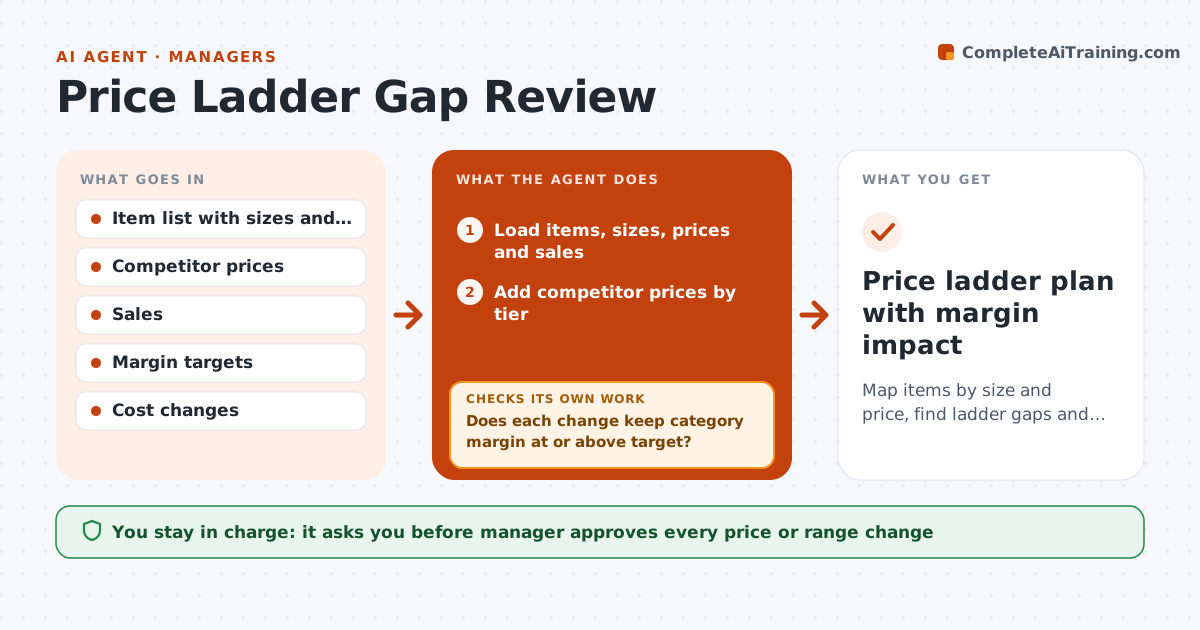
Gaps and overlaps in a price ladder confuse shoppers and leave money on the table. The agent maps all items in a category by size and price per unit, and adds the tiers of key competitors. It finds gaps, such as no mid-priced option, and overlaps where two items sit within a few cents. It checks sales to see whether overlapping items cannibalize each other. It proposes changes, such as a new size, a price move or a delist, and tests each against margin targets and likely volume shifts. If a proposal breaks the margin target, it revises it and tests again. The manager approves. Edge case: a mid-tier item has the lowest margin, and the agent suggests a price increase before adding a new item.
How it works
Follow the arrows from top to bottom. The orange dashed arrow is the loop: when a check fails, the agent goes back and tries again.
Read the steps as a list
- Quarterly review starts
- Load items, sizes, prices and sales
- Add competitor prices by tier
- Map the price ladder and find gaps and overlaps
- Estimate cannibalization from sales patterns
- Propose changes: price, size, add or delist
- Does each change keep category margin at or above target?If not: Revise the proposal and retest. Back to step 6.
- Does the proposal reduce overlap without a net sales loss?If not: Remove the change or modify it. Back to step 6.
- Manager approves the changesThe agent waits here for your OK.
- Price ladder plan with margin impact
How it decides
Each proposed price or range change must keep the category margin above target and avoid drawing sales from an item with a similar role.
- Flag a gap above 25% between tiers
- Flag two items within 5% of each other
- Reject a change that lowers category margin below target
- Prefer a price move to a new item when cost is low
Make it yours
Every agent is a starting point. You choose these settings for your own situation.
- Margin target
- Gap and overlap thresholds
- Competitors tracked
- Review schedule
What keeps you in control
It always asks you first
- Manager approves every price or range change
- Manager approves supplier discussions
Hard limits
- Never change prices without the manager
- Never use competitor data in a way that breaks local law
It stops when
- Done: approved plan with tested margin
- Stop: data is incomplete for more than 20% of items
Set it up
We guide you through the set-up, step by step
Members get the full set-up guide for this agent. No technical skills needed: you copy, paste and upload.
- One set of instructions to paste into your AI, with the clicks for ChatGPT, Claude, Microsoft 365 Copilot, Gemini and Grok
- The agent then walks you through connecting your own data, one source at a time
- A downloadable copy with the flow chart, the rules and the full guide