AI agent for sales engineers
Pricing and Sizing Estimate Agent
Deliver a sizing and price estimate that fits the customer's real load and tier limits
What it does
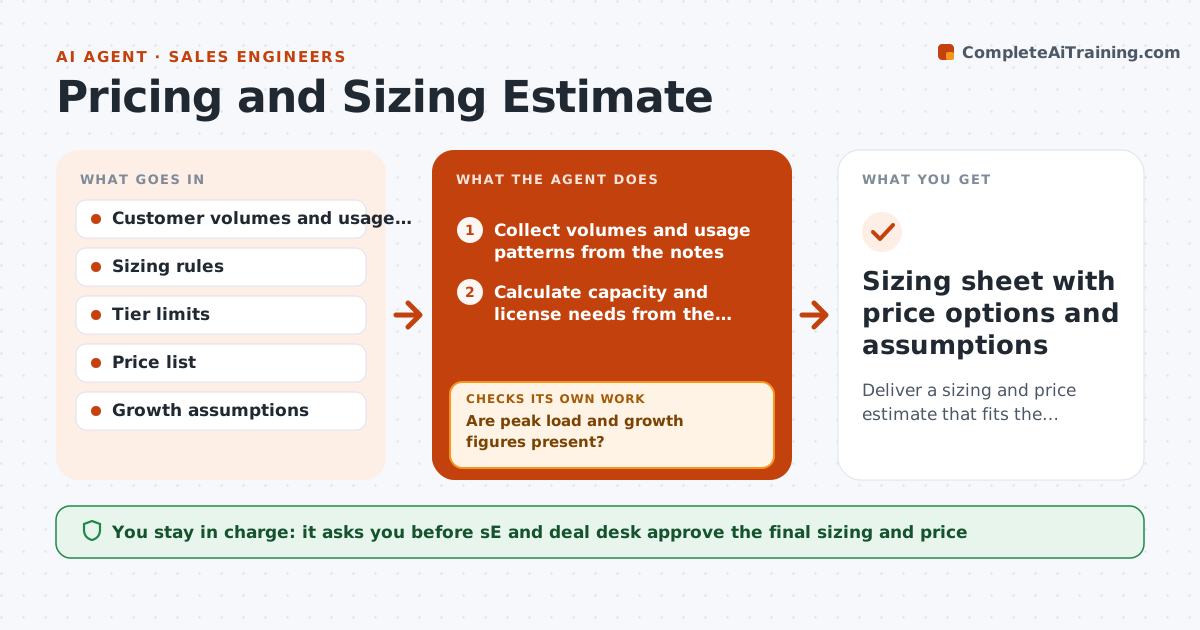
A sales engineer guesses the number of servers or licenses from two sentences in a call, and the deal is underquoted or so large the customer walks. This agent calculates the size. It takes the customer's volumes and usage pattern, such as users, events per day and peak load, works out capacity and license needs from the sizing rules, and tests the result against the limits of each tier. It checks edge cases such as month-end peaks and growth over 3 years. If the result exceeds a tier, it proposes alternatives like a higher tier, a different architecture or phased rollout. The SE and the deal desk approve the final figures. Edge case: the customer gives monthly totals only. The agent estimates daily peaks from similar customers and flags the assumption.
How it works
Follow the arrows from top to bottom. The orange dashed arrow is the loop: when a check fails, the agent goes back and tries again.
Read the steps as a list
- Deal reaches scoping
- Collect volumes and usage patterns from the notes
- Are peak load and growth figures present?If not: Estimate from similar customers and flag the assumption or ask the customer. Back to step 2.
- Calculate capacity and license needs from the sizing rules
- Test the result against each tier's limits
- Does the result fit within a tier with a safety margin of 20 percent?If not: Propose a higher tier, phased rollout or architecture change and recompute. Back to step 4.
- Test edge cases: peaks, growth over 3 years and failover
- Price the options from the price list
- SE and deal desk approve the final figuresThe agent waits here for your OK.
- Sizing sheet with price options and assumptions
How it decides
It sizes for peak load plus a safety margin, not average load. It picks the lowest tier that fits peak and growth, and flags anything near a limit.
- Size for peak load plus a 20 percent margin
- Plan for 3 years of growth
- A result within 10 percent of a limit is flagged
- Every estimate lists its assumptions
Make it yours
Every agent is a starting point. You choose these settings for your own situation.
- Safety margin (default 20 percent)
- Growth years (default 3)
- Tier definitions
- Price list version
- Warning level near a limit (default 10 percent)
What keeps you in control
It always asks you first
- SE and deal desk approve the final sizing and price
Hard limits
- Never quotes a price outside the price list
- Marks all assumed values
It stops when
- Done: sizing approved with assumptions
- Stop: no tier meets the load, escalate to product
Set it up
We guide you through the set-up, step by step
Members get the full set-up guide for this agent. No technical skills needed: you copy, paste and upload.
- One set of instructions to paste into your AI, with the clicks for ChatGPT, Claude, Microsoft 365 Copilot, Gemini and Grok
- The agent then walks you through connecting your own data, one source at a time
- A downloadable copy with the flow chart, the rules and the full guide