AI agent for real estate investors
Property Tax Appeal Agent
A filed appeal with solid evidence where one is worth making, and a clear no where it is not
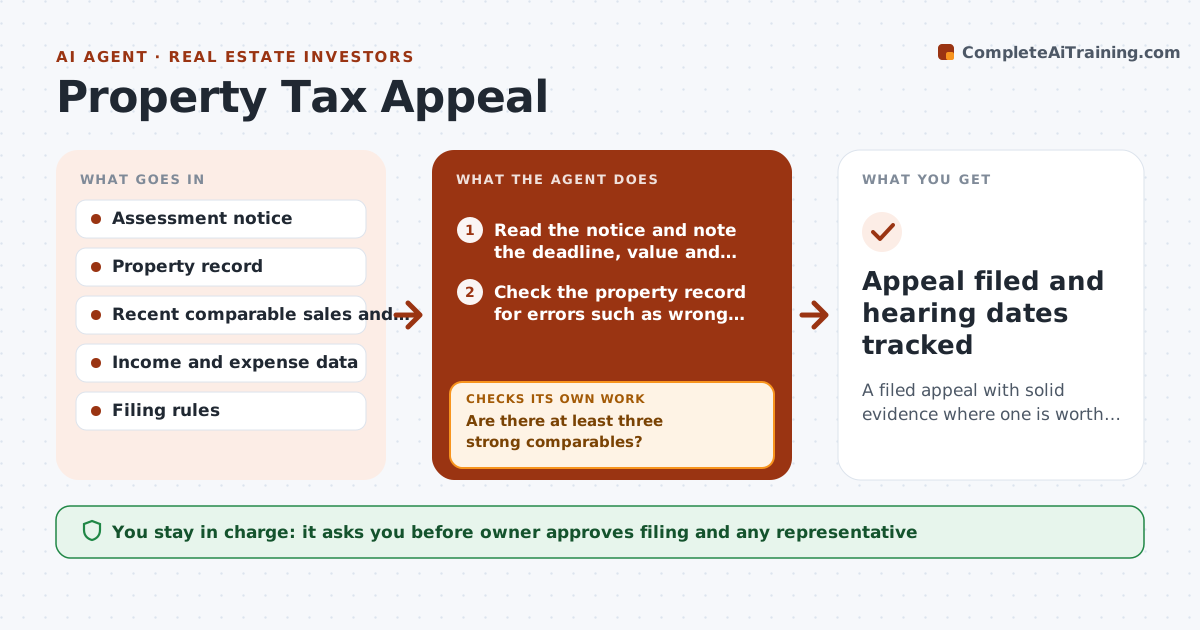
What it does
Property assessments rise, and many owners never appeal because they are unsure of the case or miss the filing window. This agent reads the assessment notice and finds the deadline, the property class and the assessed value. It gathers recent comparable sales and rents, and compares assessed value per square foot with the comparables. It tests whether a case exists: the appeal is worth pursuing only if the likely savings are above the cost of filing and the gap is at least a set percentage. If the evidence is weak, it searches for more comparables before giving up. When the case is strong it builds an evidence packet and tracks the deadline and hearing dates. The owner approves filing. Edge case: the notice has the wrong square footage, which becomes the first exhibit.
How it works
Follow the arrows from top to bottom. The orange dashed arrow is the loop: when a check fails, the agent goes back and tries again.
Read the steps as a list
- Assessment notice arrives
- Read the notice and note the deadline, value and property record
- Check the property record for errors such as wrong size or class
- Gather comparable sales and rents
- Are there at least three strong comparables?If not: widen the search area and period, then recheck. Back to step 3.
- Estimate the value gap and the likely tax savings
- Do savings exceed the cost and the gap threshold?If not: look for more evidence, or recommend not appealing. Back to step 3.
- Build the evidence packet and filing checklist
- Owner approves filingThe agent waits here for your OK.
- Appeal filed and hearing dates tracked
How it decides
It files only when the assessed value is above the evidence range by the threshold and the likely tax savings exceed the cost. Weak cases get more comparables before a no.
- Recommend appealing only when assessed value is at least 8 percent above the evidence range
- Require three comparables within the same area and class
- Compare expected savings with filing costs and any fee
- Correct record errors first, because they are the quickest wins
Make it yours
Every agent is a starting point. You choose these settings for your own situation.
- Gap threshold to appeal (default 8%)
- Minimum comparables (default 3)
- Filing cost limit
- Days before the deadline for alerts
What keeps you in control
It always asks you first
- Owner approves filing and any representative
- Owner approves paying filing fees
Hard limits
- Never file without owner approval
- Do not exaggerate comparables; show the source
- Never miss a deadline without alerting the owner
It stops when
- Done: appeal filed and hearing tracked, or a no-appeal decision recorded
- Stop: the deadline has passed or a lawyer is needed
Set it up
We guide you through the set-up, step by step
Members get the full set-up guide for this agent. No technical skills needed: you copy, paste and upload.
- One set of instructions to paste into your AI, with the clicks for ChatGPT, Claude, Microsoft 365 Copilot, Gemini and Grok
- The agent then walks you through connecting your own data, one source at a time
- A downloadable copy with the flow chart, the rules and the full guide