AI agent for product owners
Product Analytics Instrumentation Gap Agent
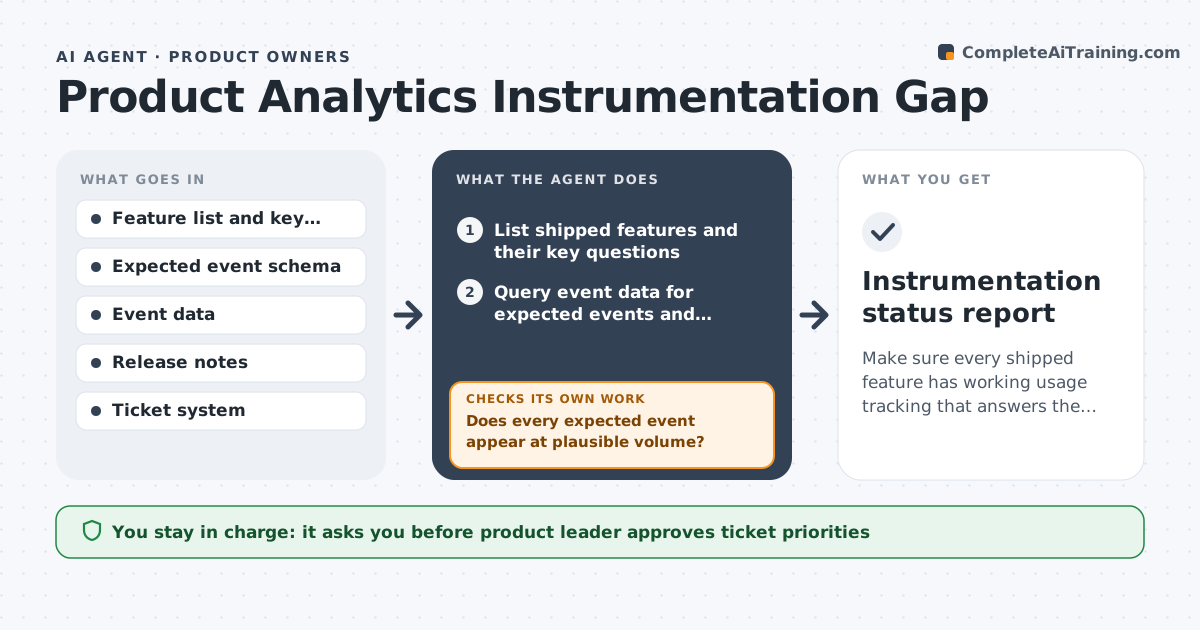
Make sure every shipped feature has working usage tracking that answers the product questions
What it does
A feature ships and a month later nobody can say how many people used it because no event was added. This agent lists each shipped feature with the questions the team wants answered, for example how many people finish the new setup. It checks event data for the expected events and their properties, and flags missing ones, odd volumes and events that stopped firing. For each gap it drafts a ticket for engineering with the event name, where it should fire and why it matters. After the next release it checks the data again and confirms the event now appears at plausible volume. If it does not, it reopens the ticket. The product leader approves the priority. Edge case: an event firing twice per action is flagged as duplicate.
How it works
Follow the arrows from top to bottom. The orange dashed arrow is the loop: when a check fails, the agent goes back and tries again.
Read the steps as a list
- Release ships or weekly check runs
- List shipped features and their key questions
- Query event data for expected events and properties
- Does every expected event appear at plausible volume?If not: Classify the gap as missing, broken or duplicate. Back to step 2.
- Draft an engineering ticket for each gap
- Product leader approves ticket priorityThe agent waits here for your OK.
- Open approved tickets
- Recheck event data after the next release
- Is the event now firing correctly?If not: Reopen the ticket with the new evidence. Back to step 7.
- Instrumentation status report
How it decides
It marks an event missing when no events arrive 7 days after release, and suspect when volume differs from expected by over 50 percent.
- Mark an event missing after 7 days with no data
- Flag volume differing from expectation by more than 50 percent
- Flag an event that fires twice per action as duplicate
- Rank tickets by the product question each gap blocks
Make it yours
Every agent is a starting point. You choose these settings for your own situation.
- Missing event wait time (default 7 days)
- Volume tolerance (default 50 percent)
- Features tracked (default last 90 days of releases)
- Ticket destination (default the engineering queue)
What keeps you in control
It always asks you first
- Product leader approves ticket priorities
Hard limits
- Never change tracking code or production data
- Never open tickets without approval
- Use aggregate counts, not user-level data
It stops when
- Done: All key events firing and verified
- Stop: Event data is unavailable, so hand to the analytics owner
Set it up
We guide you through the set-up, step by step
Members get the full set-up guide for this agent. No technical skills needed: you copy, paste and upload.
- One set of instructions to paste into your AI, with the clicks for ChatGPT, Claude, Microsoft 365 Copilot, Gemini and Grok
- The agent then walks you through connecting your own data, one source at a time
- A downloadable copy with the flow chart, the rules and the full guide