AI agent for product managers
Product Feedback Reproduction Agent
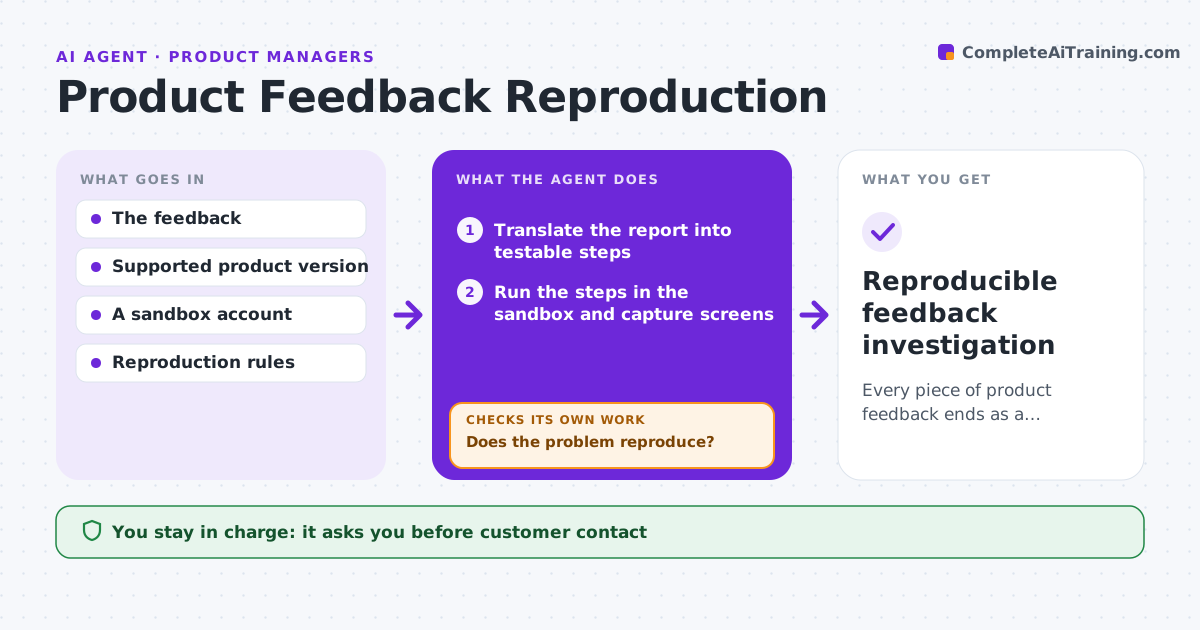
Every piece of product feedback ends as a reproducible issue or a precise request for missing context.
What it does
User feedback often says 'it is broken' without the details a product team needs. When feedback is tagged as a possible bug, this agent turns the report into testable steps and writes down its assumptions. It runs the steps in a sandbox account on the user's version if that version is supported, and captures screens. If the problem does not reproduce, it tries another plausible reading or version, up to three times, then asks for specific missing context. It never closes feedback as not a bug. When it reproduces, it narrows the steps to the smallest set and creates an issue with evidence. The product manager sets priority and approves any customer contact. Edge case: a report mentions an old menu, so the agent tests an older version.
How it works
Follow the arrows from top to bottom. The orange dashed arrow is the loop: when a check fails, the agent goes back and tries again.
Read the steps as a list
- Feedback tagged as possible bug
- Translate the report into testable steps
- Run the steps in the sandbox and capture screens
- Does the problem reproduce?If not: try another interpretation or version (max 3). Back to step 2.
- Narrow to the smallest set of steps
- Create an issue with evidence
- Product manager prioritizes and approves customer contactThe agent waits here for your OK.
- Reproducible feedback investigation
How it decides
It chooses the reproduction path from the feedback context, narrows on success, and switches interpretation on failure within a fixed number of attempts.
- Interpretation order: most literal reading first.
- Version: the user's version if supported.
- No reproduction: request specific context, never dismiss.
Make it yours
Every agent is a starting point. You choose these settings for your own situation.
- Maximum reproduction attempts (default 3)
- Sandbox accounts and supported versions
- Issue tracker and template
- Who approves customer contact
What keeps you in control
It always asks you first
- Customer contact
- Production account access
- Prioritization
Hard limits
- Sandbox only.
It stops when
- Done: issue filed.
- Waiting: context requested.
Set it up
We guide you through the set-up, step by step
Members get the full set-up guide for this agent. No technical skills needed: you copy, paste and upload.
- One set of instructions to paste into your AI, with the clicks for ChatGPT, Claude, Microsoft 365 Copilot, Gemini and Grok
- The agent then walks you through connecting your own data, one source at a time
- A downloadable copy with the flow chart, the rules and the full guide