AI agent for product designers
Product Specification Example Agent
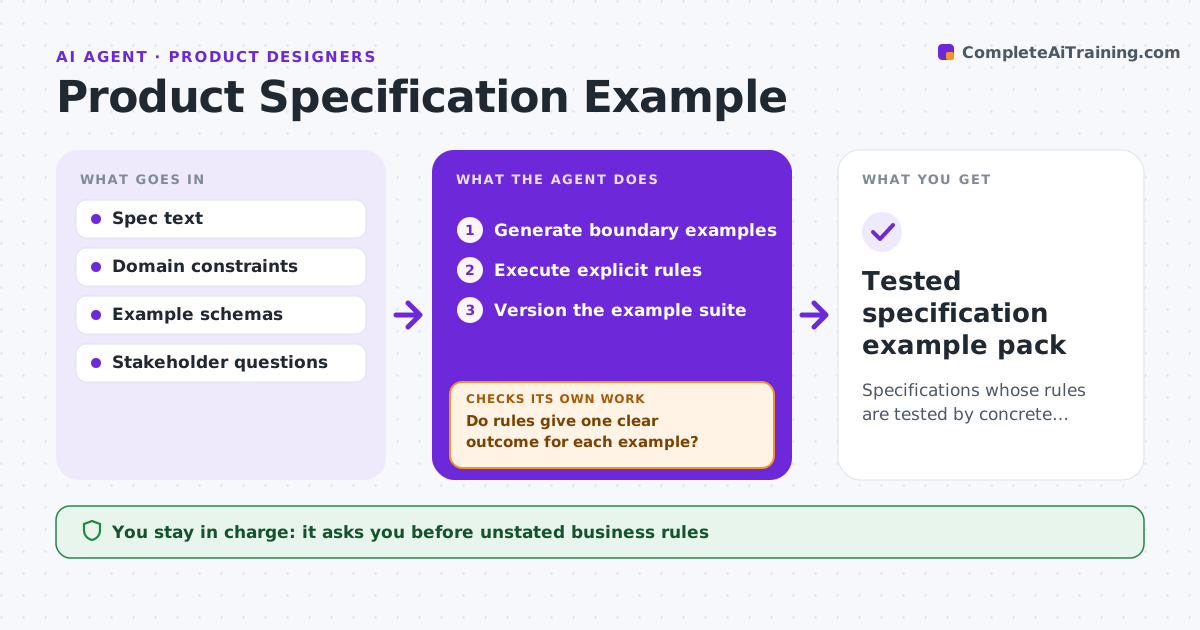
Specifications whose rules are tested by concrete examples.
What it does
Product specifications hide ambiguities that only show up during building. When a spec draft is ready, this agent generates concrete examples, starting with boundary cases such as exact thresholds, empty values and limits, then normal cases. It runs each example against the explicit rules in the spec. If an example rests on an invalid assumption, it revises the example. If rules give conflicting or unclear outcomes, it writes a precise question for the stakeholder. It keeps a versioned set of examples that becomes part of the spec. The product designer approves spec changes, and the agent never invents business rules. Edge case: two rules give different discounts for an order exactly at the threshold.
How it works
Follow the arrows from top to bottom. The orange dashed arrow is the loop: when a check fails, the agent goes back and tries again.
Read the steps as a list
- Spec draft ready
- Generate boundary examples
- Execute explicit rules
- Do rules give one clear outcome for each example?If not: write a precise stakeholder question. Back to step 3.
- Version the example suite
- Product designer approves spec changesThe agent waits here for your OK.
- Tested specification example pack
How it decides
It chooses examples most likely to expose ambiguity.
- Test boundary cases first.
- Every conflict becomes a precise question, never a guess.
- Examples with invalid assumptions are revised before running.
Make it yours
Every agent is a starting point. You choose these settings for your own situation.
- Example types to generate (boundary, normal, invalid input)
- Number of examples per rule (default 3)
- Who answers stakeholder questions
- Where the example set is stored
What keeps you in control
It always asks you first
- Unstated business rules
- Spec changes
Hard limits
- No business rule invention.
It stops when
- Done: suite complete.
Set it up
We guide you through the set-up, step by step
Members get the full set-up guide for this agent. No technical skills needed: you copy, paste and upload.
- One set of instructions to paste into your AI, with the clicks for ChatGPT, Claude, Microsoft 365 Copilot, Gemini and Grok
- The agent then walks you through connecting your own data, one source at a time
- A downloadable copy with the flow chart, the rules and the full guide