AI agent for retail sales associates
Product Issue Troubleshooting Agent
Solve product problems on the spot or route them correctly
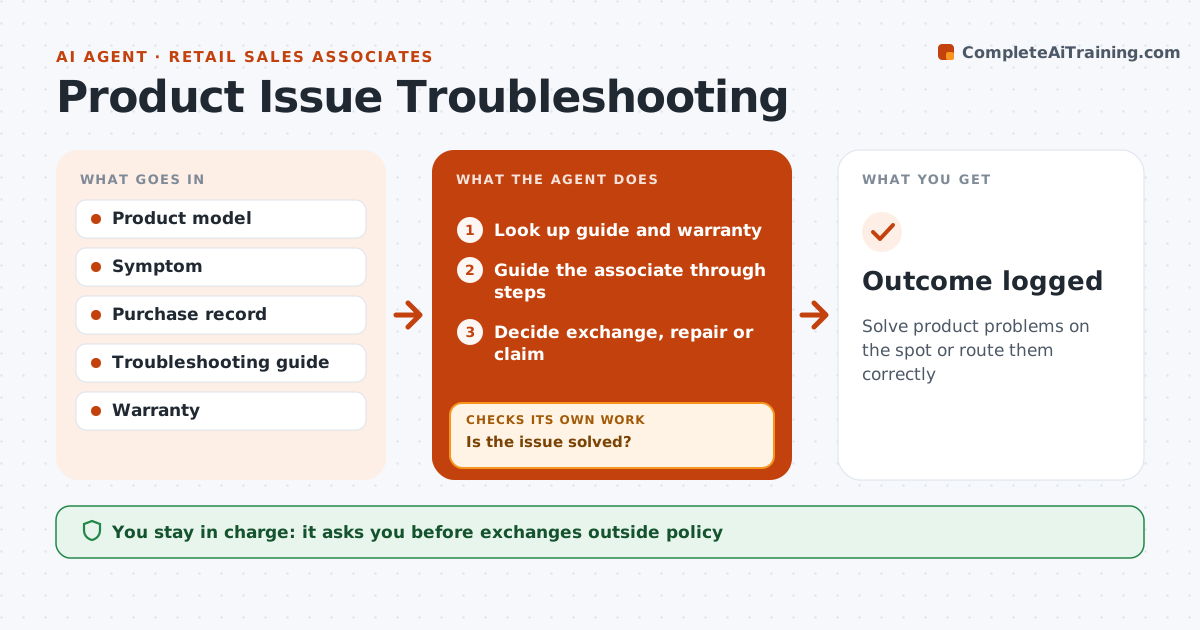
What it does
Customers come back with products that do not work, and associates rarely know every product's fixes. When a customer reports a problem, this agent asks the associate for the product and symptom, then looks up the manufacturer's troubleshooting guide and the warranty terms. It guides the associate through the steps one at a time and asks after each whether the issue is solved. If the problem remains after all steps, it checks the purchase date and warranty to decide between exchange, repair or a manufacturer claim. Within the return window, exchange is the rule; after it, repair or a claim. The manager approves any exchange outside policy. Each outcome is logged so repeat problems with a product show up. Edge case: if the symptom points to a safety issue, such as overheating, the product is taken out of use and reported right away.
How it works
Follow the arrows from top to bottom. The orange dashed arrow is the loop: when a check fails, the agent goes back and tries again.
Read the steps as a list
- Customer reports a problem
- Look up guide and warranty
- Guide the associate through steps
- Is the issue solved?If not: try the next step until steps run out. Back to step 3.
- Decide exchange, repair or claim
- Manager approves exchanges outside policyThe agent waits here for your OK.
- Outcome logged
How it decides
Steps first. If they fail, warranty and date decide the route.
- Safety issues reported right away
- Exchange within the return window
- Repair or claim after the window
Make it yours
Every agent is a starting point. You choose these settings for your own situation.
- Guide sources
- Return window
- Approval levels
What keeps you in control
It always asks you first
- Exchanges outside policy
Hard limits
- Never tells customers to open sealed electrical parts
- Never makes warranty decisions for the manufacturer
It stops when
- Done: solved or routed
- Stop: customer leaves
Set it up
We guide you through the set-up, step by step
Members get the full set-up guide for this agent. No technical skills needed: you copy, paste and upload.
- One set of instructions to paste into your AI, with the clicks for ChatGPT, Claude, Microsoft 365 Copilot, Gemini and Grok
- The agent then walks you through connecting your own data, one source at a time
- A downloadable copy with the flow chart, the rules and the full guide