AI agent for ux researchers
Product Research Consent Tracker Agent
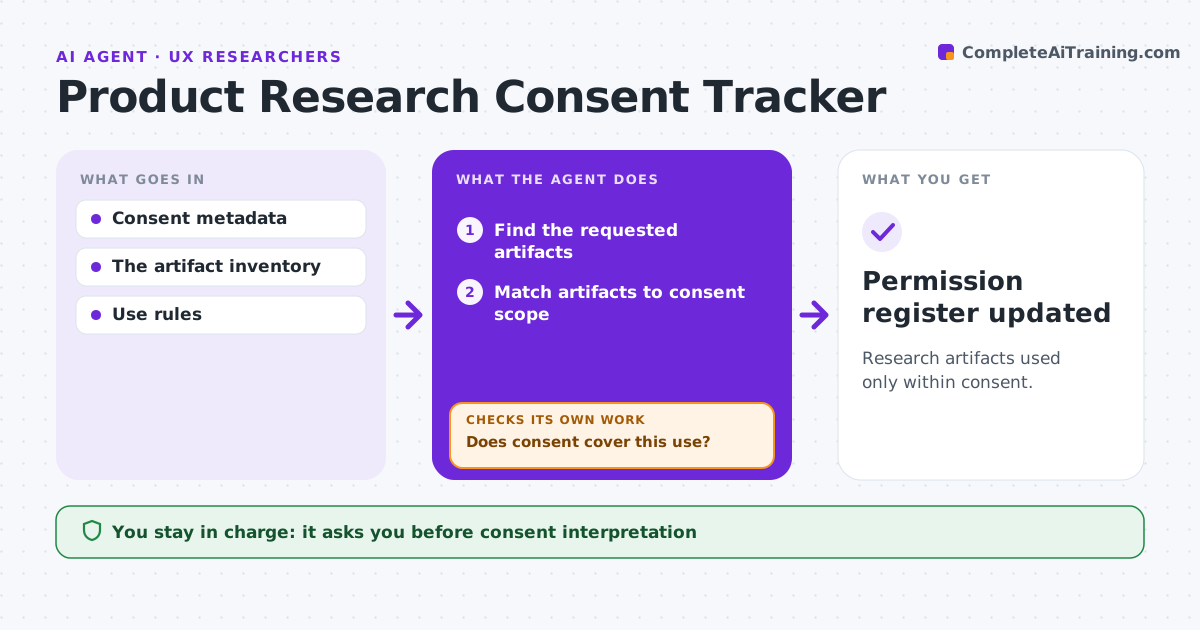
Research artifacts used only within consent.
What it does
Research recordings and quotes often lose track of what participants agreed to, and get reused in ways they never allowed. When a team requests research material, this agent matches each artifact to the consent scope recorded for that participant, such as internal use only, product team only or public use. If consent clearly covers the request, the artifact is included. If consent is unclear or missing, the artifact is blocked and the research owner is asked. It prepares a restricted review set and updates the permission register. The research owner interprets unclear consent and approves any external sharing. Edge case: marketing wants a quote for a public ad, but consent covered internal use only.
How it works
Follow the arrows from top to bottom. The orange dashed arrow is the loop: when a check fails, the agent goes back and tries again.
Read the steps as a list
- Team requests research material
- Find the requested artifacts
- Match artifacts to consent scope
- Does consent cover this use?If not: block the artifact and ask the owner. Back to step 3.
- Prepare the restricted review set
- Research owner approves sharingThe agent waits here for your OK.
- Permission register updated
How it decides
Explicit consent scope decides access.
- Only explicit consent scope allows use.
- Missing consent blocks broader reuse.
- External sharing always needs owner approval.
Make it yours
Every agent is a starting point. You choose these settings for your own situation.
- Consent scope categories
- Where consent records are stored
- Who interprets unclear consent
- Expiry rules for consent (default 2 years)
What keeps you in control
It always asks you first
- Consent interpretation
- External sharing
Hard limits
- No external sharing.
It stops when
- Done: set prepared or blocked.
Set it up
We guide you through the set-up, step by step
Members get the full set-up guide for this agent. No technical skills needed: you copy, paste and upload.
- One set of instructions to paste into your AI, with the clicks for ChatGPT, Claude, Microsoft 365 Copilot, Gemini and Grok
- The agent then walks you through connecting your own data, one source at a time
- A downloadable copy with the flow chart, the rules and the full guide