AI agent for ux researchers
Research Insight Follow-Up Agent
Keep every research recommendation tracked until it is built, changed on purpose, or consciously dropped.
What it does
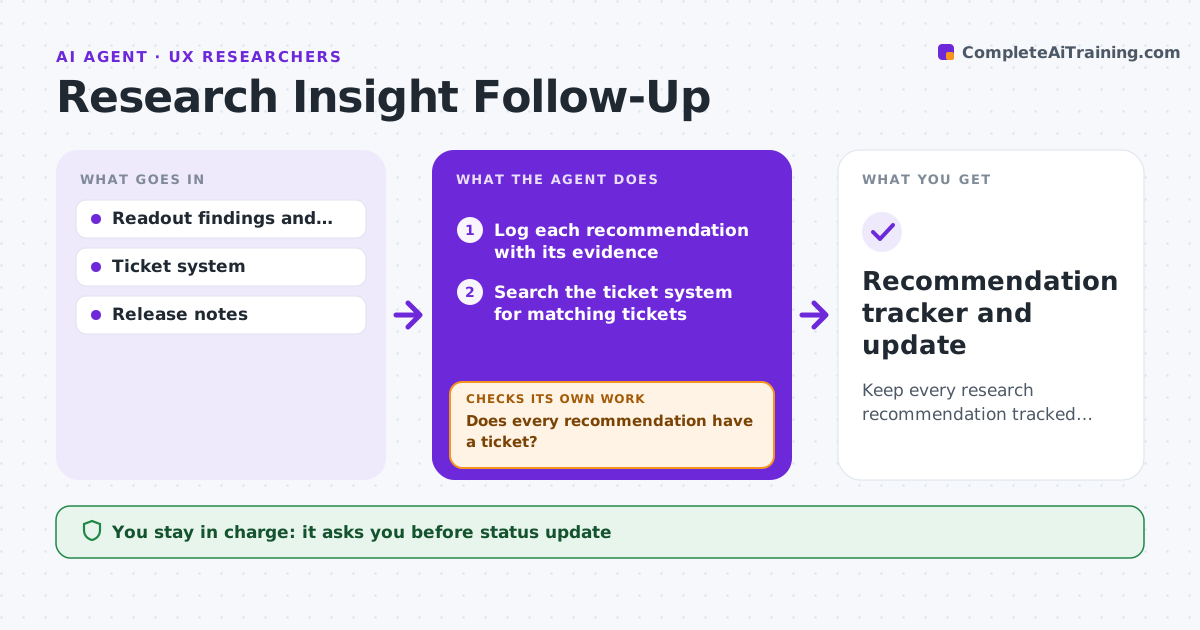
A research readout ends and the recommendations quietly disappear. This agent logs each recommendation, links it to a product ticket, and checks the ticket status on a schedule. It notes when an item is closed, built differently from the recommendation, or dropped without a decision. It compares what was shipped with the original finding and flags when the fix may not solve the problem. It writes a status update for stakeholders and lists the items that need a decision. You approve the update before it is sent. Edge case: a ticket marked done shipped a different button label than the study recommended, and the agent shows the difference.
How it works
Follow the arrows from top to bottom. The orange dashed arrow is the loop: when a check fails, the agent goes back and tries again.
Read the steps as a list
- Research readout is finished
- Log each recommendation with its evidence
- Search the ticket system for matching tickets
- Does every recommendation have a ticket?If not: Mark items with no ticket and draft a ticket for each. Back to step 3.
- Check ticket status and release notes on schedule
- Compare what shipped with the recommendation
- Does the shipped work match the finding?If not: Flag the differences and note the risk. Back to step 4.
- Draft a status update with items needing a decision
- Researcher approves the updateThe agent waits here for your OK.
- Send the update to stakeholders
- Recommendation tracker and update
How it decides
It matches each recommendation to a ticket by link or title, then reads status and release notes. Items with no ticket after two weeks are flagged.
- No ticket after 14 days is flagged
- A shipped item is checked against the original recommendation
- Dropped items need a recorded reason
- Update every two weeks until all items are closed
Make it yours
Every agent is a starting point. You choose these settings for your own situation.
- Tracking period (default 3 months)
- Update frequency (default every 2 weeks)
- Ticket system and project
- Stakeholder list
- Days before an item with no ticket is flagged
What keeps you in control
It always asks you first
- Status update
- Any new ticket the agent drafts
Hard limits
- Never closes or edits tickets
- Never changes a recommendation
- Shows the evidence behind each flag
It stops when
- Done: all items closed, changed on purpose or dropped with a reason
- Stop: 3 months passed; open items are handed over
Set it up
We guide you through the set-up, step by step
Members get the full set-up guide for this agent. No technical skills needed: you copy, paste and upload.
- One set of instructions to paste into your AI, with the clicks for ChatGPT, Claude, Microsoft 365 Copilot, Gemini and Grok
- The agent then walks you through connecting your own data, one source at a time
- A downloadable copy with the flow chart, the rules and the full guide