AI agent for ux researchers
Research Session Scheduling and Readiness Agent
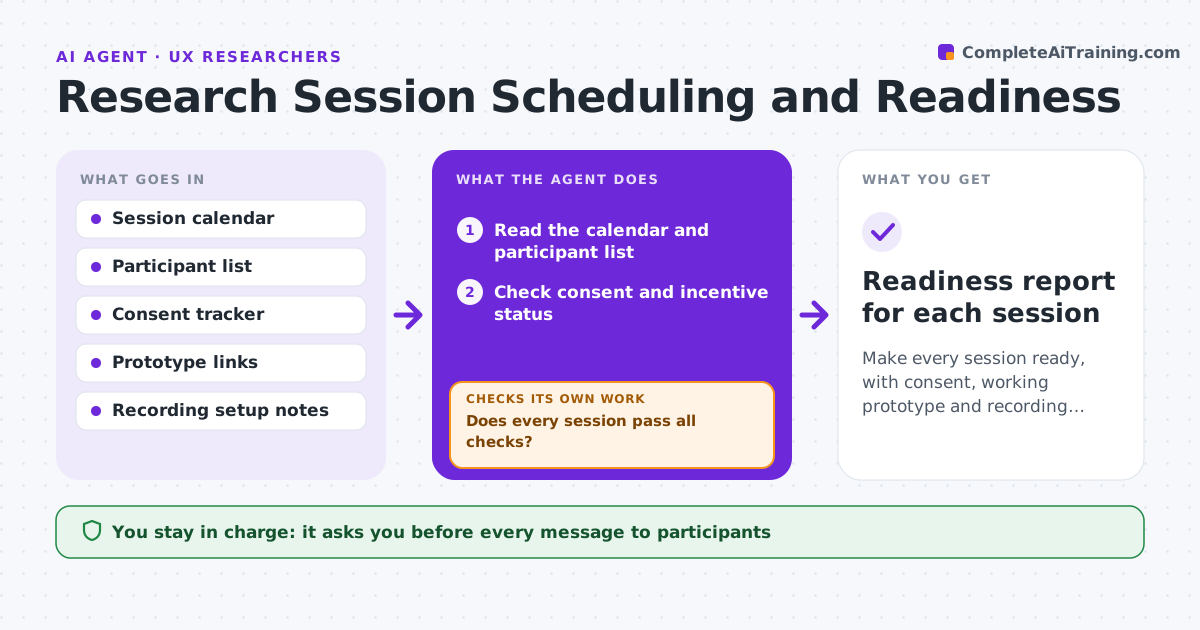
Make every session ready, with consent, working prototype and recording, before it starts.
What it does
Before a research round, many things can break: a participant double-booked, a consent form not signed, a prototype link that no longer works, a recording tool not set up. This agent confirms every session's schedule, checks consent and incentive status, opens the prototype link, tests the recording setup, and sends reminders. If any check fails, it tries a fix, such as resending the form, or proposes a reschedule, and then rechecks. It reports a readiness status for every session the day before. You approve every message to participants. Edge case: a prototype link needs a login that expired, and the agent flags it 24 hours ahead.
How it works
Follow the arrows from top to bottom. The orange dashed arrow is the loop: when a check fails, the agent goes back and tries again.
Read the steps as a list
- Research round is scheduled
- Read the calendar and participant list
- Check consent and incentive status
- Open prototype links and test the recording setup
- Does every session pass all checks?If not: List each failing check by session. Back to step 3.
- Choose a fix: resend consent, repair the link, or reschedule
- Researcher approves messages to participantsThe agent waits here for your OK.
- Send reminders and fixes
- Rerun the checks for the fixed sessions
- Are all sessions ready?If not: Repeat the fix for any session still failing, or move it. Back to step 6.
- Readiness report for each session
How it decides
It scores each session on five checks. Any failure stops that session from being marked ready until fixed or moved.
- No session is ready without signed consent
- Prototype links are tested within 24 hours of the session
- A session with two failed checks is proposed for reschedule
- Incentive status must be confirmed before the session
Make it yours
Every agent is a starting point. You choose these settings for your own situation.
- Days of lead time (default 5)
- Checks required before ready
- Reminder timing
- Where consent is tracked
- Reschedule rule
What keeps you in control
It always asks you first
- Every message to participants
- Any reschedule
Hard limits
- Never sends without approval
- Never stores participant details outside the tracker
- Never records without consent
It stops when
- Done: all sessions pass the checks
- Stop: not enough ready sessions; researcher decides on recruiting more
Set it up
We guide you through the set-up, step by step
Members get the full set-up guide for this agent. No technical skills needed: you copy, paste and upload.
- One set of instructions to paste into your AI, with the clicks for ChatGPT, Claude, Microsoft 365 Copilot, Gemini and Grok
- The agent then walks you through connecting your own data, one source at a time
- A downloadable copy with the flow chart, the rules and the full guide