AI agent for change managers
Product Sunset and Deprecation Agent
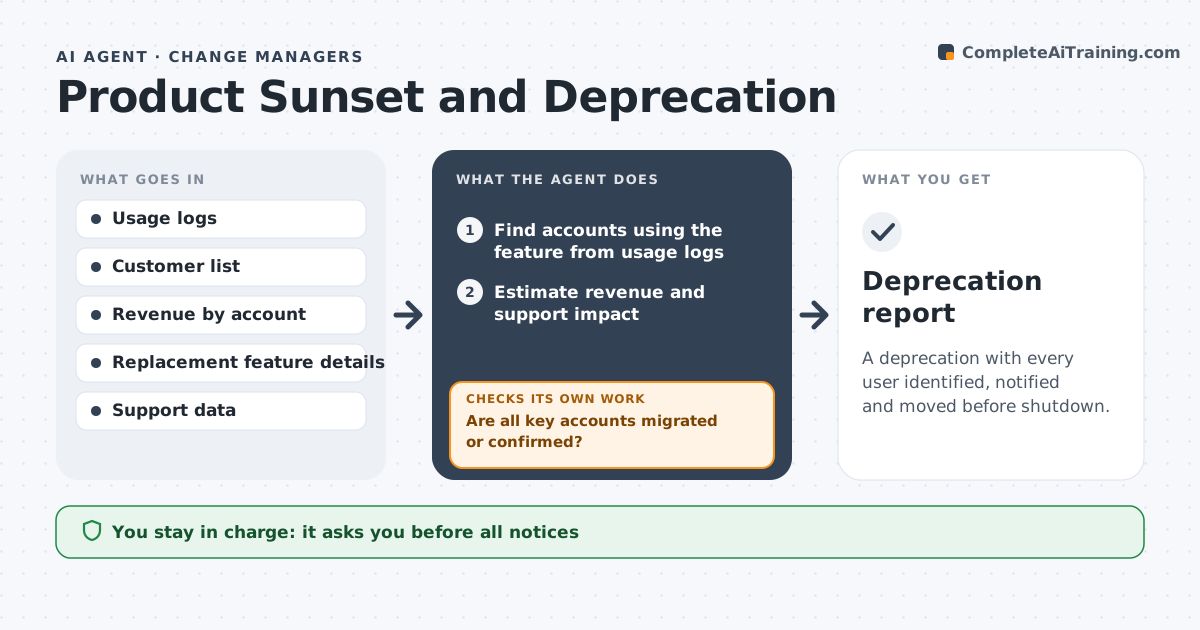
A deprecation with every user identified, notified and moved before shutdown.
What it does
The team removes an old export feature and 40 customers find out when their reports break. This agent finds who uses the feature, estimates revenue and support impact, and drafts a migration plan and notices. It tracks adoption of the replacement and rechecks usage before the cutoff date to see who is still on the old one. It reads usage again shortly before the cutoff, because accounts that ignored the first notice often show up late. Every contact is logged so support can see what each customer was told. Edge case: one large account uses the feature through an API, so the agent flags it for a personal conversation. The leader approves notices and the final shutdown.
How it works
Follow the arrows from top to bottom. The orange dashed arrow is the loop: when a check fails, the agent goes back and tries again.
Read the steps as a list
- Feature proposed for retirement
- Find accounts using the feature from usage logs
- Estimate revenue and support impact
- Draft a migration plan and customer notices
- Leader approves notices and timelineThe agent waits here for your OK.
- Send notices and track adoption of the replacement
- Recheck usage 14 days before the cutoff
- Are all key accounts migrated or confirmed?If not: draft a personal outreach list and extend the date if needed. Back to step 4.
- Prepare the shutdown checklist
- Leader approves the final shutdownThe agent waits here for your OK.
- Deprecation report
How it decides
It ranks accounts by revenue and usage depth, and holds the shutdown while any key account remains unmigrated.
- Notify users at least 60 days before shutdown.
- Accounts above a revenue threshold get personal outreach.
- Do not shut down while key accounts use the feature.
- Track support tickets after each notice.
Make it yours
Every agent is a starting point. You choose these settings for your own situation.
- Notice period
- Key account threshold
- Cutoff date
- Replacement metrics
- Channels
What keeps you in control
It always asks you first
- All notices
- The final shutdown
- Any extension offered to customers
Hard limits
- Do not send notices or shut down anything.
- Do not share one account's data with another.
It stops when
- Done: all users migrated and shutdown approved
- Stop: a major account cannot migrate, so the agent asks the leader to decide
Set it up
We guide you through the set-up, step by step
Members get the full set-up guide for this agent. No technical skills needed: you copy, paste and upload.
- One set of instructions to paste into your AI, with the clicks for ChatGPT, Claude, Microsoft 365 Copilot, Gemini and Grok
- The agent then walks you through connecting your own data, one source at a time
- A downloadable copy with the flow chart, the rules and the full guide