AI agent for health coachs
Program Cohort Engagement Agent
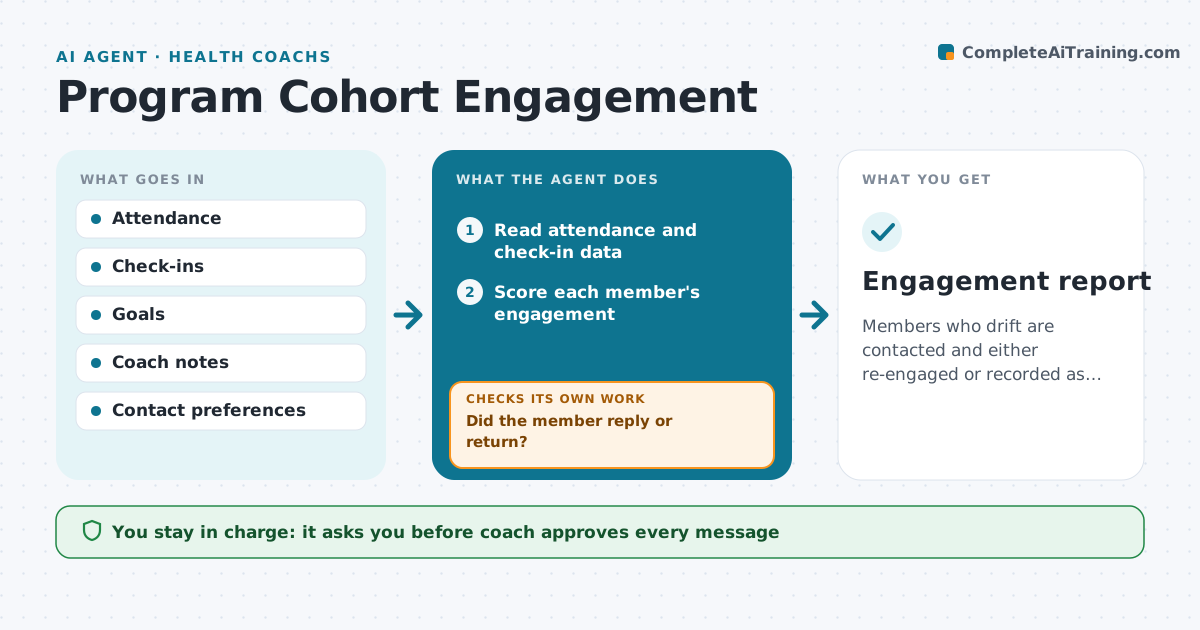
Members who drift are contacted and either re-engaged or recorded as paused.
What it does
In a group program, quiet members slip away and the coach notices only when they never come back. The agent reads attendance and check-in data each week, scores each member's engagement and finds those who dropped. For each, it drafts a personal message that refers to their goal and the last thing they did, not a generic reminder. The coach approves it. If the member does not respond to the first message, the agent tries a second approach, such as a shorter message or a different channel, and tells the coach. After a reply, it checks the next week's engagement to see whether the member is back. Edge case: a member who told the coach they are traveling is not flagged.
How it works
Follow the arrows from top to bottom. The orange dashed arrow is the loop: when a check fails, the agent goes back and tries again.
Read the steps as a list
- Weekly run
- Read attendance and check-in data
- Score each member's engagement
- Find members who dropped and exclude known absences
- Draft a personal message for each
- Coach approves the messagesThe agent waits here for your OK.
- Send by the member's preferred channel
- Read replies and engagement the next week
- Did the member reply or return?If not: Try a second approach, a shorter message or another channel, and tell the coach. Back to step 3.
- Update the cohort status
- Engagement report
How it decides
It scores engagement from attendance and check-ins and picks outreach by how long the member has been quiet.
- Two missed sessions or no check-in for 10 days flags a member
- Known absences are excluded
- Use the member's own goal in the message
- After two tries ask the coach to call
Make it yours
Every agent is a starting point. You choose these settings for your own situation.
- Drop-off rule
- Message tone
- Channels
- Follow-up attempts
- Cohort size
What keeps you in control
It always asks you first
- Coach approves every message
- Coach decides to pause or remove a member
Hard limits
- Never message without coach approval
- Never share a member's data with the group
- Never pressure a member
It stops when
- Done: all dropped members are re-engaged or recorded as paused
- Stop: the member asks to leave
Set it up
We guide you through the set-up, step by step
Members get the full set-up guide for this agent. No technical skills needed: you copy, paste and upload.
- One set of instructions to paste into your AI, with the clicks for ChatGPT, Claude, Microsoft 365 Copilot, Gemini and Grok
- The agent then walks you through connecting your own data, one source at a time
- A downloadable copy with the flow chart, the rules and the full guide