AI agent for pmo managers
Project Closure Benefits Realization Agent
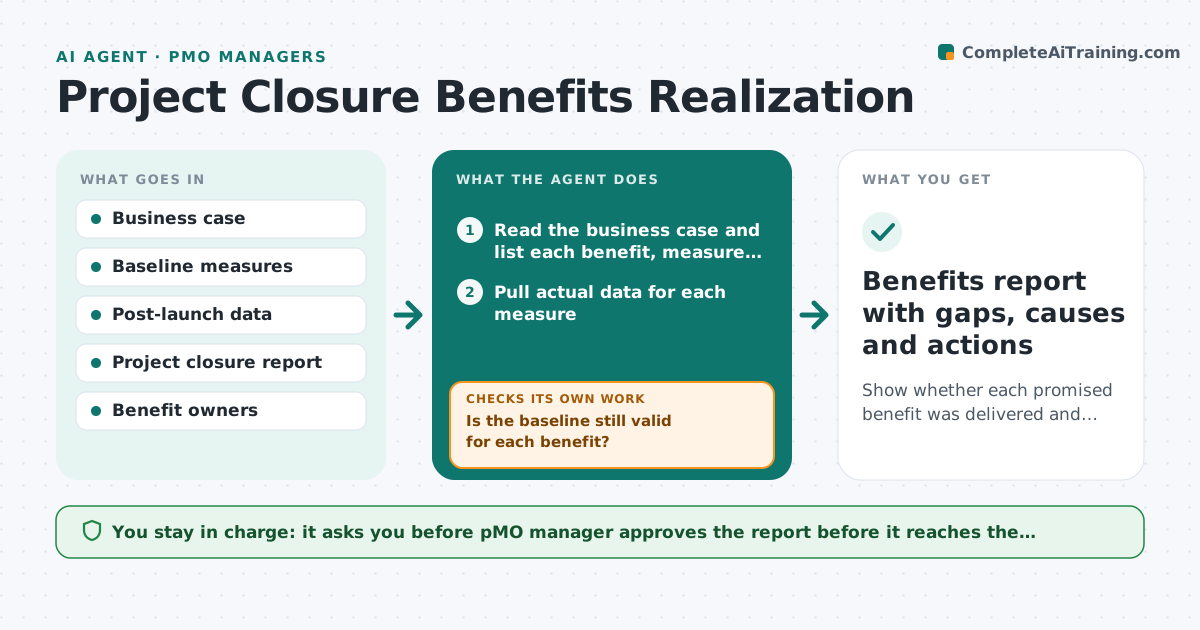
Show whether each promised benefit was delivered and why not when it was not
What it does
A project goes live, the team moves on and nobody checks whether the promised savings or revenue appeared. This agent follows the benefits. It reads the business case and lists each promised benefit with its measure, baseline and target date. At set months after launch it pulls the actual data and compares it with the promise. If a benefit is behind, it looks for causes, such as low adoption, a changed baseline or a cost that was not counted, and asks owners to confirm. It prepares a report for sponsors with what was achieved, what is late and what is lost. The manager approves the report. Edge case: the baseline changed because of a reorganization. The agent restates the baseline and notes it.
How it works
Follow the arrows from top to bottom. The orange dashed arrow is the loop: when a check fails, the agent goes back and tries again.
Read the steps as a list
- Project closes or a review month arrives
- Read the business case and list each benefit, measure and target
- Pull actual data for each measure
- Is the baseline still valid for each benefit?If not: Restate the baseline with the owner's confirmation and recalculate. Back to step 2.
- Compare actual to target and calculate the percent achieved
- Find likely causes for each gap
- Ask benefit owners to confirm causes and actions
- Did owners confirm causes within a week?If not: Remind once and mark the cause as unconfirmed in the report. Back to step 7.
- PMO manager approves the sponsor reportThe agent waits here for your OK.
- Benefits report with gaps, causes and actions
How it decides
It measures progress as actual change divided by promised change. Benefits under 80 percent of target at their due date are gaps that need a cause.
- A benefit under 80 percent of target at its date is a gap
- A changed baseline must be agreed with the owner
- Benefits not measurable with current data are flagged for a new measure
- Gaps over 20 percent of the project cost are escalated to the sponsor
Make it yours
Every agent is a starting point. You choose these settings for your own situation.
- Review months after launch (default 3, 6 and 12)
- Gap threshold (default 80 percent)
- Which benefit types to include
- Report layout for sponsors
- Who confirms causes
What keeps you in control
It always asks you first
- PMO manager approves the report before it reaches the sponsors
Hard limits
- Never changes a promised benefit, only reports against it
- Cites the data source for each number
It stops when
- Done: all benefits reported at the final review month
- Stop: data unavailable for a key benefit, ask the owner for a new source
Set it up
We guide you through the set-up, step by step
Members get the full set-up guide for this agent. No technical skills needed: you copy, paste and upload.
- One set of instructions to paste into your AI, with the clicks for ChatGPT, Claude, Microsoft 365 Copilot, Gemini and Grok
- The agent then walks you through connecting your own data, one source at a time
- A downloadable copy with the flow chart, the rules and the full guide