AI agent for project managers
Project Scope Boundary Agent
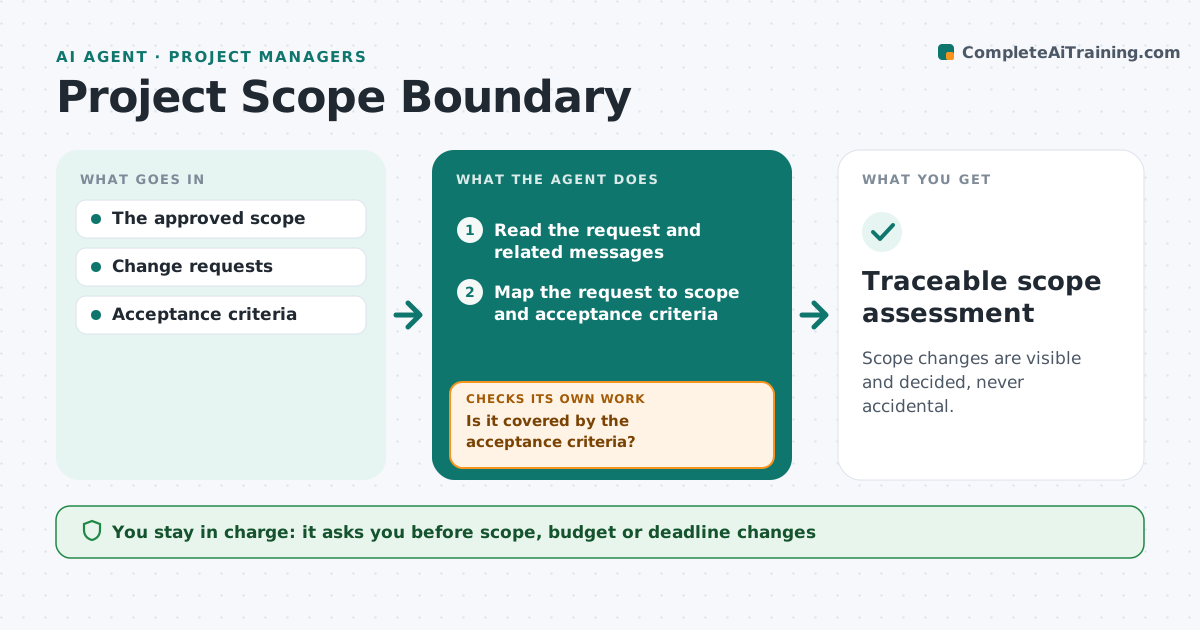
Scope changes are visible and decided, never accidental.
What it does
Small requests quietly expand a project until the budget and deadline no longer fit. This agent reads each new request or change ask and maps it to the approved scope and acceptance criteria. If the request is covered, it adds the work to the plan with a link to the criterion it serves. If the request introduces a new outcome, such as a new report, data source or user group, it drafts a change proposal with the estimated effort and impact on dates. The project manager approves or rejects every change. The agent never accepts scope on the team's behalf. Edge case: a client calls something a small tweak, but it adds a new data feed, so it becomes a change proposal.
How it works
Follow the arrows from top to bottom. The orange dashed arrow is the loop: when a check fails, the agent goes back and tries again.
Read the steps as a list
- Request or change ask arrives
- Read the request and related messages
- Map the request to scope and acceptance criteria
- Is it covered by the acceptance criteria?If not: draft a change proposal with effort and date impact. Back to step 3.
- Add in-scope work to the plan with its criterion
- Project manager approves changesThe agent waits here for your OK.
- Traceable scope assessment
How it decides
It compares the request's outcome with the acceptance criteria.
- A request that creates a new outcome is a change, whatever it is called.
- In-scope work must link to a specific acceptance criterion.
- Requests above the effort threshold always get a change proposal.
Make it yours
Every agent is a starting point. You choose these settings for your own situation.
- Where the approved scope and acceptance criteria live
- Effort threshold that always needs a change proposal (default 1 day)
- Rate card used for cost estimates
- Format of the change proposal (short note or full form)
What keeps you in control
It always asks you first
- Scope, budget or deadline changes
Hard limits
- No approvals itself.
It stops when
- Done: classified.
Set it up
We guide you through the set-up, step by step
Members get the full set-up guide for this agent. No technical skills needed: you copy, paste and upload.
- One set of instructions to paste into your AI, with the clicks for ChatGPT, Claude, Microsoft 365 Copilot, Gemini and Grok
- The agent then walks you through connecting your own data, one source at a time
- A downloadable copy with the flow chart, the rules and the full guide