AI agent for pmo managers
Project Status Report Consolidation Agent
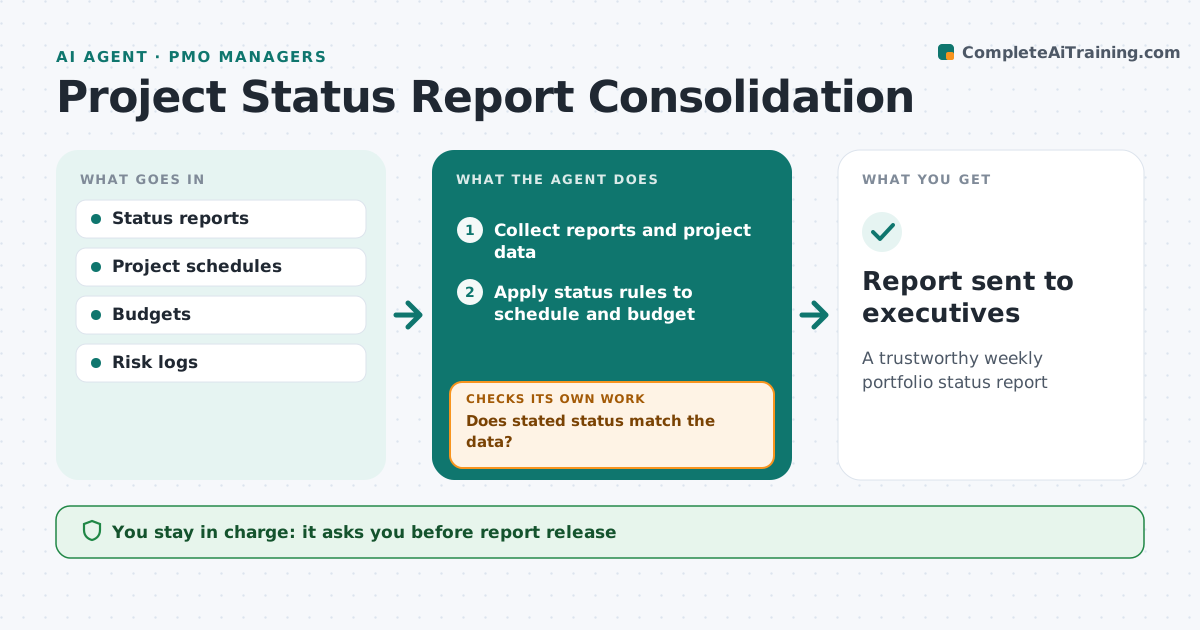
A trustworthy weekly portfolio status report
What it does
Each week the PMO collects status reports from every project, but self-reported status is often greener than reality. This agent collects the reports and pulls schedule and budget data from project tools. It applies simple rules: milestones more than 10 days late or budget over 10% mean amber at least. It compares the stated status with the data, and where they disagree it asks the project manager to explain or change the status, then checks again. It also checks that every high risk has a mitigation action and marks plans not updated for four weeks as stale. It builds the portfolio report with exceptions first. The PMO manager approves the report before it goes to executives. Edge case: a project has not updated its plan in four weeks, so the agent marks its data as stale instead of trusting it.
How it works
Follow the arrows from top to bottom. The orange dashed arrow is the loop: when a check fails, the agent goes back and tries again.
Read the steps as a list
- Weekly status cycle
- Collect reports and project data
- Apply status rules to schedule and budget
- Does stated status match the data?If not: ask the project manager to explain or change status. Back to step 3.
- Check high risks have actions
- Build portfolio report with exceptions
- PMO manager approves reportThe agent waits here for your OK.
- Report sent to executives
How it decides
It compares stated status with schedule and budget rules and requests correction where they disagree.
- Milestones over 10 days late mean amber at least
- Budget over 10% means amber
- Plans not updated for 4 weeks marked stale
Make it yours
Every agent is a starting point. You choose these settings for your own situation.
- Status rules
- Report day
- Exception ordering
- Stale plan threshold
What keeps you in control
It always asks you first
- Report release
Hard limits
- Does not change project plans
- Does not rate project managers
It stops when
- Done: report sent
- Stop: over 25% of reports missing
Set it up
We guide you through the set-up, step by step
Members get the full set-up guide for this agent. No technical skills needed: you copy, paste and upload.
- One set of instructions to paste into your AI, with the clicks for ChatGPT, Claude, Microsoft 365 Copilot, Gemini and Grok
- The agent then walks you through connecting your own data, one source at a time
- A downloadable copy with the flow chart, the rules and the full guide