AI agent for pmo managers
Project Template Compliance Audit Agent
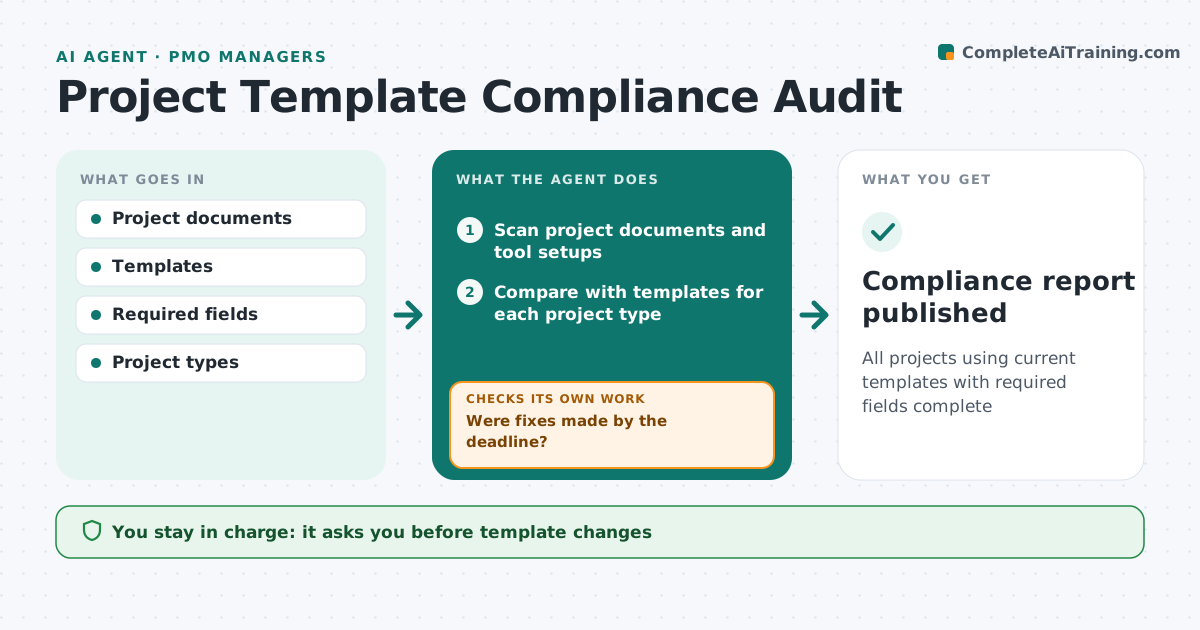
All projects using current templates with required fields complete
What it does
PMOs set standard templates for plans, risk logs and reports so data can be combined, but projects drift to old or homemade versions. Each month this agent scans every project's documents and tool setup and checks them against the template for that project type, so agile projects are judged against the agile template. It lists missing fields and outdated versions and sends each project manager a short fix list with a deadline. After the deadline it checks again; projects that miss it get a reminder, and two missed deadlines go to the PMO manager. It also notices fields left blank in over half of projects and suggests template changes. The PMO manager approves template changes. Edge case: an agile project uses a board instead of a plan, so the agent checks it against the agile template.
How it works
Follow the arrows from top to bottom. The orange dashed arrow is the loop: when a check fails, the agent goes back and tries again.
Read the steps as a list
- Monthly audit
- Scan project documents and tool setups
- Compare with templates for each project type
- Send fix lists to project managers
- Were fixes made by the deadline?If not: send a reminder and list for PMO follow-up. Back to step 4.
- Analyze common blank fields
- PMO manager approves template changesThe agent waits here for your OK.
- Compliance report published
How it decides
It checks each project against the template for its type and lists gaps.
- Templates matched by project type
- Fields blank in over 50% of projects reviewed
- Two missed deadlines go to PMO manager
Make it yours
Every agent is a starting point. You choose these settings for your own situation.
- Templates per type
- Fix deadline
- Report format
- Blank field threshold
What keeps you in control
It always asks you first
- Template changes
Hard limits
- Does not edit project files
- Not used to rate people
It stops when
- Done: report published
- Stop: project tool access missing
Set it up
We guide you through the set-up, step by step
Members get the full set-up guide for this agent. No technical skills needed: you copy, paste and upload.
- One set of instructions to paste into your AI, with the clicks for ChatGPT, Claude, Microsoft 365 Copilot, Gemini and Grok
- The agent then walks you through connecting your own data, one source at a time
- A downloadable copy with the flow chart, the rules and the full guide