AI agent for category managers
Promotion Post-Evaluation Agent
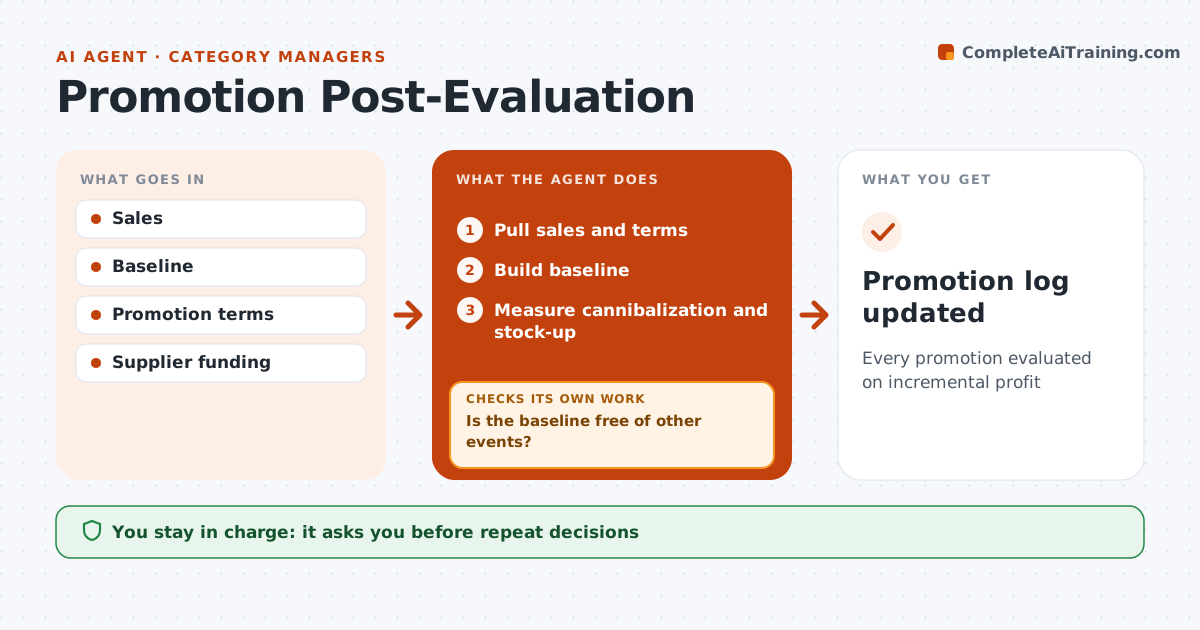
Every promotion evaluated on incremental profit
What it does
Promotions should add sales and profit, not just move them from other weeks or products. After each promotion ends, this agent pulls sales and the promotion's terms, then builds a baseline of what would have sold without it. It checks that the baseline is clean. If last year's comparison period had a different event, such as a holiday, it adjusts the baseline and checks again. It measures cannibalization of other products and stock-up effects in the four weeks after, when customers may buy less. It then calculates incremental margin after supplier funding. Based on the result, it drafts a verdict to repeat, change or stop the promotion; negative incremental profit means stop. The category manager approves the verdict, which goes into the promotion log. Edge case: when a supplier funded the promotion, the agent includes that funding before judging profit.
How it works
Follow the arrows from top to bottom. The orange dashed arrow is the loop: when a check fails, the agent goes back and tries again.
Read the steps as a list
- Promotion ends
- Pull sales and terms
- Build baseline
- Is the baseline free of other events?If not: adjust baseline. Back to step 3.
- Measure cannibalization and stock-up
- Draft verdict
- Category manager approvesThe agent waits here for your OK.
- Promotion log updated
How it decides
It calculates incremental profit including cannibalization and stock-up.
- Negative incremental profit means stop
- Funding included
- Stock-up checked for 4 weeks
Make it yours
Every agent is a starting point. You choose these settings for your own situation.
- Baseline method
- Stock-up window
- Verdict rules
- Report
What keeps you in control
It always asks you first
- Repeat decisions
Hard limits
- No price changes
- No supplier contact
It stops when
- Done: logged
- Stop: data missing
Set it up
We guide you through the set-up, step by step
Members get the full set-up guide for this agent. No technical skills needed: you copy, paste and upload.
- One set of instructions to paste into your AI, with the clicks for ChatGPT, Claude, Microsoft 365 Copilot, Gemini and Grok
- The agent then walks you through connecting your own data, one source at a time
- A downloadable copy with the flow chart, the rules and the full guide