AI agent for prompt engineers
Prompt Length and Cost Trimming Agent
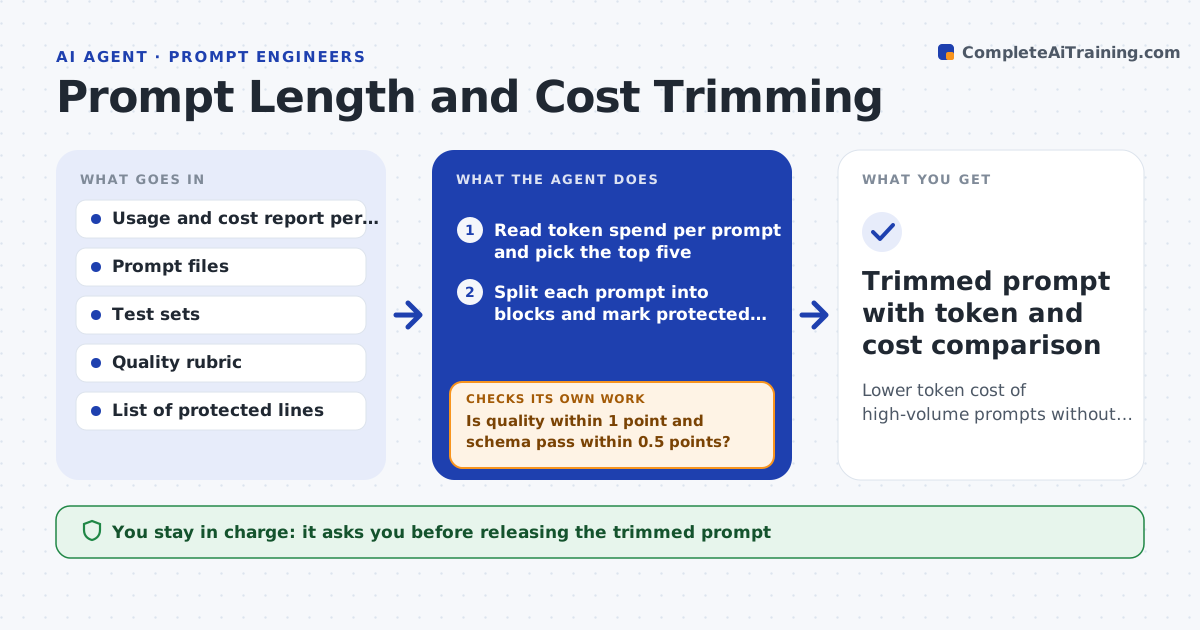
Lower token cost of high-volume prompts without losing quality
What it does
A prompt run a million times a month costs real money for every extra sentence. Over time, fixes pile up and many lines no longer change the output. This agent looks at prompts with the highest monthly token spend. For each one it removes or shortens one block at a time, such as a repeated rule, an old example or a long role description, and reruns the test set. It keeps a cut only when the quality score and schema pass rate stay within the allowed margin. After all cuts, it runs the full suite again to catch effects that only show when several cuts combine. If the combined version fails, it restores cuts one by one, most recent first, until it passes. The prompt engineer approves the trimmed version and the projected saving. Edge case: safety and compliance lines are never removed, even if tests do not depend on them.
How it works
Follow the arrows from top to bottom. The orange dashed arrow is the loop: when a check fails, the agent goes back and tries again.
Read the steps as a list
- Monthly cost review starts
- Read token spend per prompt and pick the top five
- Split each prompt into blocks and mark protected lines
- Remove or shorten the next unprotected block
- Rerun the test set and score outputs
- Is quality within 1 point and schema pass within 0.5 points?If not: restore the block and move to the next one. Back to step 4.
- Run the full suite on the combined trimmed prompt
- Does the combined version still pass?If not: restore cuts one by one, newest first, and rerun. Back to step 7.
- Prompt engineer approves the trimmed prompt and saving estimateThe agent waits here for your OK.
- Trimmed prompt with token and cost comparison
How it decides
It removes one block at a time and keeps the cut only when quality stays within 1 point and schema pass rate within 0.5 points of baseline.
- Only prompts above the monthly spend floor are reviewed
- Lines tagged safety, legal or compliance are never cut
- Report savings as tokens per call times last month's call volume
- Stop trimming a prompt once three cuts in a row fail
Make it yours
Every agent is a starting point. You choose these settings for your own situation.
- Number of prompts reviewed per month (default 5)
- Allowed quality drop (default 1 point)
- Protected line tags (default safety, legal, compliance)
- Monthly spend floor for review (default $200)
What keeps you in control
It always asks you first
- Releasing the trimmed prompt
Hard limits
- Never removes lines tagged as safety or compliance
- Never deploys a prompt
It stops when
- Done: trimmed versions approved
- Stop: no prompt above the spend floor this month
Set it up
We guide you through the set-up, step by step
Members get the full set-up guide for this agent. No technical skills needed: you copy, paste and upload.
- One set of instructions to paste into your AI, with the clicks for ChatGPT, Claude, Microsoft 365 Copilot, Gemini and Grok
- The agent then walks you through connecting your own data, one source at a time
- A downloadable copy with the flow chart, the rules and the full guide