AI agent for prompt engineers
Golden Test Set Maintenance Agent
Keep the test set current so real failures become permanent tests
What it does
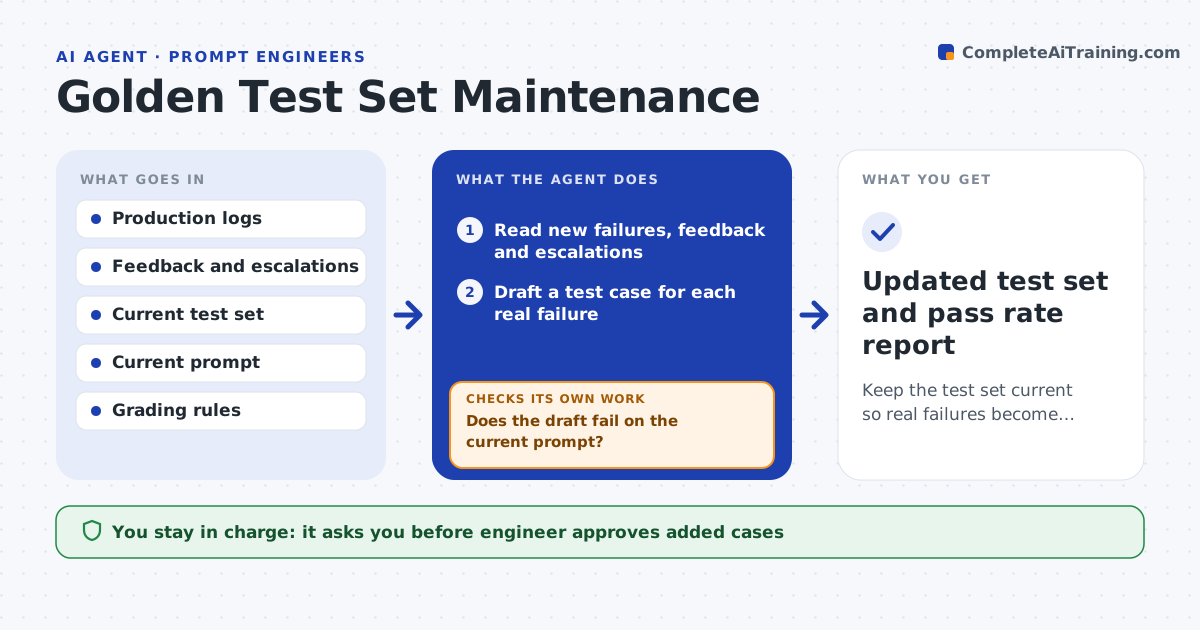
The golden test set was written six months ago, the product changed, and real failures keep escaping because they are not in the set. This agent reads production failures, thumbs-down feedback and support escalations. It turns each into a draft test case with the input, the expected behavior and the grading rule. It runs each draft on the current prompt to check that it fails, since a test that already passes adds nothing, and removes duplicates and near-duplicates of existing cases. It adds the surviving cases to a staging copy, reruns the whole suite and reports the new pass rate. The engineer approves the additions. Edge case: a failure came from bad user input that no prompt can fix, so the agent excludes it.
How it works
Follow the arrows from top to bottom. The orange dashed arrow is the loop: when a check fails, the agent goes back and tries again.
Read the steps as a list
- Weekly run
- Read new failures, feedback and escalations
- Draft a test case for each real failure
- Run each draft on the current prompt
- Does the draft fail on the current prompt?If not: drop it or rewrite it to capture the real failure. Back to step 3.
- Compare with existing cases and remove duplicates
- Exclude cases the prompt cannot fix, such as unreadable input
- Engineer approves the additionsThe agent waits here for your OK.
- Add the cases to staging and rerun the full suite
- Is the grading consistent across two runs?If not: tighten the grading rule or the expected answer and rerun. Back to step 3.
- Updated test set and pass rate report
How it decides
It keeps a draft case only if it fails on the current prompt, is not a duplicate and tests a behavior the prompt should be able to handle.
- Add a case only when it fails on the current prompt
- Treat cases with over 90% text overlap as duplicates
- Exclude cases caused by missing or unreadable input
- Cap additions at 25 cases per week
Make it yours
Every agent is a starting point. You choose these settings for your own situation.
- Failure sources
- Weekly cap (default 25)
- Duplicate threshold (default 90%)
- Grading rubric format
- Test set location
What keeps you in control
It always asks you first
- Engineer approves added cases
- Engineer approves removal of old cases
Hard limits
- Remove personal data from cases
- Never delete existing cases without approval
It stops when
- Done: staging passes grading checks and the set is updated
- Stop: there are no new real failures this week
Set it up
We guide you through the set-up, step by step
Members get the full set-up guide for this agent. No technical skills needed: you copy, paste and upload.
- One set of instructions to paste into your AI, with the clicks for ChatGPT, Claude, Microsoft 365 Copilot, Gemini and Grok
- The agent then walks you through connecting your own data, one source at a time
- A downloadable copy with the flow chart, the rules and the full guide