AI agent for prompt engineers
Prompt Library Cleanup Agent
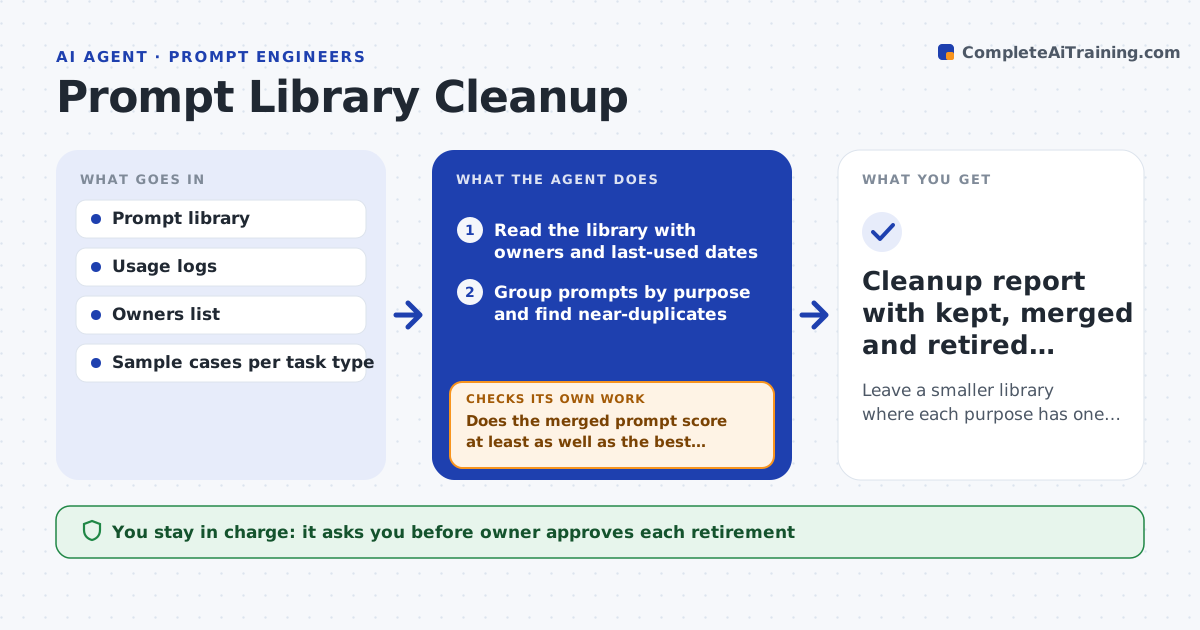
Leave a smaller library where each purpose has one tested, owned prompt
What it does
A team prompt library grows to 400 prompts, with ten versions of the same email rewrite and several nobody has used in a year. This agent finds near-duplicate prompts by purpose, not only by text. It tests each group on the same sample cases, keeps the best performer, and notes the owner and the date of last use. It checks usage data so that a prompt used daily is not retired by mistake. Where it proposes a merge, it retests the merged prompt on the sample cases and compares it with the originals. It lists prompts to retire with the reason. The owner approves retirement. Edge case: two similar prompts serve different audiences with different tone, so the agent keeps both and labels them.
How it works
Follow the arrows from top to bottom. The orange dashed arrow is the loop: when a check fails, the agent goes back and tries again.
Read the steps as a list
- Quarterly cleanup
- Read the library with owners and last-used dates
- Group prompts by purpose and find near-duplicates
- Run each group on the same sample cases and grade results
- Pick the best prompt in each group and propose merges
- Test the merged prompt against the originals
- Does the merged prompt score at least as well as the best original?If not: keep the best original or revise the merge and test again. Back to step 5.
- Check recent usage of each prompt proposed for retirement
- Owner approves retirement and mergesThe agent waits here for your OK.
- Do users of the retired prompts have a working replacement link?If not: add the redirect or restore the prompt. Back to step 2.
- Cleanup report with kept, merged and retired prompts
How it decides
It groups by purpose, keeps the prompt with the best test score and usage, and proposes retirement only for prompts with a better replacement and low recent use.
- Treat prompts with the same purpose and audience as duplicates
- Keep both when audience or tone differs
- Do not retire a prompt used in the last 30 days without owner approval
- Require the merged prompt to match the best original on 90% of test cases
Make it yours
Every agent is a starting point. You choose these settings for your own situation.
- Usage window (default 30 days)
- Group matching rules
- Pass level for merged prompts (default 90%)
- Cleanup schedule
- Where archived prompts go
What keeps you in control
It always asks you first
- Owner approves each retirement
- Library lead approves merged prompts
Hard limits
- Never delete a prompt, only archive it
- Never retire a recently used prompt without its owner
It stops when
- Done: every group has a kept prompt and retirements are approved
- Stop: no usage data is available so retirements are held
Set it up
We guide you through the set-up, step by step
Members get the full set-up guide for this agent. No technical skills needed: you copy, paste and upload.
- One set of instructions to paste into your AI, with the clicks for ChatGPT, Claude, Microsoft 365 Copilot, Gemini and Grok
- The agent then walks you through connecting your own data, one source at a time
- A downloadable copy with the flow chart, the rules and the full guide