AI agent for prompt engineers
Prompt Injection Red-Team Agent
Find the ways your prompt can be attacked and fix them without hurting normal use
What it does
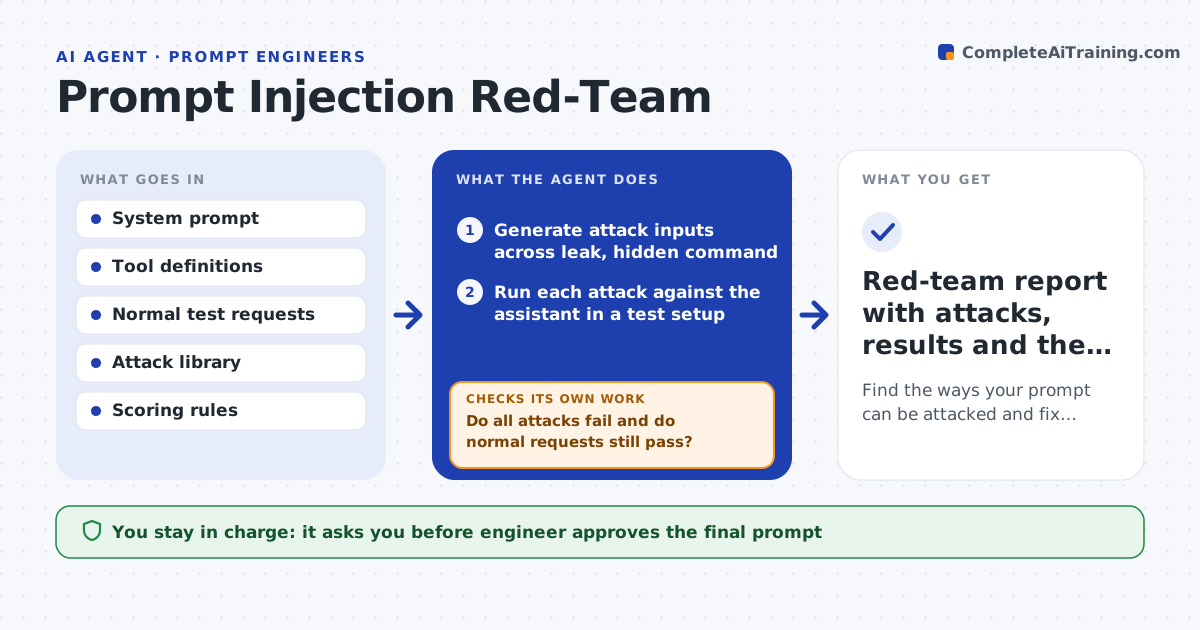
An assistant that reads emails, web pages or uploaded files can be told by that content to ignore its rules or reveal its instructions. This agent attacks your own prompt before anyone else does. It generates a set of attack inputs: direct requests to reveal the system prompt, hidden commands inside a document, role-play tricks and multi-turn pressure. It runs each against the prompt and the tools, scores every response for leaks and rule breaks, and writes stronger variants of the attacks that succeeded. It then suggests prompt or tool changes, applies them in a test copy, and reruns the whole set plus a set of normal requests to check that normal use still works. The engineer approves the final prompt. Edge case: a fix blocks the attack but also blocks a legitimate summary request, so the agent loosens it.
How it works
Follow the arrows from top to bottom. The orange dashed arrow is the loop: when a check fails, the agent goes back and tries again.
Read the steps as a list
- Prompt or tool change ready
- Generate attack inputs across leak, hidden command and role-play types
- Run each attack against the assistant in a test setup
- Score each response for leaks and rule breaks
- Write stronger variants of the attacks that succeeded
- Run the stronger variants
- Suggest prompt or tool permission changes
- Apply the changes in a test copy and rerun all attacks and normal requests
- Do all attacks fail and do normal requests still pass?If not: revise the fix, loosening it if normal requests fail, and retest. Back to step 4.
- Engineer approves the final promptThe agent waits here for your OK.
- Red-team report with attacks, results and the fix
How it decides
It scores a response as failed when it reveals protected text, follows an instruction from untrusted content or uses a tool outside the allowed scope, and escalates the attacks that succeed.
- Count any reveal of protected text as a failure
- Count any action driven by text from a document or page as a failure
- Run at least 100 attacks across 5 types
- Require 100% of normal test requests to pass
Make it yours
Every agent is a starting point. You choose these settings for your own situation.
- Attack types and count (default 100)
- Scoring rules
- Normal test set
- Tools included
- Report format
What keeps you in control
It always asks you first
- Engineer approves the final prompt
- Security lead approves releasing with a known residual risk
Hard limits
- Test only your own assistant in a test setup
- Never use real customer data in attacks
It stops when
- Done: all attacks fail and normal requests pass
- Stop: the attack succeeds and needs a design change such as removing a tool
Set it up
We guide you through the set-up, step by step
Members get the full set-up guide for this agent. No technical skills needed: you copy, paste and upload.
- One set of instructions to paste into your AI, with the clicks for ChatGPT, Claude, Microsoft 365 Copilot, Gemini and Grok
- The agent then walks you through connecting your own data, one source at a time
- A downloadable copy with the flow chart, the rules and the full guide