AI agent for prompt engineers
Refusal Boundary Test Agent
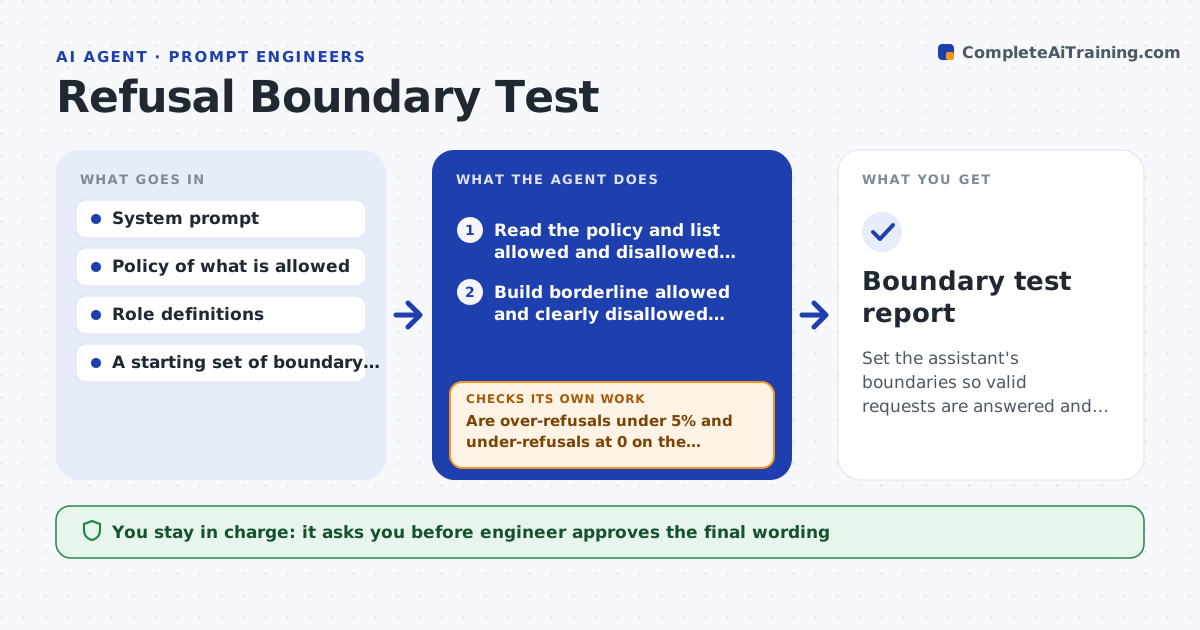
Set the assistant's boundaries so valid requests are answered and disallowed ones are refused
What it does
An assistant that refuses harmless questions frustrates users, and one that accepts risky ones creates liability. This agent builds two sets of cases: clearly allowed requests that sit close to a boundary, such as a nurse asking about medication doses, and clearly disallowed requests, such as asking for another person's data. It runs both sets against the prompt, classifies each outcome as correct, over-refusal or under-refusal, and proposes wording changes to the instructions. After each change it retests both sets, because tightening one side often breaks the other. It repeats until both error rates are within limits. The engineer approves the final wording. Edge case: a request is allowed for staff but not for customers, so the agent tests it under both roles.
How it works
Follow the arrows from top to bottom. The orange dashed arrow is the loop: when a check fails, the agent goes back and tries again.
Read the steps as a list
- Prompt or policy change
- Read the policy and list allowed and disallowed categories
- Build borderline allowed and clearly disallowed cases per role
- Run all cases against the assistant
- Classify outcomes as correct, over-refusal or under-refusal
- Propose wording changes to the instructions
- Apply the change in a test copy and rerun both sets
- Are over-refusals under 5% and under-refusals at 0 on the clear cases?If not: revise the wording and retest, watching the other side. Back to step 6.
- Engineer approves the final wordingThe agent waits here for your OK.
- Boundary test report
How it decides
It classifies each reply against the written policy and accepts a change only if both over-refusals and under-refusals stay within their limits.
- Require zero accepted cases from the clearly disallowed set
- Accept up to 5% over-refusal on the borderline allowed set
- Test every case in each user role
- Rerun both sets after every change
Make it yours
Every agent is a starting point. You choose these settings for your own situation.
- Over-refusal limit (default 5%)
- Roles to test
- Policy categories
- Case count per category
- Report format
What keeps you in control
It always asks you first
- Engineer approves the final wording
- Policy owner approves any change to what is allowed
Hard limits
- Never loosen a rule on safety or privacy without the policy owner
- Test in a test copy only
It stops when
- Done: both error rates are within limits
- Stop: the policy is ambiguous and the policy owner must decide
Set it up
We guide you through the set-up, step by step
Members get the full set-up guide for this agent. No technical skills needed: you copy, paste and upload.
- One set of instructions to paste into your AI, with the clicks for ChatGPT, Claude, Microsoft 365 Copilot, Gemini and Grok
- The agent then walks you through connecting your own data, one source at a time
- A downloadable copy with the flow chart, the rules and the full guide