AI agent for prompt engineers
Prompt Release Handoff Agent
Hand every prompt change to developers with matched variables, test evidence and a rollback path
What it does
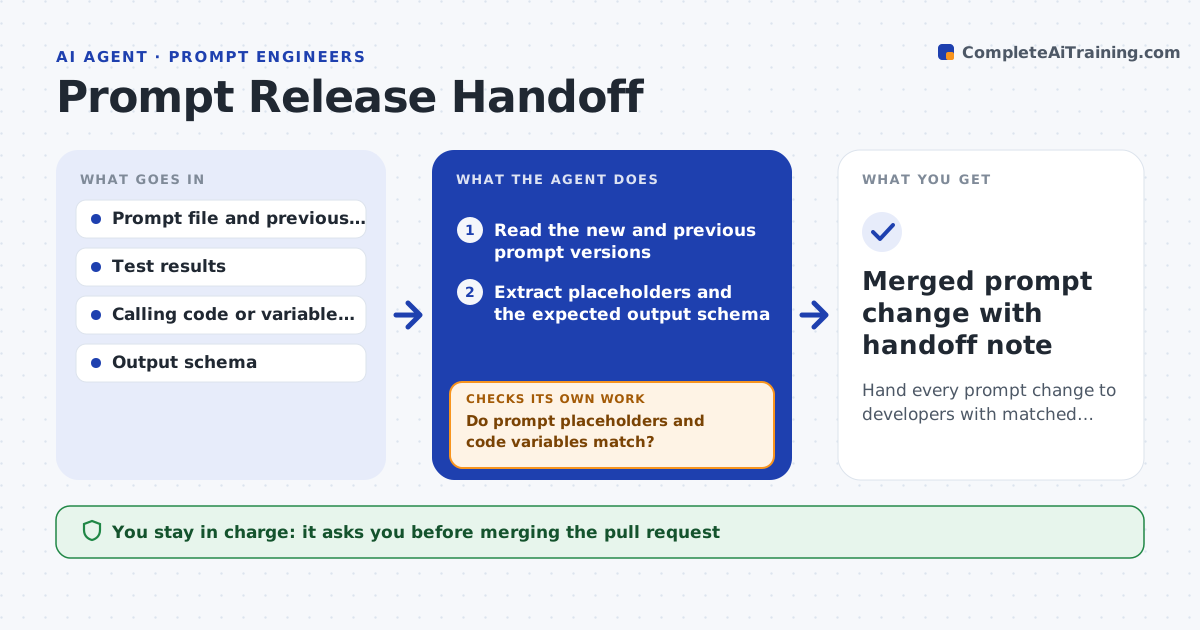
When a prompt changes, developers need more than the new text. They need the variables it expects, the output shape, what tests passed, and how to roll back. Writing this up by hand is easy to skip. This agent prepares the handoff whenever a prompt version is marked ready. It reads the prompt, extracts every placeholder, compares them with the variables the calling code passes, and builds a change note with the diff, test results and expected output schema. It then opens a draft pull request with the new prompt file. If the code passes a variable the prompt no longer uses, or the prompt needs one the code lacks, it stops and lists the mismatch before going further. The developer and prompt engineer both approve before merge. Edge case: a renamed variable is treated as remove plus add, with a migration note.
How it works
Follow the arrows from top to bottom. The orange dashed arrow is the loop: when a check fails, the agent goes back and tries again.
Read the steps as a list
- Prompt version tagged ready
- Read the new and previous prompt versions
- Extract placeholders and the expected output schema
- Search the calling code for the variables it passes
- Do prompt placeholders and code variables match?If not: list each mismatch and ask the prompt engineer to fix the prompt or note the code change. Back to step 3.
- Attach the latest test run and compare with the previous version
- Did the new version pass at least as many tests as the old one?If not: flag the failing tests and hold the handoff until they are explained. Back to step 6.
- Write the change note with diff, schema and rollback steps
- Prompt engineer and developer approve the draft pull requestThe agent waits here for your OK.
- Merged prompt change with handoff note
How it decides
It blocks the handoff on any variable or schema mismatch; otherwise it packages the change and opens a draft pull request.
- Any placeholder mismatch blocks the handoff
- A drop of one or more passed tests needs a written reason
- Schema changes are marked breaking and need a version bump
- Rollback steps always name the previous prompt version
Make it yours
Every agent is a starting point. You choose these settings for your own situation.
- Code repository and path to search (default the main service repo)
- Who approves merges (default prompt engineer plus one developer)
- Change note template (default team template)
What keeps you in control
It always asks you first
- Merging the pull request
- Marking a change as breaking
Hard limits
- Never merges code
- Never edits application code, only the prompt file in the draft
It stops when
- Done: pull request merged with note
- Stop: mismatch unresolved after two rounds; meeting suggested
Set it up
We guide you through the set-up, step by step
Members get the full set-up guide for this agent. No technical skills needed: you copy, paste and upload.
- One set of instructions to paste into your AI, with the clicks for ChatGPT, Claude, Microsoft 365 Copilot, Gemini and Grok
- The agent then walks you through connecting your own data, one source at a time
- A downloadable copy with the flow chart, the rules and the full guide