AI agent for prompt engineers
Prompt Variation Experiment Agent
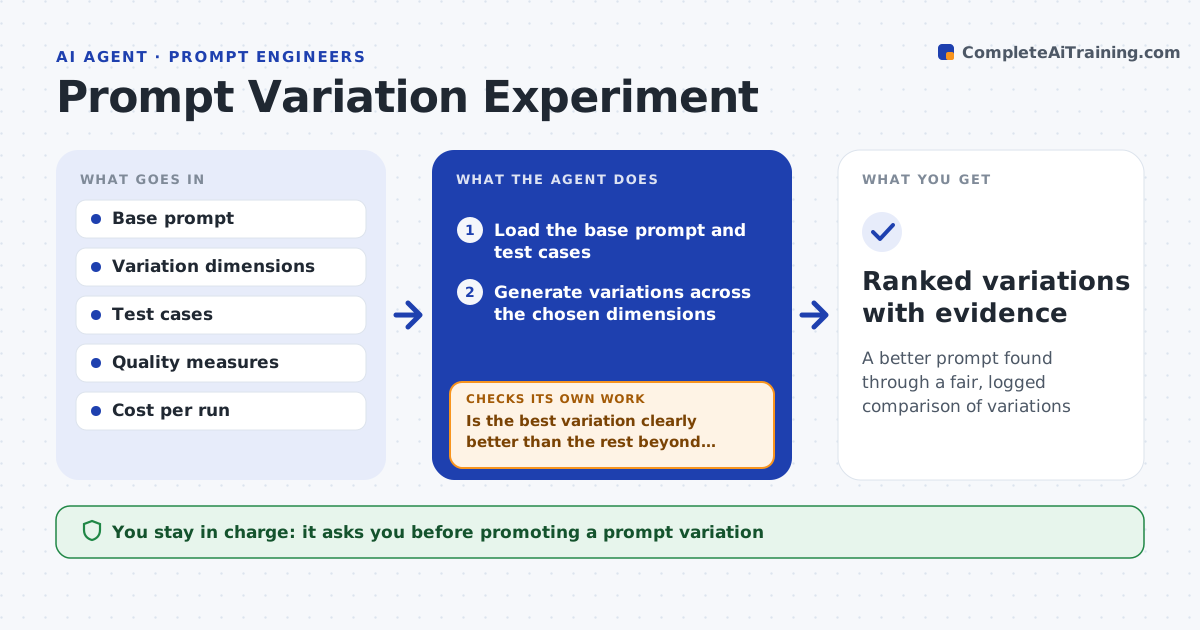
A better prompt found through a fair, logged comparison of variations
What it does
Improving a prompt is often guesswork, with no fair comparison between wording options. This agent takes a base prompt and the dimensions you want to vary, such as instruction style, examples or output format, and generates a set of variations. It runs each on the same test cases under the same settings, so the comparison is fair. It scores them on the agreed quality measures and records token cost. Before naming a winner, it checks whether the lead is larger than the normal spread between runs. If not, it reports a tie. It also weighs cost, so a slightly better but much more expensive version is not promoted on score alone. It logs every variation and result. You approve promoting a variation. Edge case: a top score with 40% more tokens is reported with the trade-off.
How it works
Follow the arrows from top to bottom. The orange dashed arrow is the loop: when a check fails, the agent goes back and tries again.
Read the steps as a list
- Improvement requested
- Load the base prompt and test cases
- Generate variations across the chosen dimensions
- Run each variation on the same test cases and settings
- Score variations on quality and record token cost
- Is the best variation clearly better than the rest beyond noise?If not: report the close results as tied and suggest new variations. Back to step 3.
- Is the improvement worth its extra cost?If not: report the cost trade-off instead of promoting. Back to step 5.
- Engineer approves promoting a variationThe agent waits here for your OK.
- Ranked variations with evidence
How it decides
It compares variations on the same cases under equal conditions and reports trade-offs rather than promoting on a single score.
- Keep test conditions equal across variations
- Report cost and quality trade-offs
- Do not declare a winner on noise
Make it yours
Every agent is a starting point. You choose these settings for your own situation.
- Dimensions to vary
- Number of variations
- Quality measures and cost weight
- Model and settings
What keeps you in control
It always asks you first
- Promoting a prompt variation
Hard limits
- Does not promote a variation without approval
- Keeps comparisons fair
It stops when
- Done: variations compared and logged
- Stop: quality measures are not defined
Set it up
We guide you through the set-up, step by step
Members get the full set-up guide for this agent. No technical skills needed: you copy, paste and upload.
- One set of instructions to paste into your AI, with the clicks for ChatGPT, Claude, Microsoft 365 Copilot, Gemini and Grok
- The agent then walks you through connecting your own data, one source at a time
- A downloadable copy with the flow chart, the rules and the full guide