AI agent for management consultants
Proposal Pricing and Staffing Plan Agent
Produce a priced and staffed plan that meets margin and fits team availability
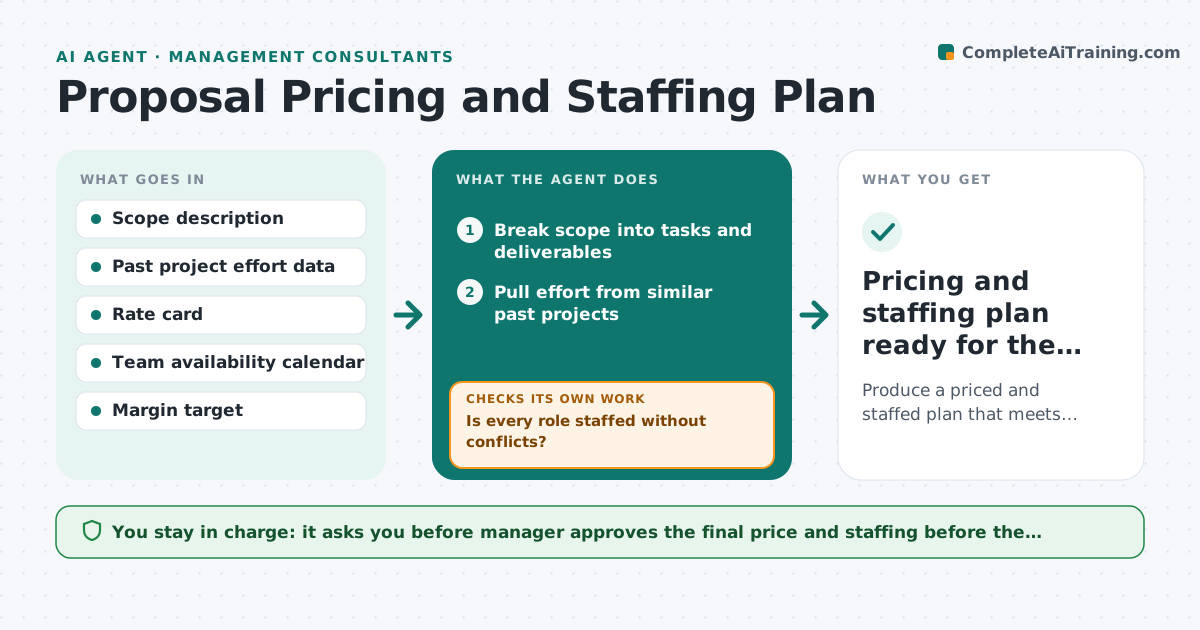
What it does
A consulting manager prices a proposal on a gut feeling and finds out after the win that the best consultant is booked on another project. This agent builds the plan from evidence. It breaks the scope into tasks, estimates effort from similar past projects, and checks who has capacity during the proposed dates. It tests price scenarios, such as fixed fee, time and materials or a phased option, against the margin target and flags problems like a senior day rate exceeding the budget or a team that does not exist at that time. It reruns the whole plan when scope changes. The manager approves the plan before it goes into the proposal. Edge case: two proposals need the same expert. The agent asks which one has priority.
How it works
Follow the arrows from top to bottom. The orange dashed arrow is the loop: when a check fails, the agent goes back and tries again.
Read the steps as a list
- Proposal request received
- Break scope into tasks and deliverables
- Pull effort from similar past projects
- Estimate effort and roles per task
- Check team availability for the proposed dates
- Is every role staffed without conflicts?If not: Propose shifted dates or alternate staff and re-estimate. Back to step 4.
- Test price scenarios against the margin target
- Does the preferred scenario meet the margin target?If not: Adjust mix of seniority, scope phase or price and retest. Back to step 3.
- Manager approves the plan and priceThe agent waits here for your OK.
- Pricing and staffing plan ready for the proposal
How it decides
Effort comes from the median of comparable past projects, adjusted for complexity. A plan fails if margin is below target or a role has no available person.
- Use the median of at least 3 comparable projects, flag if fewer
- Add a 15 percent contingency when scope is unclear
- Margin below target by more than 3 points needs the manager
- Do not plan a person above 90 percent utilization
Make it yours
Every agent is a starting point. You choose these settings for your own situation.
- Margin target (default 30 percent)
- Contingency percent
- Maximum utilization (default 90 percent)
- Price scenarios to test
- Rate card version
What keeps you in control
It always asks you first
- Manager approves the final price and staffing before the proposal is sent
Hard limits
- Never sends prices to a client
- Flags estimates with fewer than 3 comparables
It stops when
- Done: plan meets margin and staffing rules and the manager approves
- Stop: no feasible staffing in the window, report the earliest start date
Set it up
We guide you through the set-up, step by step
Members get the full set-up guide for this agent. No technical skills needed: you copy, paste and upload.
- One set of instructions to paste into your AI, with the clicks for ChatGPT, Claude, Microsoft 365 Copilot, Gemini and Grok
- The agent then walks you through connecting your own data, one source at a time
- A downloadable copy with the flow chart, the rules and the full guide