AI agent for project managers
Engagement Workstream Status Rollup Agent
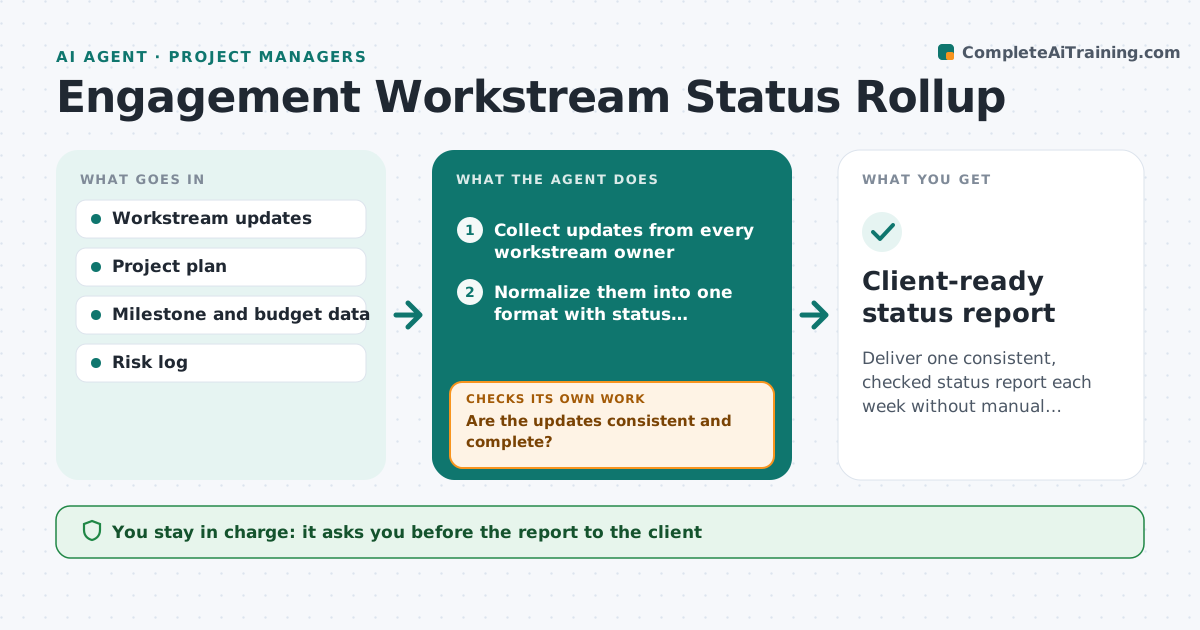
Deliver one consistent, checked status report each week without manual stitching.
What it does
On a big engagement each workstream lead sends status their own way: a slide, a chat message, a spreadsheet. The lead then spends Friday afternoon turning it into one client-ready view, and finds contradictions only when the client asks. This agent collects the updates, normalizes them into one format, and checks them against each other and against the plan, for example a workstream reporting done while a dependent one waits on it. It asks owners to clarify contradictions or missing numbers. After replies it recompiles. Then it drafts the client-ready status with progress, risks and decisions needed. The lead approves the report before it goes out. Edge case: a status of green with a missed milestone is flagged and shown as amber until confirmed.
How it works
Follow the arrows from top to bottom. The orange dashed arrow is the loop: when a check fails, the agent goes back and tries again.
Read the steps as a list
- Weekly status cycle begins
- Collect updates from every workstream owner
- Normalize them into one format with status, progress and risks
- Compare updates against the plan and each other
- Are the updates consistent and complete?If not: Send each owner a specific question and wait for the reply. Back to step 3.
- Recompile the view after replies
- Rate each workstream and draft summary, risks and decisions needed
- Does every green item have its milestones on time?If not: Change it to amber and note the missed date. Back to step 6.
- Lead approves the client reportThe agent waits here for your OK.
- Client-ready status report
How it decides
Maps every update to the plan, flags contradictions or missing data, and downgrades a status to amber if a milestone date has passed without delivery.
- Green with a past-due milestone is shown as amber
- Missing update by deadline is marked unknown, not green
- Two workstreams that conflict on a dependency get a question to both
- Risks above a set rating are always listed
Make it yours
Every agent is a starting point. You choose these settings for your own situation.
- Report day and format
- Rating rules
- Owners and their deadline (default Thursday noon)
- Risk threshold to show
- Which dashboards to read
What keeps you in control
It always asks you first
- The report to the client
- Any change in rating by the lead
- Any new risk shown to the client
Hard limits
- Never send to the client without approval
- Never change a status without a reason in the data
It stops when
- Done: report approved and sent
- Stop: engagement paused
- Stop: data source unavailable
Set it up
We guide you through the set-up, step by step
Members get the full set-up guide for this agent. No technical skills needed: you copy, paste and upload.
- One set of instructions to paste into your AI, with the clicks for ChatGPT, Claude, Microsoft 365 Copilot, Gemini and Grok
- The agent then walks you through connecting your own data, one source at a time
- A downloadable copy with the flow chart, the rules and the full guide