AI agent for catering managers
Proposal Revision Loop Agent
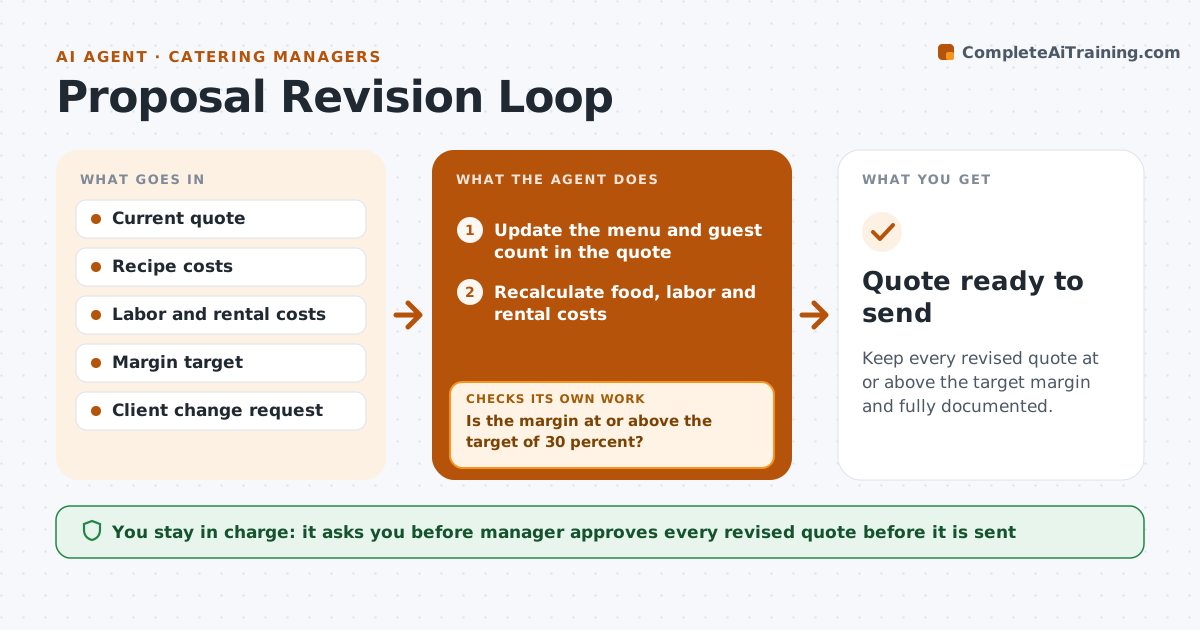
Keep every revised quote at or above the target margin and fully documented.
What it does
A client changes the menu four times, adds twenty guests and swaps the dessert, and by the final quote the margin has fallen from 35 to 22 percent without anyone noticing. For each change request the agent updates the menu and the quote, recalculates ingredient cost, labor and rentals, and shows the effect on price and margin. If the margin falls under the target, it proposes substitutions that keep the feel of the menu, such as a different cut or side, or a price adjustment, and re-runs the numbers until the target is met or no option remains. It keeps a change log with date, request and cost effect, so that disputes are easy to settle. The manager approves each revised quote before it goes to the client. Edge case: a request that changes the staffing level.
How it works
Follow the arrows from top to bottom. The orange dashed arrow is the loop: when a check fails, the agent goes back and tries again.
Read the steps as a list
- Client sends a change request
- Update the menu and guest count in the quote
- Recalculate food, labor and rental costs
- Calculate the price and margin
- Is the margin at or above the target of 30 percent?If not: propose substitutions or a price change and recalculate. Back to step 2.
- Add the change to the log with its cost effect
- Compare the new quote with the last version and list differences
- Manager approves the revised quoteThe agent waits here for your OK.
- Prepare the quote for the client
- Does every difference in the quote match the change log?If not: correct the quote or the log. Back to step 6.
- Quote ready to send
How it decides
Each change is costed in full. If margin is below target, substitutions are tried from least to most visible to the client until the margin is met or the manager decides.
- Target margin is 30 percent unless the manager sets another
- Try substitutions before raising the price
- Limit substitutions to 3 per revision
- Recalculate staffing when guest count changes by more than 10 percent
Make it yours
Every agent is a starting point. You choose these settings for your own situation.
- Margin target (default 30 percent)
- Substitution rules
- Staffing ratios
- Quote template
- Maximum substitutions per revision
What keeps you in control
It always asks you first
- Manager approves every revised quote before it is sent
- Manager approves price changes and substitutions
Hard limits
- Never send a quote to the client
- Do not drop below the minimum margin without approval
It stops when
- Done: quote at target margin and approved
- Stop: no combination meets the target, return the options to the manager
Set it up
We guide you through the set-up, step by step
Members get the full set-up guide for this agent. No technical skills needed: you copy, paste and upload.
- One set of instructions to paste into your AI, with the clicks for ChatGPT, Claude, Microsoft 365 Copilot, Gemini and Grok
- The agent then walks you through connecting your own data, one source at a time
- A downloadable copy with the flow chart, the rules and the full guide