AI agent for dietitians
Food Label and Allergen Verification Agent
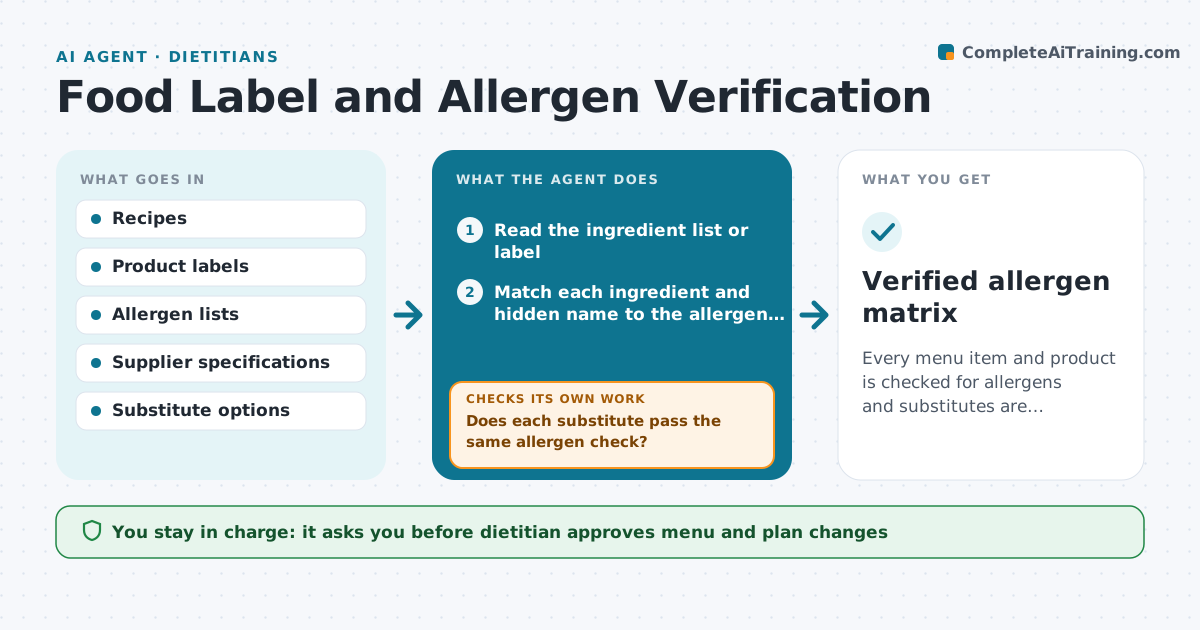
Every menu item and product is checked for allergens and substitutes are verified.
What it does
A menu item can contain an allergen the label does not make obvious, such as milk in a bread mix or soy in a sauce. When a new recipe or product is added, the agent reads the ingredient list or label and compares each ingredient with the client's or kitchen's allergen list, including hidden names such as casein, whey or lecithin. It flags matches and possible cross-contact, and proposes substitutes. Each substitute is checked again against the same allergen list before the dietitian sees it. If a label is unclear, the agent asks for the supplier's specification. The dietitian approves every menu or plan change. Edge case: a product labeled 'may contain' is treated as a match for severe allergies.
How it works
Follow the arrows from top to bottom. The orange dashed arrow is the loop: when a check fails, the agent goes back and tries again.
Read the steps as a list
- New recipe or product added
- Read the ingredient list or label
- Match each ingredient and hidden name to the allergen list
- Flag direct matches and cross-contact warnings
- Propose substitutes for each flagged ingredient
- Does each substitute pass the same allergen check?If not: Reject it, find another option and recheck. Back to step 3.
- Ask the supplier for a specification where the label is unclear
- Dietitian approves menu and plan changesThe agent waits here for your OK.
- Update the allergen matrix
- Verified allergen matrix
How it decides
It matches ingredients and hidden names to the allergens and rechecks every substitute.
- May contain statements are matches for severe allergies
- Hidden names are checked
- Substitutes must pass the same list
- Unclear labels need a supplier statement
Make it yours
Every agent is a starting point. You choose these settings for your own situation.
- Allergen list
- Severity rules
- Supplier contact
- Hidden name list
- Matrix format
What keeps you in control
It always asks you first
- Dietitian approves menu and plan changes
- Dietitian approves allergen statements for clients
Hard limits
- Never state a product is safe without a source
- Never skip a substitute check
- Never change a menu without approval
It stops when
- Done: all items checked and the matrix approved
- Stop: the supplier cannot confirm an ingredient
Set it up
We guide you through the set-up, step by step
Members get the full set-up guide for this agent. No technical skills needed: you copy, paste and upload.
- One set of instructions to paste into your AI, with the clicks for ChatGPT, Claude, Microsoft 365 Copilot, Gemini and Grok
- The agent then walks you through connecting your own data, one source at a time
- A downloadable copy with the flow chart, the rules and the full guide