AI agent for electrical engineers
Protection Coordination Review Agent
Produce a checked set of protection settings that coordinate after a system change
What it does
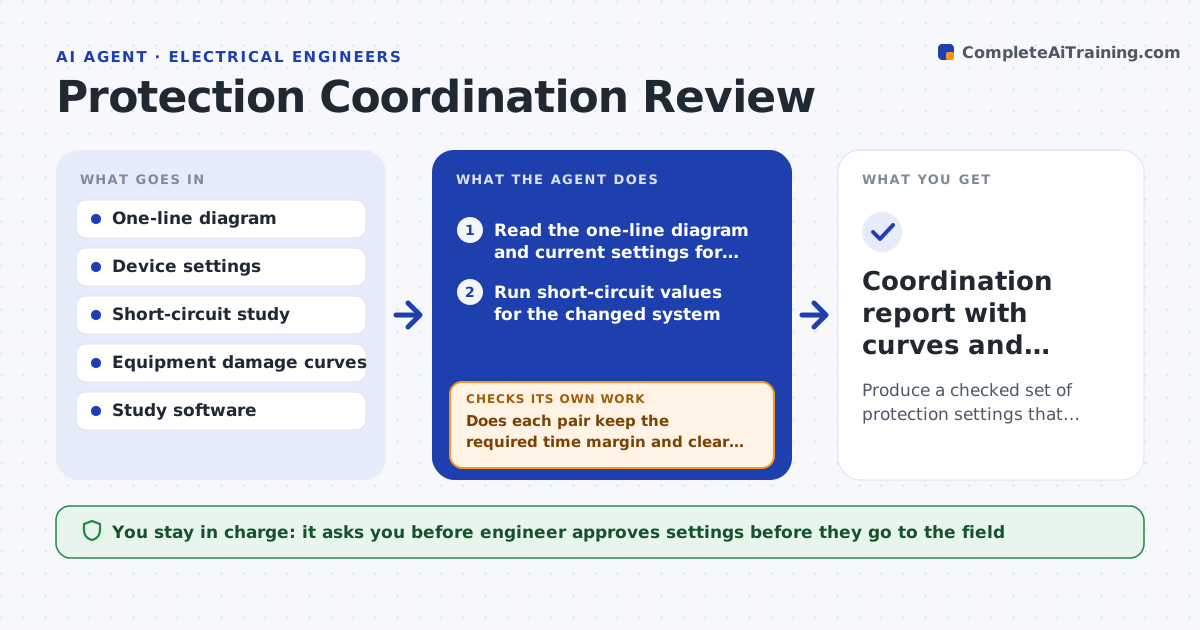
After a new transformer, a changed utility fault level or a new feeder, the old breaker and relay settings may no longer coordinate. This agent reads the one-line diagram and the current settings for the changed circuits. It runs a coordination study with the updated short-circuit values and plots the time-current curves. It flags places where an upstream device could trip before the downstream one, or where a device cannot clear a fault in time. It then tests adjusted settings and reruns the curves until each pair coordinates and the equipment damage limits are respected. The engineer approves the final settings. Edge case: moving one setting fixes a pair but breaks another downstream, so the agent tests the whole chain.
How it works
Follow the arrows from top to bottom. The orange dashed arrow is the loop: when a check fails, the agent goes back and tries again.
Read the steps as a list
- System change or fault level update
- Read the one-line diagram and current settings for affected circuits
- Run short-circuit values for the changed system
- Plot time-current curves for each protection chain
- Does each pair keep the required time margin and clear within damage limits?If not: list the miscoordinated pairs. Back to step 3.
- Propose the smallest setting changes to restore margins
- Rerun curves with the new settings for the whole chain
- Do all pairs in the chain pass, including downstream ones?If not: revise the proposal or use a different device setting. Back to step 6.
- Engineer approves the settingsThe agent waits here for your OK.
- Coordination report with curves and setting sheet
How it decides
It requires a time margin between each upstream and downstream device at the fault level, and adjusts the smallest number of settings that restores it.
- Require at least 0.3 second margin between upstream and downstream trip times
- Check against transformer and cable damage curves
- Change the fewest settings that fix the chain
- Rerun the whole chain after any change
Make it yours
Every agent is a starting point. You choose these settings for your own situation.
- Required time margin (default 0.3 s)
- Study software and export format
- Circuits in scope
- Damage curves to include
- Report layout
What keeps you in control
It always asks you first
- Engineer approves settings before they go to the field
- Utility or owner approves changes at the connection point
Hard limits
- Never write settings to live relays
- Never apply a setting that exceeds equipment damage limits
It stops when
- Done: all chains coordinate and settings are approved
- Stop: no setting works and equipment must change
Set it up
We guide you through the set-up, step by step
Members get the full set-up guide for this agent. No technical skills needed: you copy, paste and upload.
- One set of instructions to paste into your AI, with the clicks for ChatGPT, Claude, Microsoft 365 Copilot, Gemini and Grok
- The agent then walks you through connecting your own data, one source at a time
- A downloadable copy with the flow chart, the rules and the full guide