AI agent for investor relations managers
Proxy Advisor Policy Check Agent
Find proxy advisor risks before the proxy statement is final and plan engagement.
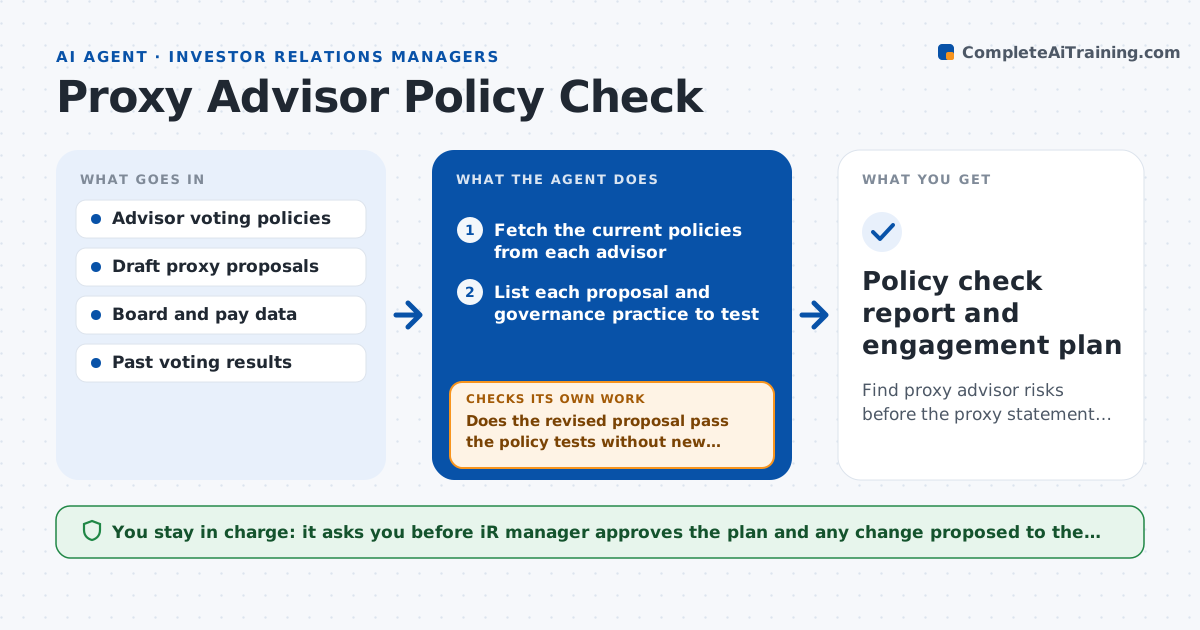
What it does
Proxy advisors publish voting policies, and a company often learns that a proposal or practice breaks them only when a negative recommendation appears. This agent reads the latest policies from each advisor and checks each item on the upcoming meeting agenda and each governance practice against them: board independence, overboarding, pay plans, share authorizations and more. It lists the risks with the policy text it relies on and drafts an engagement plan. When the company revises a proposal, it rechecks. If a change creates a new issue, it flags that too. The IR manager approves the plan and any contact with advisors.
How it works
Follow the arrows from top to bottom. The orange dashed arrow is the loop: when a check fails, the agent goes back and tries again.
Read the steps as a list
- Draft proxy proposals ready
- Fetch the current policies from each advisor
- List each proposal and governance practice to test
- Test each item against each advisor's policy
- Rank risks by likelihood and vote at stake
- Draft the engagement plan and proposed changes
- IR manager approves the planThe agent waits here for your OK.
- Recheck after the proposal is revised
- Does the revised proposal pass the policy tests without new issues?If not: update the risk list and redraft the plan. Back to step 4.
- Policy check report and engagement plan
How it decides
It flags an item when a stated policy test fails and ranks it by the likelihood of an against recommendation and the vote at stake.
- Flag board members on more than 4 public boards
- Flag a pay plan with a say-on-pay support below 70 percent last year
- Flag an authorization above the advisor's share limit
- Cite the exact policy section for every risk
Make it yours
Every agent is a starting point. You choose these settings for your own situation.
- Advisors to follow
- Risk ranking rules
- Policy update check schedule
- Items outside scope
What keeps you in control
It always asks you first
- IR manager approves the plan and any change proposed to the board
- IR manager approves any contact with an advisor
Hard limits
- Never contacts advisors itself
- Quotes policy text exactly and cites the source
It stops when
- Done: no unresolved high risks or a plan approved
- Stop: advisor policies for the period are not yet published
Set it up
We guide you through the set-up, step by step
Members get the full set-up guide for this agent. No technical skills needed: you copy, paste and upload.
- One set of instructions to paste into your AI, with the clicks for ChatGPT, Claude, Microsoft 365 Copilot, Gemini and Grok
- The agent then walks you through connecting your own data, one source at a time
- A downloadable copy with the flow chart, the rules and the full guide