AI agent for investor relations managers
Proxy Vote Tracking Agent
A daily view of proposal outcomes, risks and a prioritized outreach plan until the meeting
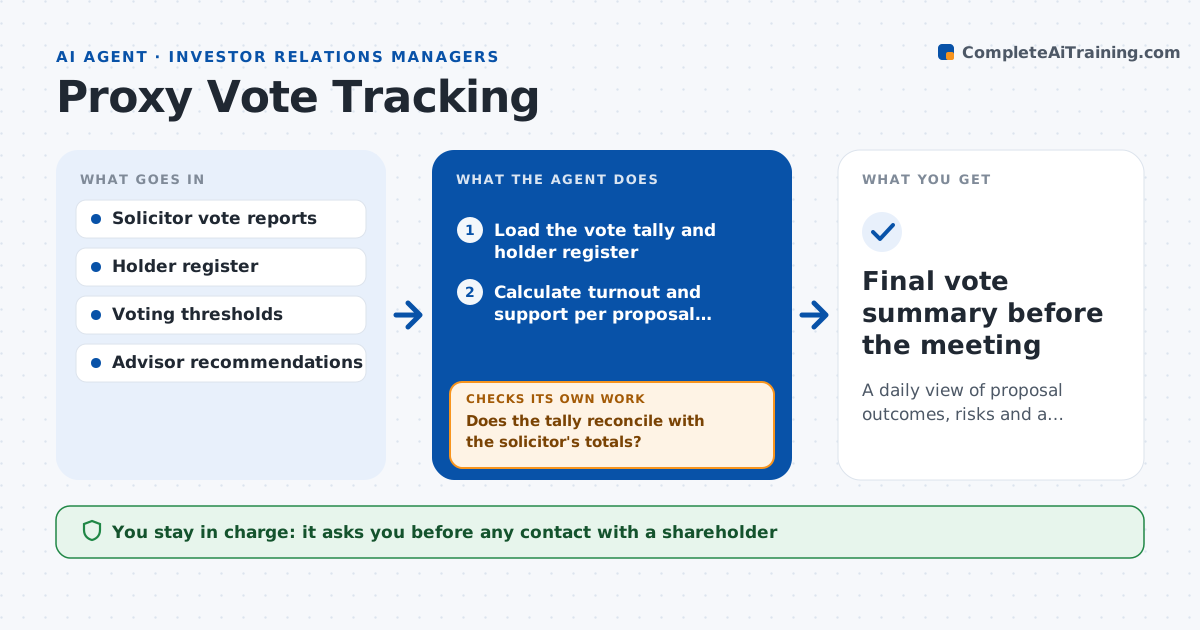
What it does
In the weeks before an annual meeting, IR and the corporate secretary check vote tallies from the proxy solicitor, compare them with what each proposal needs to pass and worry about large holders voting against management. It is done in spreadsheets and phone calls. This agent loads the daily vote report, calculates the share of shares voted and the support for each proposal against the threshold, and checks which large holders have voted and how. It flags holders with big stakes voting against management or not yet voting, and drafts outreach options that suit each holder, such as a call or a letter that restates the board's position. It reruns each day as votes arrive and adjusts the plan. The IR head and corporate secretary approve any contact. Edge case: broker non-votes are excluded from the quorum calculation.
How it works
Follow the arrows from top to bottom. The orange dashed arrow is the loop: when a check fails, the agent goes back and tries again.
Read the steps as a list
- Daily vote report arrives
- Load the vote tally and holder register
- Calculate turnout and support per proposal against the threshold
- Does the tally reconcile with the solicitor's totals?If not: find the difference by holder, correct the data and recalculate. Back to step 2.
- List large holders who voted against or have not voted
- Compare with advisor recommendations for each proposal
- Draft outreach options for the priority holders
- IR head and corporate secretary approve any holder contactThe agent waits here for your OK.
- Record contact results and reload the next day's votes
- Is each proposal safely above its threshold?If not: raise the priority of undecided holders and redraft the outreach plan. Back to step 3.
- Final vote summary before the meeting
How it decides
It ranks outreach by holder size and how much their vote could change the result relative to the pass margin, and it updates every day.
- Treat a margin under 10 points as at risk
- Flag any holder over 1% voting against management
- Exclude broker non-votes from the quorum figure
- Contact only holders on the approved list
Make it yours
Every agent is a starting point. You choose these settings for your own situation.
- Holder size that triggers a flag (default 1%)
- Margin treated as at risk (default 10 points)
- Daily report time
- Proposal list
What keeps you in control
It always asks you first
- Any contact with a shareholder
Hard limits
- Never contacts a holder itself
- Never discloses vote results outside the team
- Keeps a record of all outreach
It stops when
- Done: meeting votes are final
- Stop: solicitor reports are unavailable
Set it up
We guide you through the set-up, step by step
Members get the full set-up guide for this agent. No technical skills needed: you copy, paste and upload.
- One set of instructions to paste into your AI, with the clicks for ChatGPT, Claude, Microsoft 365 Copilot, Gemini and Grok
- The agent then walks you through connecting your own data, one source at a time
- A downloadable copy with the flow chart, the rules and the full guide