AI agent for production coordinators
Quality Hold Release Tracker Agent
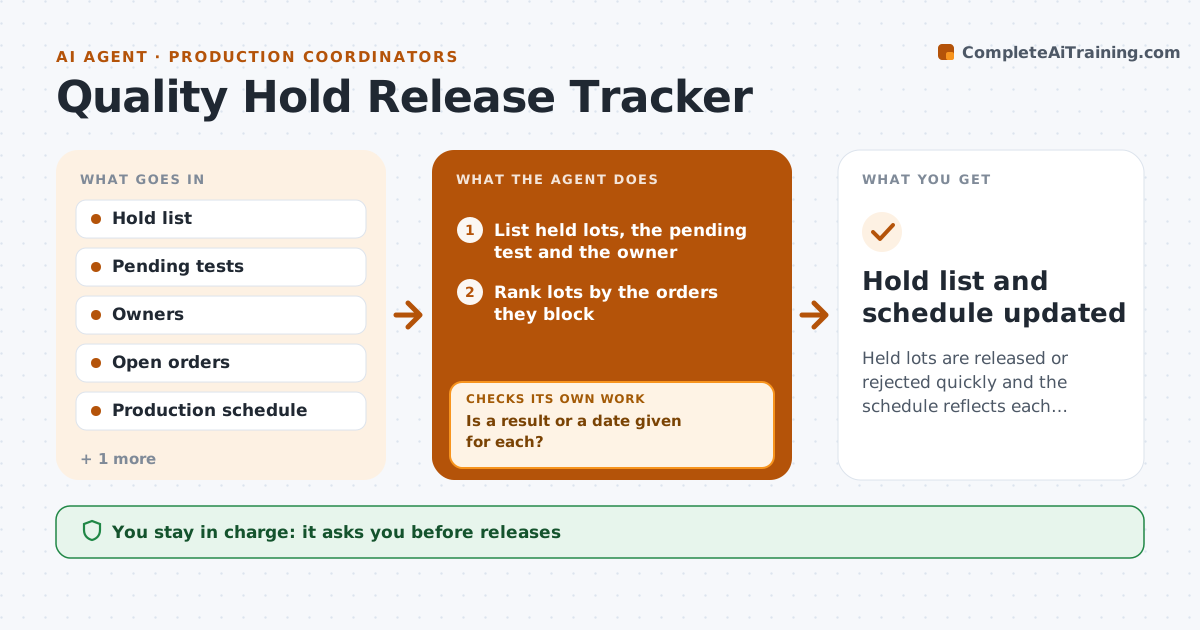
Held lots are released or rejected quickly and the schedule reflects each decision
What it does
Held lots sit for days and block orders because nobody chases the test result. This agent lists held lots, the pending test or decision and the owner. It chases quality for results on a schedule and updates the production schedule when a lot is released or rejected. A rejected lot triggers a check on whether a remake order is needed and when it can run. Quality approves every release. Edge case: a held lot is the only stock for a customer order due tomorrow, so the agent moves that lot to the top of the chase list.
How it works
Follow the arrows from top to bottom. The orange dashed arrow is the loop: when a check fails, the agent goes back and tries again.
Read the steps as a list
- Chase time reached
- List held lots, the pending test and the owner
- Rank lots by the orders they block
- Ask quality for the status of the top lots
- Is a result or a date given for each?If not: escalate to the quality lead and recheck in 2 hours. Back to step 3.
- Read new releases and rejections
- Update the production schedule and orders
- Does a rejected lot leave an order short?If not: check a remake order and its earliest date. Back to step 7.
- Quality approves every releaseThe agent waits here for your OK.
- Hold list and schedule updated
How it decides
A lot is ranked for chasing by the date of the order it blocks. A rejected lot triggers a remake check against the schedule.
- Rank by the order due date
- Escalate when a lot is held more than 3 days
- Check a remake for every rejection
- Never release on a verbal answer only
Make it yours
Every agent is a starting point. You choose these settings for your own situation.
- Chase times
- Escalation days (default 3)
- Lots included
- Who is notified
What keeps you in control
It always asks you first
- Releases
- Remake orders
Hard limits
- Never release a lot
- Never reschedule customer orders without approval
It stops when
- Done: all held lots resolved
- Stop: quality system unavailable
Set it up
We guide you through the set-up, step by step
Members get the full set-up guide for this agent. No technical skills needed: you copy, paste and upload.
- One set of instructions to paste into your AI, with the clicks for ChatGPT, Claude, Microsoft 365 Copilot, Gemini and Grok
- The agent then walks you through connecting your own data, one source at a time
- A downloadable copy with the flow chart, the rules and the full guide