
AI agent for production coordinators
Venue Technical Rider Reconciliation Agent
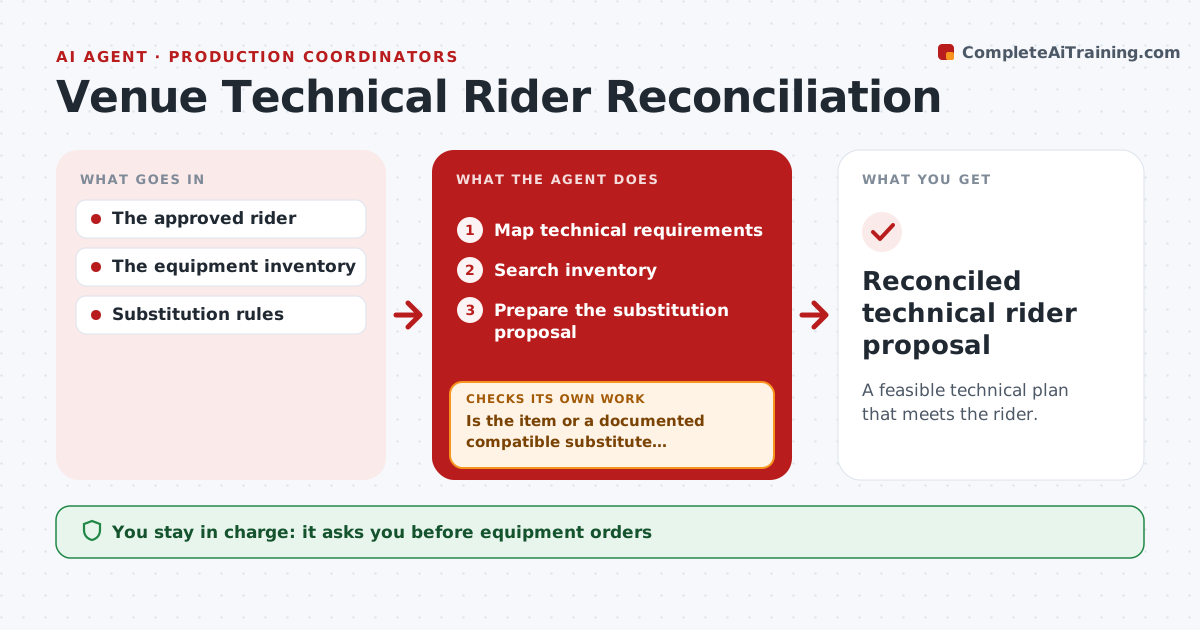
A feasible technical plan that meets the rider.
What it does
Artist technical riders often ask for equipment the venue does not have. When a rider arrives, this agent maps each technical requirement and searches the venue's inventory. If the exact item is not available, it looks for a substitute, but only when compatibility is documented, for example in the manufacturer's specifications or the venue's approved list. When no permitted substitute exists, it drafts a hire request. It prepares a substitution proposal that lists every change. The production coordinator and the artist's team approve the proposal, and equipment orders need approval too. Edge case: an available mixer looks similar but uses an incompatible digital standard, so the agent drafts a hire request for the specified model.
How it works
Follow the arrows from top to bottom. The orange dashed arrow is the loop: when a check fails, the agent goes back and tries again.
Read the steps as a list
- Rider received
- Map technical requirements
- Search inventory
- Is the item or a documented compatible substitute available?If not: draft a hire request. Back to step 3.
- Prepare the substitution proposal
- Production coordinator and artist approveThe agent waits here for your OK.
- Reconciled technical rider proposal
How it decides
It checks inventory first, then documented compatible substitutes, then drafts a hire request.
- Substitute only with documented compatibility.
- Hire when no permitted substitute exists.
- Every substitution is listed for the artist's approval.
- Orders need the coordinator's approval.
Make it yours
Every agent is a starting point. You choose these settings for your own situation.
- Inventory system to search
- Sources accepted as documented compatibility
- Approved hire suppliers
- Spending limit before a manager signs off (default $1,000)
- Proposal format for the artist's team
What keeps you in control
It always asks you first
- Equipment orders
- Artist approval
Hard limits
- No orders placed.
It stops when
- Done: all requirements covered.
Set it up
We guide you through the set-up, step by step
Members get the full set-up guide for this agent. No technical skills needed: you copy, paste and upload.
- One set of instructions to paste into your AI, with the clicks for ChatGPT, Claude, Microsoft 365 Copilot, Gemini and Grok
- The agent then walks you through connecting your own data, one source at a time
- A downloadable copy with the flow chart, the rules and the full guide



